

Direct answer
What is braille?
Adds raised Grade-1 Braille dots to your artwork.
Print examples made with Braille
See the imposed output and finished piece together, then open the exact preset and production specs.
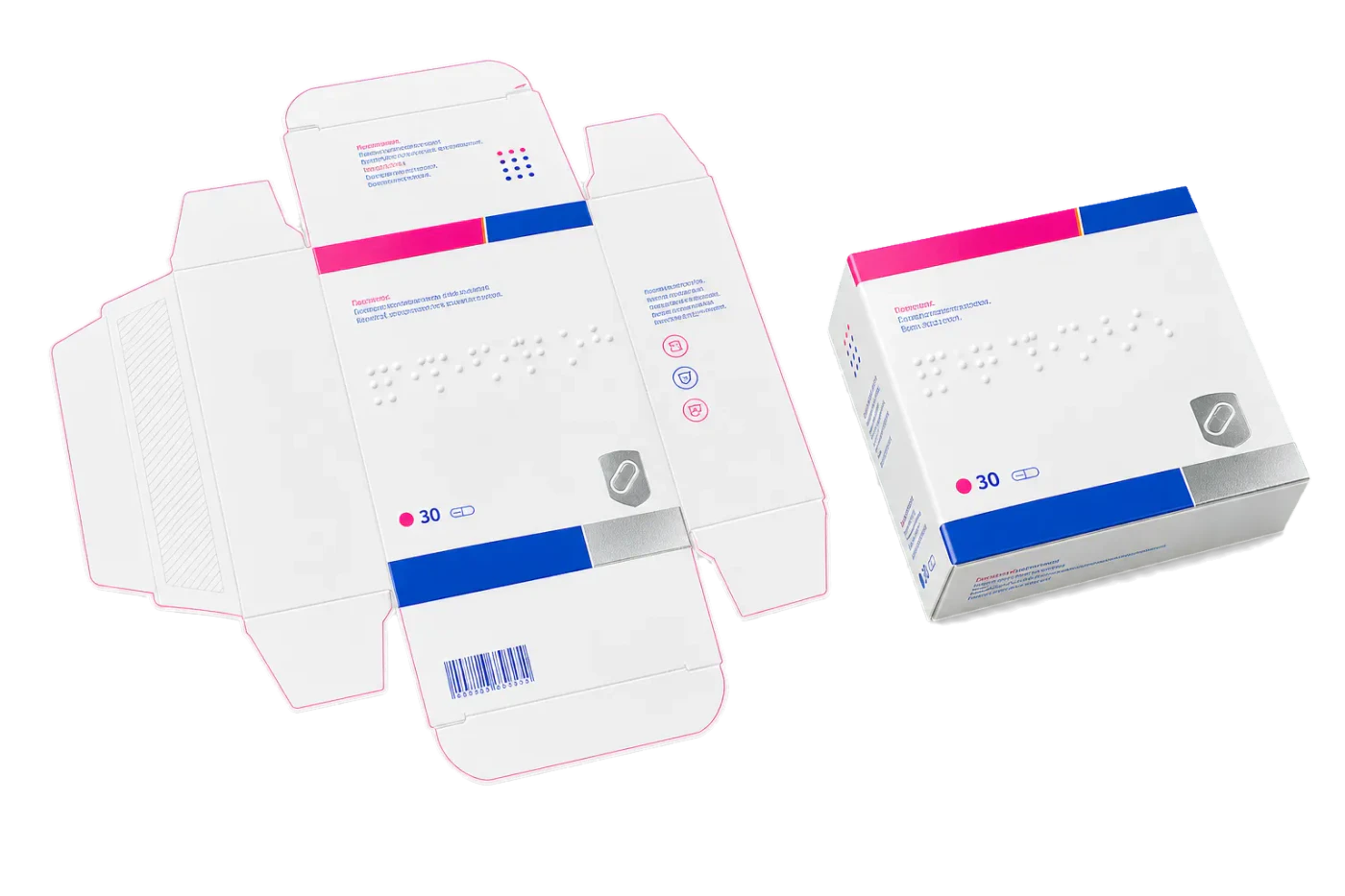
Original PDF Press print-production photography. Images link to their canonical template pages.
How to use Braille
Upload files
Start with your source PDF or image files. Processing happens locally in the browser.
Add Braille
Configure the tool settings that match the job.
Preview the result
Check page order, marks, scaling, and output geometry before committing the export.
Download output
Export the finished PDF for proofing, press, finishing, or another PDF Press step.
What print pros say
Our agency keeps everything in-house now: zines, stickers, booklets, grid-printed cards. One PDF imposition tool for every print job instead of three desktop apps.
Files never leave the machine, which our clients' legal team loves. Most browser imposers upload your PDF; this one doesn't, and it's still this easy.
If you're searching for a PDF impose tool for booklets, zines or sticker sheets, just use this. Custom imposition, n-up, grid printing: it does the lot in the browser, print-ready.
Frequently asked questions
What is Braille used for?
Braille helps you adds raised grade-1 braille dots to your artwork..
Who should use braille?
It is built for print professionals and prepress operators. Common use cases include print professionals and prepress operators.
Do my PDF files upload to a server?
No. PDF Press runs the PDF processing workflow in your browser, so your files stay on your device.
Can I use Braille with other PDF Press tools?
Yes. You can combine it with other PDF Press tools in a multi-step workflow, then preview and export the final PDF.