 pdfpress
Fiery Impose Booklet & Creep: Set It Right (Creep In or Out?)
How to make a booklet in Fiery Impose and set creep — including whether creep goes in or out and double-sided setup. Plus how to print a booklet without Fiery Impose using PDF Press, free in the browser with automatic creep.
Making a Booklet in Fiery Impose
In Fiery Impose, a booklet is a layout type, not a manual page shuffle:
- Open the job in Command WorkStation and choose Impose → Booklet.
- Pick the binding style — saddle stitch (folded and stapled) or perfect binding (sections glued at the spine).
- Set the sheet size and 2-sided (duplex) so the booklet prints double-sided correctly — "fiery imposed double sided" jobs need the duplex set here, not just in the printer driver.
- Impose orders the pages into spreads automatically and shows the WYSIWYG result.
The reason a booklet is a layout type rather than a manual reorder is imposition arithmetic. In a saddle-stitch booklet the page count must be a multiple of four, because every folded sheet carries four pages — two on the front, two on the back. Impose enforces this and pads with blanks if your source is not a multiple of four, so an 18-page document becomes a 20-page booklet with two blanks placed at the logical spot. It also pairs pages into printer spreads: the first sheet of a 16-page booklet carries pages 16 and 1 on one side and 2 and 15 on the other, and Impose computes that pairing for you. Trying to reproduce this by hand in a page-shuffle tool is where most DIY booklets go wrong, because the pairing changes with every page-count.
Before you print, confirm three things in the WYSIWYG view: the page count rounded up to a multiple of four, the binding edge matching how the job will fold, and the duplex relationship so the back of each sheet aligns with its front. Those three checks catch nearly every booklet error that would otherwise only surface on the folded proof.
Fiery Impose's Booklet layout orders pages into spreads; creep keeps trimmed margins aligned.
Do it in your browser — the sheet, the count and the marks are set for you. Change only what you want.
Open the make a booklet tool5 free downloads total · 8 hours between free downloads · local file processing
Setting Creep — In or Out?
Creep (shingling) compensates for inner sheets pushing outward when folded sheets nest in a saddle-stitch booklet. The recurring question is "does creep go in or out?"
The answer: you set creep so that inner-page content moves toward the spine ("creep in") as pages sit deeper in the booklet. That counteracts the outward push, so after folding and trimming the outer edge, the margins line up evenly. If content drifts toward the outer edge on inner pages, your creep is wrong (or absent).
In Impose's Booklet settings, enable the creep adjustment and set the total creep amount:
- Estimate it as paper caliper × number of nested sheets (pages ÷ 4).
- Heavier stock and higher page counts need more creep.
- Proof a folded dummy before the full run — creep is hard to judge from the screen alone.
It helps to picture why the shift is progressive rather than uniform. The outermost sheet wraps around everything, so its content sits at the reference position with effectively no creep. Each sheet nested inside it is pushed slightly further from the spine by the thickness of the sheets it wraps, so its content must move inward by a matching amount to keep the trimmed margin even. By the centre spread — the innermost fold — the accumulated push is largest, which is why the centre pages receive the most creep. Impose distributes the total you enter across the spreads in this graduated way automatically; you supply the total, and it handles the per-spread allocation.
A useful sanity check: open the imposed booklet and look at the inner-margin (gutter) width on the centre spread versus the cover spread. With correct creep the trimmed text block should sit at a consistent distance from the trimmed edge on every spread, even though the untrimmed sheets differ. If the centre-spread content visibly hugs the outer edge while the cover sits fine, the creep total is too low; if the centre content crowds the spine, it is too high. This visual relationship is far easier to reason about than the raw millimetre value, and it is the same thing the folded dummy confirms in the real world.
See the deeper explanation in saddle stitch vs perfect binding and the parallel creep in Quite Imposing guide.
Working Out the Creep Amount
The total creep for a saddle-stitch booklet equals the paper caliper multiplied by the number of nested folded sheets, and Fiery Impose then shingles the pages progressively from the spine outward across that range. Getting the number right is a matter of three inputs: how thick the stock is, how many sheets nest inside each other, and how Impose distributes the shift.
Work it through with a concrete example. Suppose a 32-page A5 booklet printed 2-up on A4, saddle stitched:
- Nested sheets = pages ÷ 4 = 32 ÷ 4 = 8 sheets.
- Caliper = the measured thickness of one sheet; a typical 120 gsm uncoated stock is roughly 0.13 mm.
- Total creep ≈ caliper × nested sheets = 0.13 mm × 8 ≈ 1.0 mm of shift between the outermost and innermost spread.
That total is the maximum shift applied to the centre spread; outer spreads get proportionally less. Heavier stock and higher page counts both increase the figure, which is why a thick 64-page booklet can need several millimetres of creep while a thin 8-page leaflet needs almost none. Measure your actual stock with a micrometer rather than trusting the gsm-to-caliper estimate, because coating, bulk and finish all change the real thickness. Then enter the total in Impose's creep field and, critically, proof a folded dummy on the production stock — creep is the one setting that is genuinely hard to judge from the screen. PDF Press suggests a starting creep from the page count alone — it has no stock picker — and gives you a Creep per sheet field in millimetres to type the measured figure into. It then states the consequence: “artwork shingled up to 3.0 mm toward the spine”. Note that it shingles the ARTWORK inside a fixed cell rather than moving the whole leaf outward, so the creep never comes out of your finished trim.
Creep scales with stock thickness and page count; thicker stock and more pages mean more shift.
Do it in your browser — the sheet, the count and the marks are set for you. Change only what you want.
Open the make a booklet tool5 free downloads total · 8 hours between free downloads · local file processing
Creep in Saddle Stitch vs Perfect Binding
Creep is primarily a saddle-stitch problem; perfect-bound books need little or no creep because their sections are stacked, not nested. The distinction matters because applying saddle-stitch creep to a perfect-bound job throws the margins off in the wrong direction.
In a saddle-stitch booklet, every sheet is folded once and nested inside the others around a single spine, so the inner sheets stick out further and the trimmed margin would creep inward without compensation — hence the shift. In perfect binding, the book is built from separate folded signatures that are stacked and glued at the spine; each signature folds independently, so the cumulative push of nesting does not build up the same way. Within a single perfect-bound signature there is a small amount of creep across that signature's own folded sheets, but the book as a whole does not need the large, progressive shift that a thick saddle-stitch booklet does.
- Saddle stitch — one nested set; creep grows with page count and can reach several millimetres on thick jobs.
- Perfect binding — independent signatures; little to no book-wide creep, only minor per-signature shift.
- Choosing in Impose — pick the binding style first, because it changes whether and how much creep Impose applies.
Page count also shapes the decision in a way that interacts with creep. Saddle stitch is economical and lies flat at low page counts, but as the count climbs the nested sheets push harder, creep grows, and very thick saddle-stitch booklets start to bulge at the spine and gape at the fore-edge even with correct creep. That is the practical ceiling where shops switch to perfect binding: the document is simply too thick to nest cleanly. So the binding choice is partly a creep-management choice — perfect binding sidesteps the large progressive shift by stacking independent signatures, at the cost of a glued spine that needs a minimum thickness to hold. Knowing roughly where your stock and page count cross that threshold lets you pick the binding before creep ever becomes a problem.
Set the binding style in Impose's Booklet settings before you touch the creep value, and see saddle stitch vs perfect binding for how the two methods differ across cost, durability and page count.
How to Print a Booklet Without Fiery Impose
If Impose is greyed out, unlicensed, or you're on a machine with no Fiery server, you don't need it to make a correct booklet. PDF Press builds the booklet and applies creep automatically from your page count and paper stock, then exports a print-ready PDF you print double-sided on any printer.
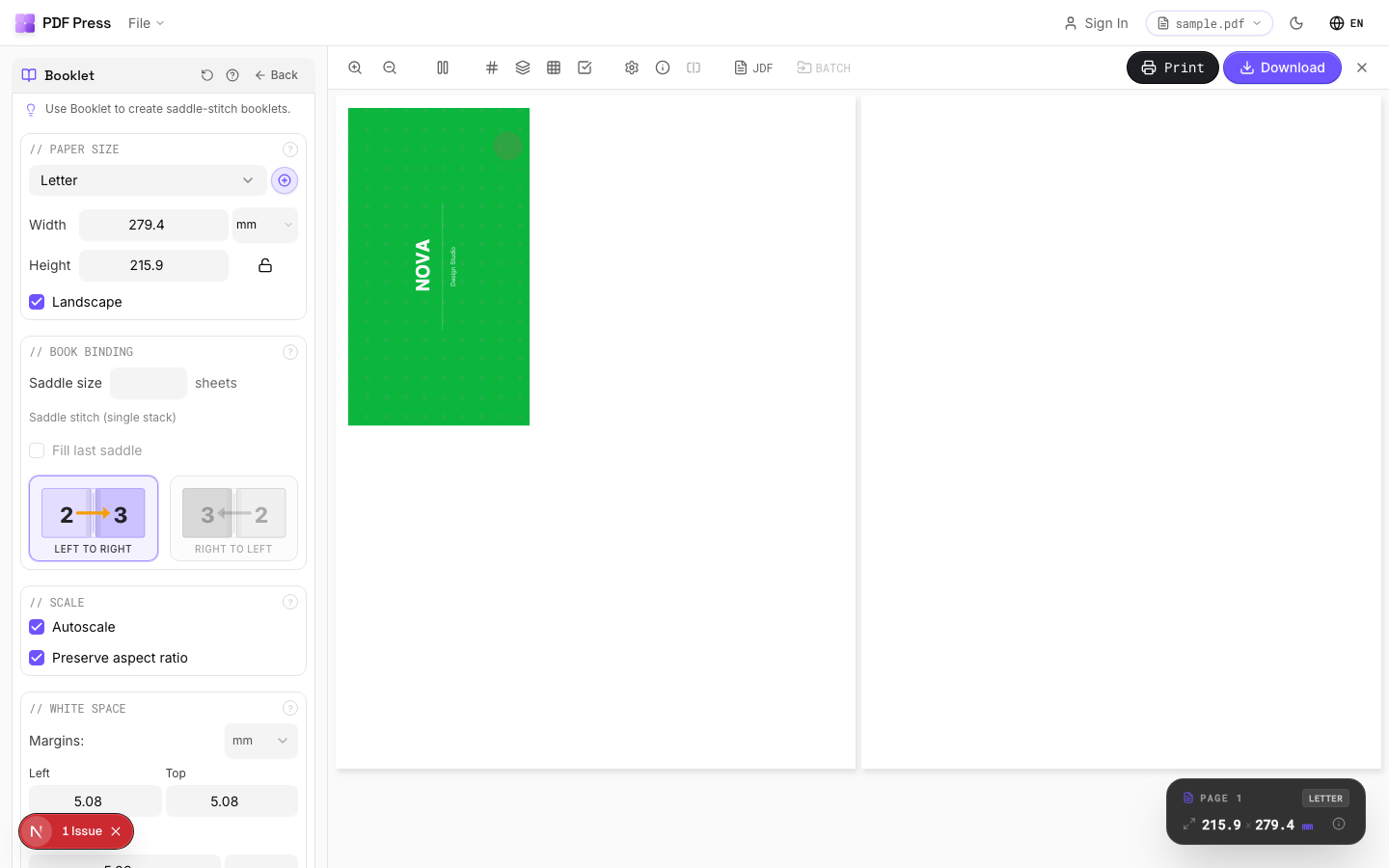

Use Booklet maker for saddle stitch, N-up Book for perfect-binding signatures, and online booklet imposition if you prefer. Add bleed and fold marks as needed.
Pros vs Fiery Impose: automatic creep, live preview, no server or license, any OS, free, prints on any printer. Cons: it outputs a print-ready PDF rather than driving the Fiery's inline finishing — for booklet-maker/stapler-fold production on the press, Impose stays useful. See fix booklet printing and the full Fiery Impose alternative.
Set creep by hand in a licensed module vs. automatic creep in a free browser booklet tool.
Do it in your browser — the sheet, the count and the marks are set for you. Change only what you want.
Open the make a booklet tool5 free downloads total · 8 hours between free downloads · local file processing
Frequently Asked Questions
How do I set creep on Fiery Impose?
Does booklet creep go in or out in Fiery Impose?
How do I make a double-sided booklet in Fiery Impose?
How can I print a booklet without Fiery Impose?
How do I calculate the creep amount for a saddle-stitch booklet?
Does perfect binding need creep in Fiery Impose?
Ready to put this into practice?
Do it in your browser — the sheet, the count and the marks are set for you. Change only what you want.
Open the n up toolFree in your browser · sign in with Google · files never leave your device