Nudge
Creates a list of per-page adjustments. Each adjustment specifies a page range and an action: translate (shift x/y) or rotate (degrees). Use this for registration corrections, aligning mismatched pages, or compensating for print-to-cut drift.

Nudge
Tool pageFine-tunes individual page positions: translate or rotate specific pages by precise amounts.
Creates a list of per-page adjustments. Each adjustment specifies a page range and an action: translate (shift x/y) or rotate (degrees). Use this for registration corrections, aligning mismatched pages, or compensating for print-to-cut drift.
How It Works
Creates a list of per-page adjustments. Each adjustment specifies a page range and an action: translate (shift x/y) or rotate (degrees). Use this for registration corrections, aligning mismatched pages, or compensating for print-to-cut drift.
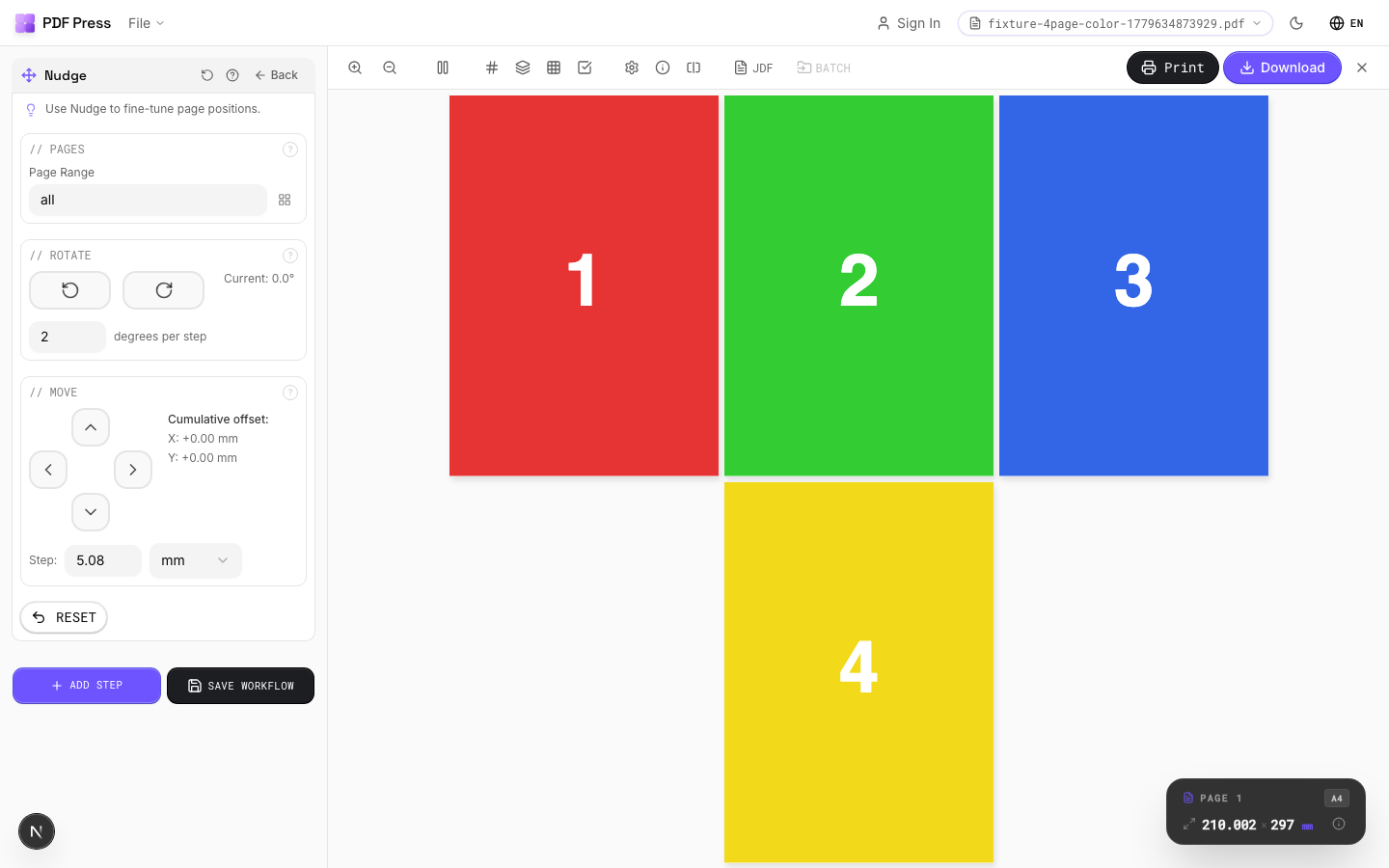
Nudge tool applied. Options panel on the left, imposed result on the right. Click to zoom.
Options Guide
Pages
Select which pages the current nudge adjustment applies to.
Enter a page range expression. Each nudge entry targets specific pages: you can create multiple entries with different adjustments for different page ranges.
Rotate
Rotate selected pages by precise degree increments.
Click the clockwise or counter-clockwise buttons to apply rotation. The delta degrees field controls how much each click rotates. Small values (0.5-2°) are best for fine registration work.
Move
Translate selected pages by precise distance in any direction.
Use the directional pad to shift pages left, right, up, or down. The delta position field controls how far each click moves. Use small values for precise registration adjustments.
Configurations & Variations
Page Shifted Right
Click the right-arrow button to shift page content. Each click moves by the delta amount (default 1 pt, roughly 0.35 mm). Nudge should be the last step in your pipeline so it is not overridden by subsequent layout changes. A typical use is shifting all pages 2 pt to compensate for a plate that consistently prints off-center.
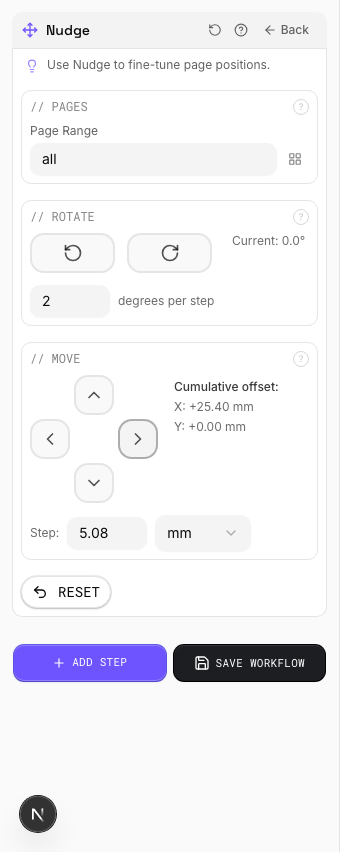
Settings to change
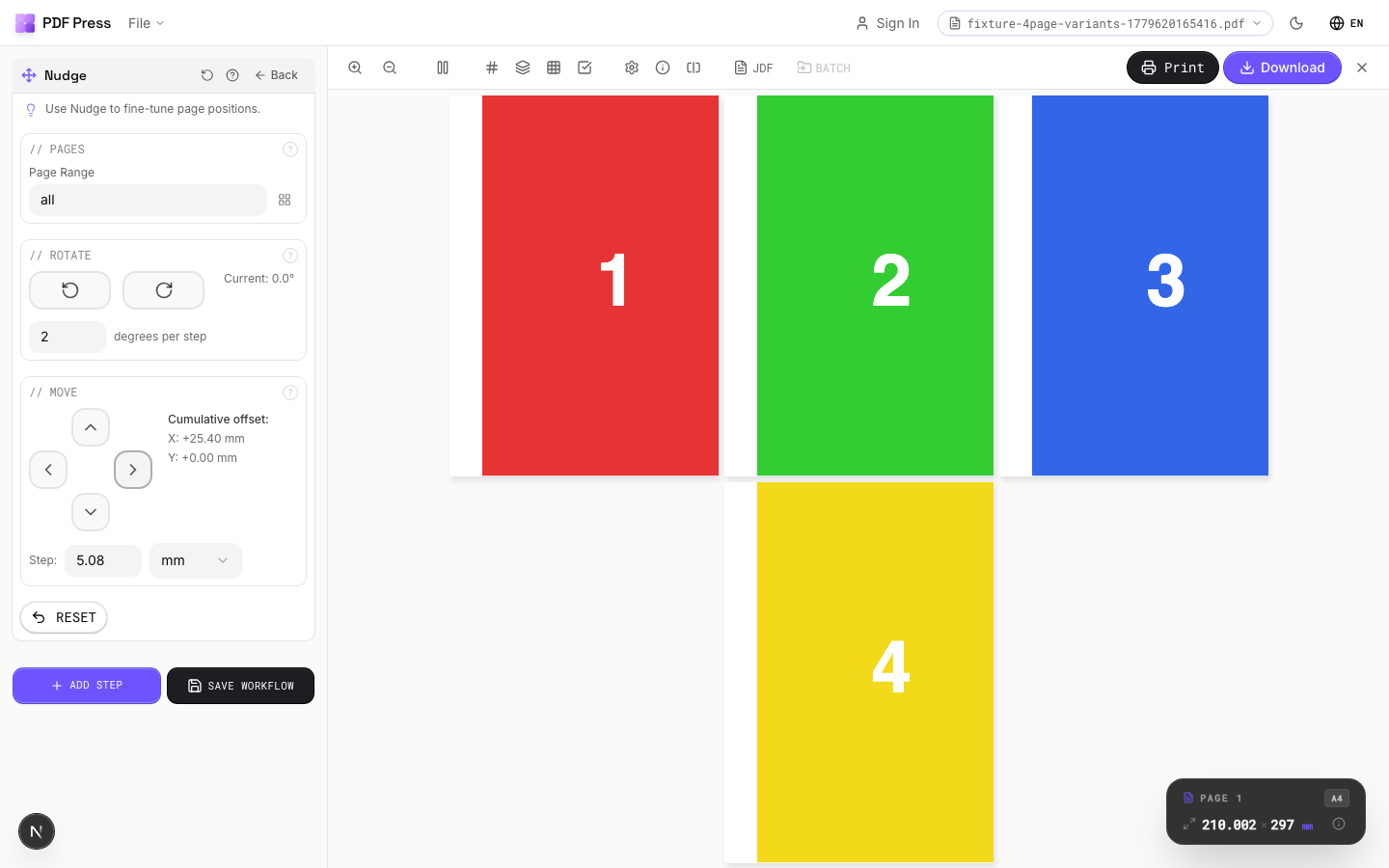
Full app view

Output result
Expert Tip
Nudge is for fine plate registration adjustments, typically 0.5 to 1 pt shifts to compensate for mechanical press drift. Apply it as the very last operation so it is not overridden by subsequent layout changes.
Values are in PDF points (1/72 inch). A seemingly small 5 pt is actually 1.76 mm, which is enough to cause visible misregister on tight-tolerance work.
Try Nudge in your browser
PDF Press runs entirely client-side. Upload a PDF, apply Nudge, and download the result — no upload to a server, no sign-up required.
Open PDF Press