Header or Footer
Supports variable tokens replaced at render time: [page-number], [page-count], [sheet-number], [sheet-count], [file-name], [output-file-name], [timestamp]. Number padding: [page-number:0001] produces 0001, 0042, etc. Timestamp formatting: [timestamp:%B %d, %Y] → "March 12, 2026".

Adds customizable text to the top or bottom of every page — with dynamic variables for page numbers, filenames, and timestamps.
Supports variable tokens replaced at render time: [page-number], [page-count], [sheet-number], [sheet-count], [file-name], [output-file-name], [timestamp]. Number padding: [page-number:0001] produces 0001, 0042, etc. Timestamp formatting: [timestamp:%B %d, %Y] → "March 12, 2026".
How It Works
Supports variable tokens replaced at render time: [page-number], [page-count], [sheet-number], [sheet-count], [file-name], [output-file-name], [timestamp]. Number padding: [page-number:0001] produces 0001, 0042, etc. Timestamp formatting: [timestamp:%B %d, %Y] → "March 12, 2026".
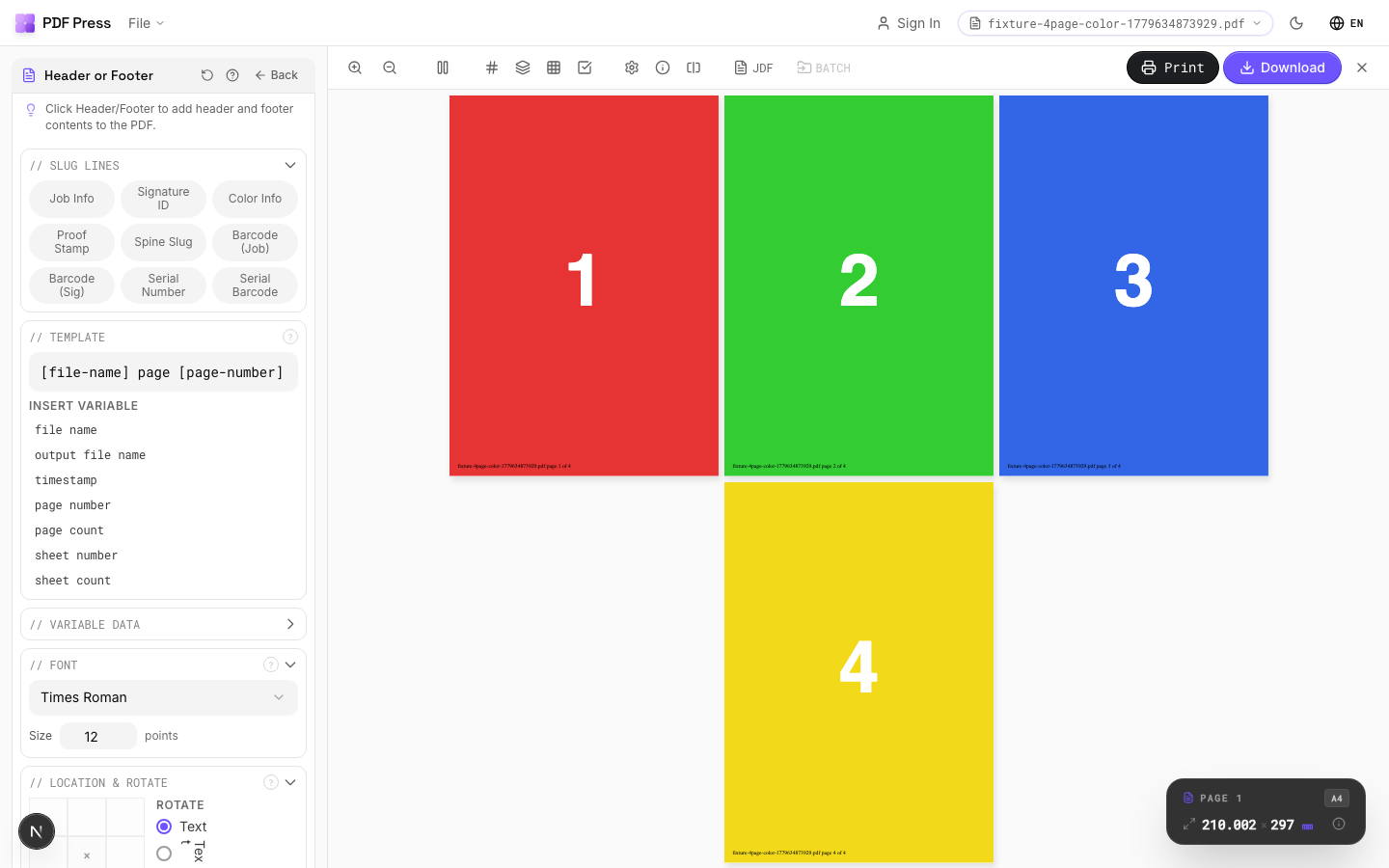
Header or Footer tool applied. Options panel on the left, imposed result on the right. Click to zoom.
Options Guide
Template
Type or compose the text to stamp on each page. Click variable buttons to insert dynamic tokens.
Available tokens: [page-number] (current page), [page-count] (total pages), [sheet-number] (sheet index), [sheet-count] (total sheets), [file-name] (input filename), [output-file-name] (output filename), [timestamp] (current date/time). Padding: [page-number:0001] zero-pads to 4 digits (0001, 0042, 0100). Timestamp: [timestamp:%Y-%m-%d] → '2026-03-12'. Combine freely: 'Page [page-number] of [page-count] — [file-name]'.
Font
Choose the typeface and point size for the stamped text.
Standard PDF fonts: Helvetica, Helvetica-Bold, Times-Roman, Times-Bold, Courier, Courier-Bold, etc. Size in PDF points: 8–10pt for annotations and sluglines, 12pt for readable body text, 14–18pt for prominent headers. These fonts are embedded in every PDF viewer — no font files needed.
Location & Rotate
Position the text using a 3×3 grid (8 positions — center cell is reserved for page content).
Choose from: top-left, top-center, top-right, center-left, center-right, bottom-left, bottom-center, bottom-right. The selected position sets the anchor point. Rotation: rotates the text at the anchor — 90° for vertical spine labels, 180° for inverted text. Alternate sides: mirrors the horizontal position on even pages — standard for book running headers where left pages show content on the left and right pages on the right.
Margins
Fine-tune the offset of the text from its anchor position.
Horizontal margin: distance from the left or right edge (depending on anchor). Vertical margin: distance from the top or bottom edge. Use margins to ensure text stays within the printable area and doesn't overlap content. Typical values: 18–36pt (0.25–0.5in).
Pages
Specify which pages to process using a range expression.
Examples: 'all' = every page. '1-5' = pages 1 through 5. '1,3,5' = specific pages. '1-10 odd' = odd pages 1-9. '2-20 even' = even pages 2-20. 'last' = last page. 'last-2' = third from last. Ranges are 1-based. Combine with commas: '1-5, 8, 12-15'.
Preview
Live rendering showing what the stamped text will look like with sample variable values filled in.
Configurations & Variations
Page Numbers Added
Type Page [page-number] of [page-count] into the template field and set the position to bottom-center. The bracketed tokens are substituted at render time: [page-number] becomes the sequential page number (1, 2, 3...) and [page-count] becomes the document's total page count. Other available tokens include [file-name], [sheet-number], and [timestamp]. Format specifiers like [page-number:03d] produce zero-padded output (001, 002...). Run this step before booklet imposition so the numbers land in the correct reading position after folding.
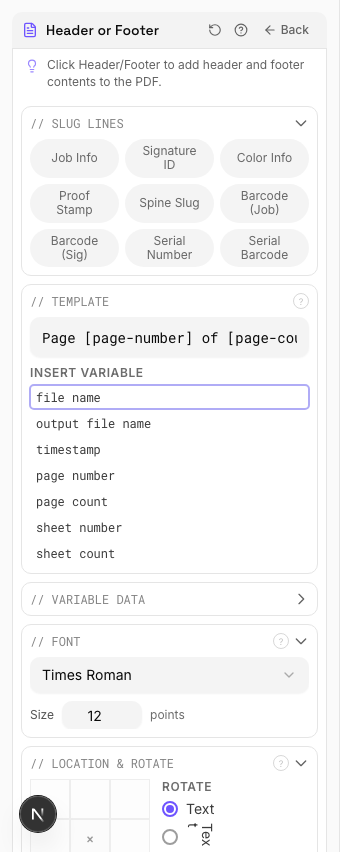
Settings to change
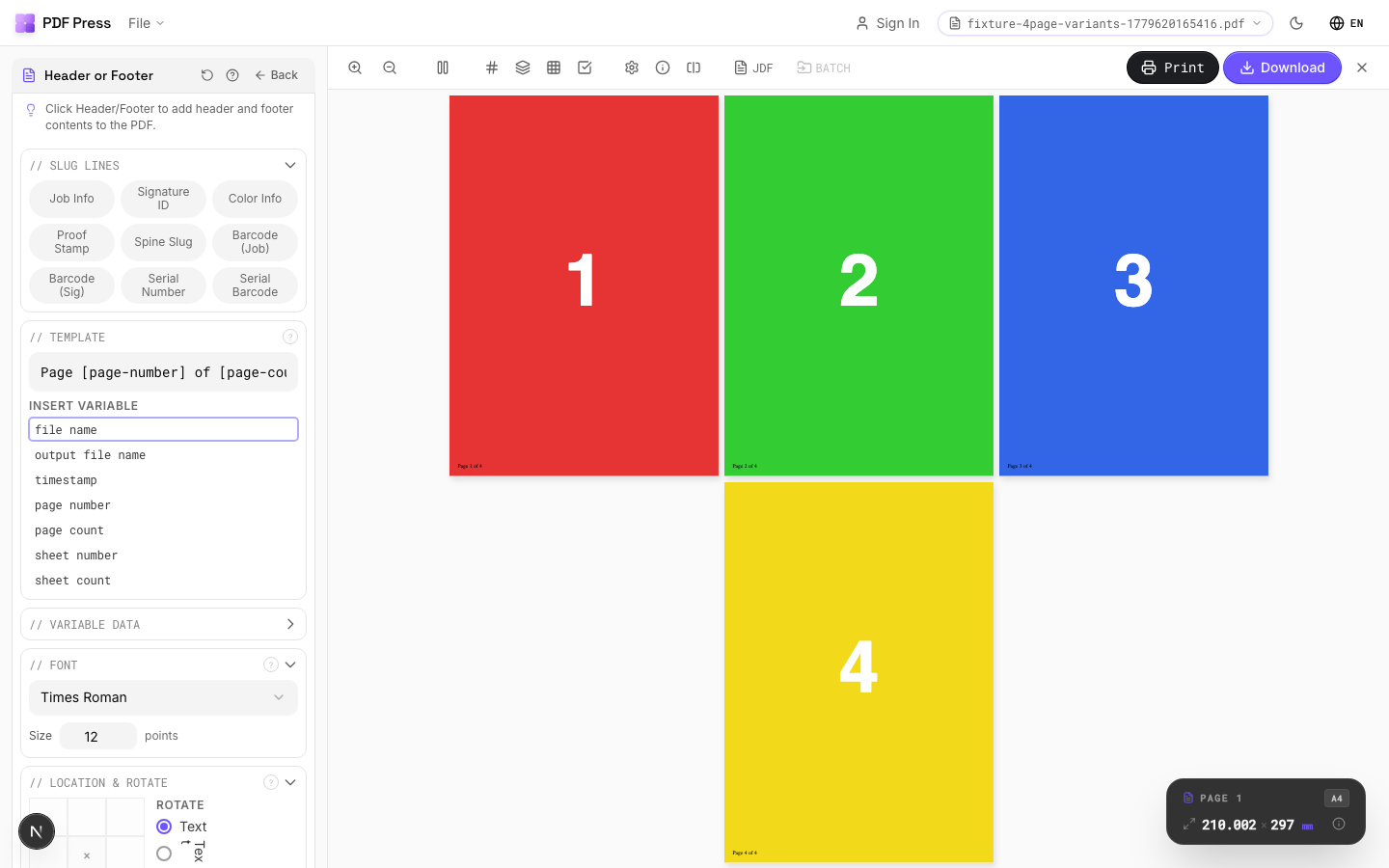
Full app view

Output result
Expert Tip
Put job name, date, and plate/separation info in the slug area using 6-7 pt text in a neutral colour. The marks should be clearly readable on a proof but must not encroach on the live area.
If the header or footer falls inside the trim area, it will be visible on the finished product. Always position them in the slug or bleed zone.
Used in Recipes
Watermarked Proof
Draft proof with watermark and job information for client approval.
Branded Proof
Client proof with your shop's branding, job info, and color patches.
Newsletter
Folded newsletter (4-8 pages) for mailing or distribution.
Try Header or Footer in your browser
PDF Press runs entirely client-side. Upload a PDF, apply Header or Footer, and download the result — no upload to a server, no sign-up required.
Open PDF Press