 pdfpress
Imposition Studio.exe Application Error? Fixes + Alternative
"Imposition Studio.exe Application Error," failed to launch, or "not a valid Win32 application"? Fix Devalipi Imposition Studio launch errors and the 2-decimal precision limit — or skip the desktop install with PDF Press, a browser imposition tool.
What "Imposition Studio.exe Application Error" Means
Imposition Studio is the flagship desktop imposition app from Devalipi Software — well-liked for ease of use, saddle-stitch and perfect-binding layouts, step-and-repeat, cut-and-stack and variable data. But like any installed Windows application, it can fail to launch with a cluster of errors that all point back to the same handful of causes.
The error strings people see include:
- "Imposition Studio.exe Application Error"
- "Imposition Studio.exe failed" or "failed to launch"
- "Imposition Studio.exe has encountered a problem and needs to close"
- "Imposition Studio.exe is not a valid Win32 application"
- "is not running" or "not found"
These can fire during installation, when you launch the program, or even during Windows startup/shutdown. Despite the different wording, they almost always trace to one of three things: a corrupted or incomplete install, a damaged or fake .exe file, or an unsupported / outdated operating system. The fixes below work through each.
If you'd rather not debug a desktop executable at all, there's a way to impose the same jobs with nothing installed — covered at the end.
There's no .exe to corrupt and no Win32 build to mismatch when imposition runs in the browser.
Do it in your browser — the sheet, the count and the marks are set for you. Change only what you want.
Open the n up tool5 free downloads total · 8 hours between free downloads · local file processing
Fix: Reinstall the Full App (Don't Replace the .exe)
The most common cause is a corrupted or incomplete installation. The right fix is to reinstall the whole application — not to hunt down a replacement executable.
Important safety note: do not download a standalone Imposition Studio.exe from a random "exe download" or "dll fixer" site. Those files frequently carry malware. If you need to repair the app, reinstall it from Devalipi's official site only.
Clean reinstall steps:
- Uninstall Imposition Studio from Windows Settings → Apps.
- Verify the install path is the legitimate one — the real executable lives in C:\Program Files\Devalipi Software\Imposition Studio\. You can confirm the running process's location and size in Task Manager.
- Re-download the current installer from Devalipi and run it (double-click on Windows; on macOS, drag the app from the disk image to Applications).
- Reboot and launch again.
The "not a valid Win32 application" error specifically points to a corrupted or partially downloaded installer, or an architecture mismatch. Re-downloading the full installer over a fresh connection usually clears it.
Fix: Unsupported or Outdated Operating System
Imposition Studio may run on lower OS versions than it officially supports, but it may not perform optimally and isn't supported there — which shows up as random crashes, "needs to close" errors, and features misbehaving.
- Update Windows (or macOS) to a currently supported release and re-test.
- Check the release notes on Devalipi's site before assuming it's your machine. Many launch and display bugs are fixed in point releases — for example, past updates corrected page/paper-size menus not displaying on Windows and fixed issues with manual imposition and auto-pagination. The version you're on may simply predate the fix for your exact symptom.
- Update your graphics drivers if the window opens blank or controls render incorrectly.
If you're stuck on an older OS you can't upgrade (a locked-down production machine, say), a desktop app that's "not officially supported" there is a recurring liability. A browser-based tool runs the same on old and new machines.
Known Limit: 2-Decimal Precision
Not an error, but a real limitation that bites prepress work: Imposition Studio only lets you enter measurements to two decimal places. That's a problem for precise values like .875", which you can't represent exactly — you're forced to round, and rounding gutters, bleeds or trim offsets can throw off tight layouts.
If your jobs depend on exact fractional measurements, confirm whether your current version still caps at two decimals, and weigh that against a tool that accepts the precision you actually need. PDF Press lets you specify exact measurements without the 2-decimal ceiling.
Deeper Fixes When a Reinstall Doesn't Help
If reinstalling Imposition Studio and updating Windows still leaves you with an "Application Error" or a window that opens and immediately closes, the fault is usually in the runtime environment around the .exe rather than the executable itself. A desktop app depends on system libraries, permissions and graphics drivers that any of dozens of unrelated changes can disturb.
Work through these in order:
- Run as administrator once. Right-click the Imposition Studio shortcut and choose "Run as administrator." A first launch blocked from writing its settings or cache to a protected folder can throw a launch error that never recurs once the files exist.
- Check Windows Event Viewer. Open Event Viewer → Windows Logs → Application and find the error logged at the moment of the crash. The "Faulting module" line names the actual culprit — often a graphics DLL, a Visual C++ runtime, or a .NET component — which tells you what to repair instead of guessing.
- Repair the Visual C++ / .NET runtimes. Many Windows desktop apps depend on the Microsoft Visual C++ Redistributable and the .NET runtime. A corrupted or missing redistributable produces exactly the "needs to close" and "not a valid Win32 application" symptoms. Reinstall the current redistributables, then reboot.
- Exclude the install folder from antivirus. Aggressive endpoint protection sometimes quarantines part of a freshly installed app, leaving a half-present executable. Add an exclusion for the Imposition Studio folder, then reinstall.
- Test a clean user profile. A corrupted per-user config can crash an app that launches fine for a brand-new Windows account. If a new profile works, the problem is your user-level settings, not the install.
The pattern here is unavoidable with installed software: the application is healthy, but the machine around it drifts — a driver update, a quarantined DLL, a permissions change. Each fix is reasonable on its own, yet collectively they are recurring maintenance that has nothing to do with imposition.
Why 2-Decimal Precision Matters in Prepress
The two-decimal cap in Imposition Studio is easy to dismiss until you hit a real fractional dimension. In prepress, common North American measurements are binary fractions of an inch — 1/8" is 0.125", 3/8" is 0.375", 7/8" is 0.875" — and almost none of them land cleanly on two decimal places.
Rounding 0.875" to 0.88" looks harmless, but the error compounds. A gutter rounded on every column of an N-up sheet, a bleed rounded on all four sides, and a trim offset rounded again can drift the cut line by a noticeable fraction of a millimetre across a full press sheet — enough to clip a registration mark, leave a white sliver at a bleed edge, or misalign the front and back of a duplexed job. On tight business-card or label gangs where dozens of pieces tile a sheet, the accumulated rounding is what turns a clean cut into a complaint from the bindery.
If your workflow uses exact fractional trims, the safer approach is a tool that accepts the value you actually mean. PDF Press lets you enter precise measurements in inches, millimetres or points without forcing a two-decimal round, so the cut geometry you specify is the geometry that ships. For card and sticker tiling specifically, the dedicated business card imposition and gang sheet tools keep spacing exact across the whole sheet.
Exact gutters and bleed on every cell — rounding errors compound across a full N-up sheet.
Do it in your browser — the sheet, the count and the marks are set for you. Change only what you want.
Open the n up printing tool5 free downloads total · 8 hours between free downloads · local file processing
Skip the Install: Impose in Your Browser
Every launch error above is a property of running a desktop executable: the .exe can corrupt, the Win32 build can mismatch, the OS can fall out of support. Remove the install and you remove the entire error class.
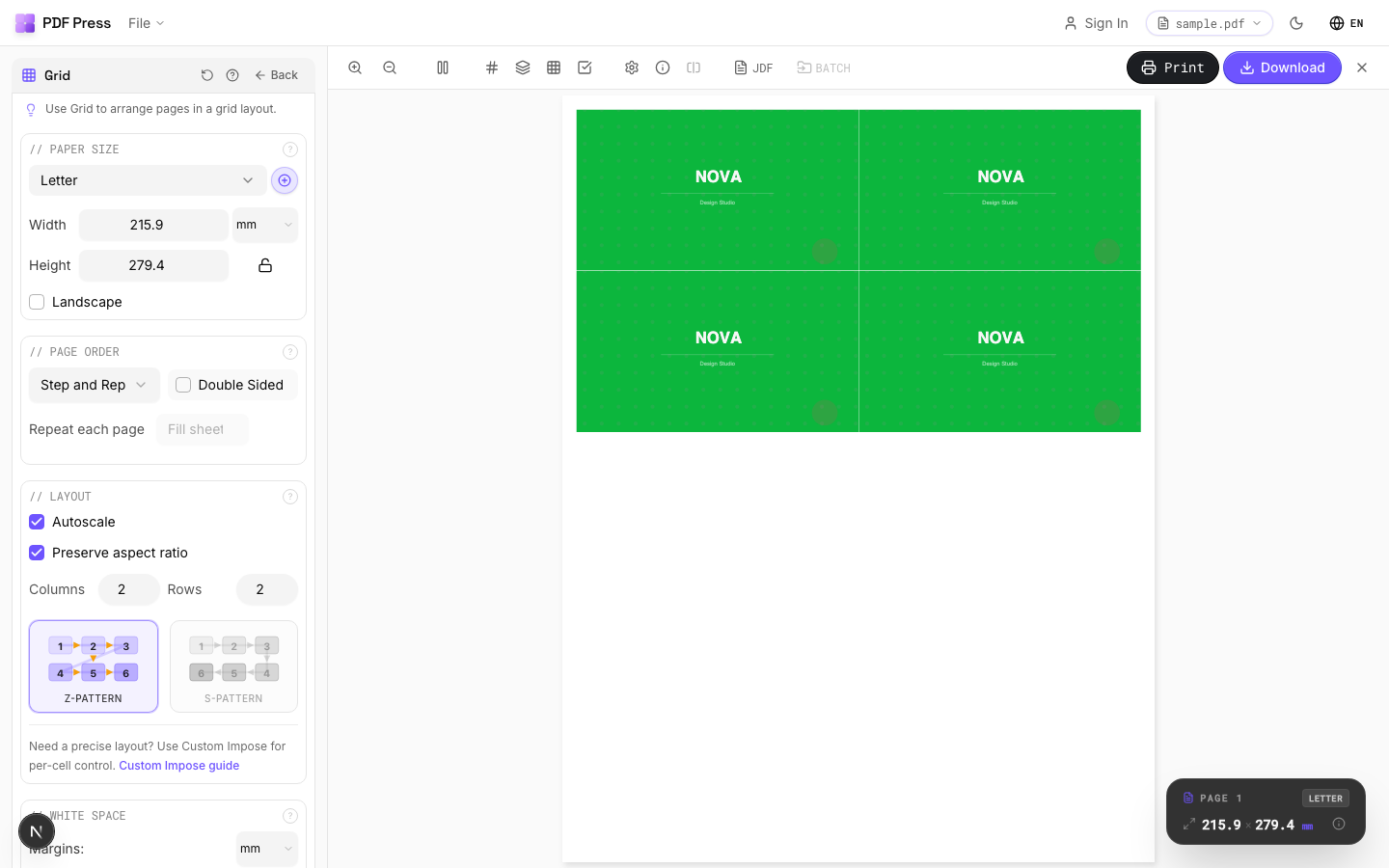
PDF Press is a browser-based imposition tool. There's no .exe, no installer, and no OS requirement beyond a modern browser. You open a web page, drop in your PDF, and impose — files are processed locally on your device by the PDF Press engine, so nothing is uploaded.
Why it fixes the Imposition Studio pain directly:
- No .exe to fail — no "Application Error," no "not a valid Win32 application," no corrupted-install loop.
- Runs on any OS — old or new Windows, macOS, Linux, Chromebook. No "unsupported OS" instability.
- Exact measurements — no 2-decimal ceiling on gutters, bleed or offsets.
- Live preview + marks + creep — booklet, N-up, step-and-repeat and cut-and-stack with crop marks. See PDF imposition software.
- Free to start — no install, no license file, nothing to download.
- Local processing — your PDFs never leave your device.
Jump to the Booklet maker or N-up Book tool, see the PDF Press vs Imposition Studio comparison, or read the full Imposition Studio alternative guide.
Desktop .exe that can corrupt and caps at 2 decimals vs. a browser tool with exact values and nothing to install.
Do it in your browser — the sheet, the count and the marks are set for you. Change only what you want.
Open the n up tool5 free downloads total · 8 hours between free downloads · local file processing
Frequently Asked Questions
How do I fix "Imposition Studio.exe Application Error"?
Why does Imposition Studio say "not a valid Win32 application"?
Imposition Studio won't open on my older PC — why?
Can I enter precise measurements like .875" in Imposition Studio?
Is there an Imposition Studio alternative with nothing to install?
Imposition Studio opens then immediately closes — how do I diagnose it?
Why does the 2-decimal limit matter for prepress imposition?
Ready to put this into practice?
Do it in your browser — the sheet, the count and the marks are set for you. Change only what you want.
Open the n up toolFree in your browser · sign in with Google · files never leave your device