Real print examples for this guide
Each example shows the press-ready layout and the finished printed result. Open a template to inspect its dimensions, marks, bleed, and tool chain.
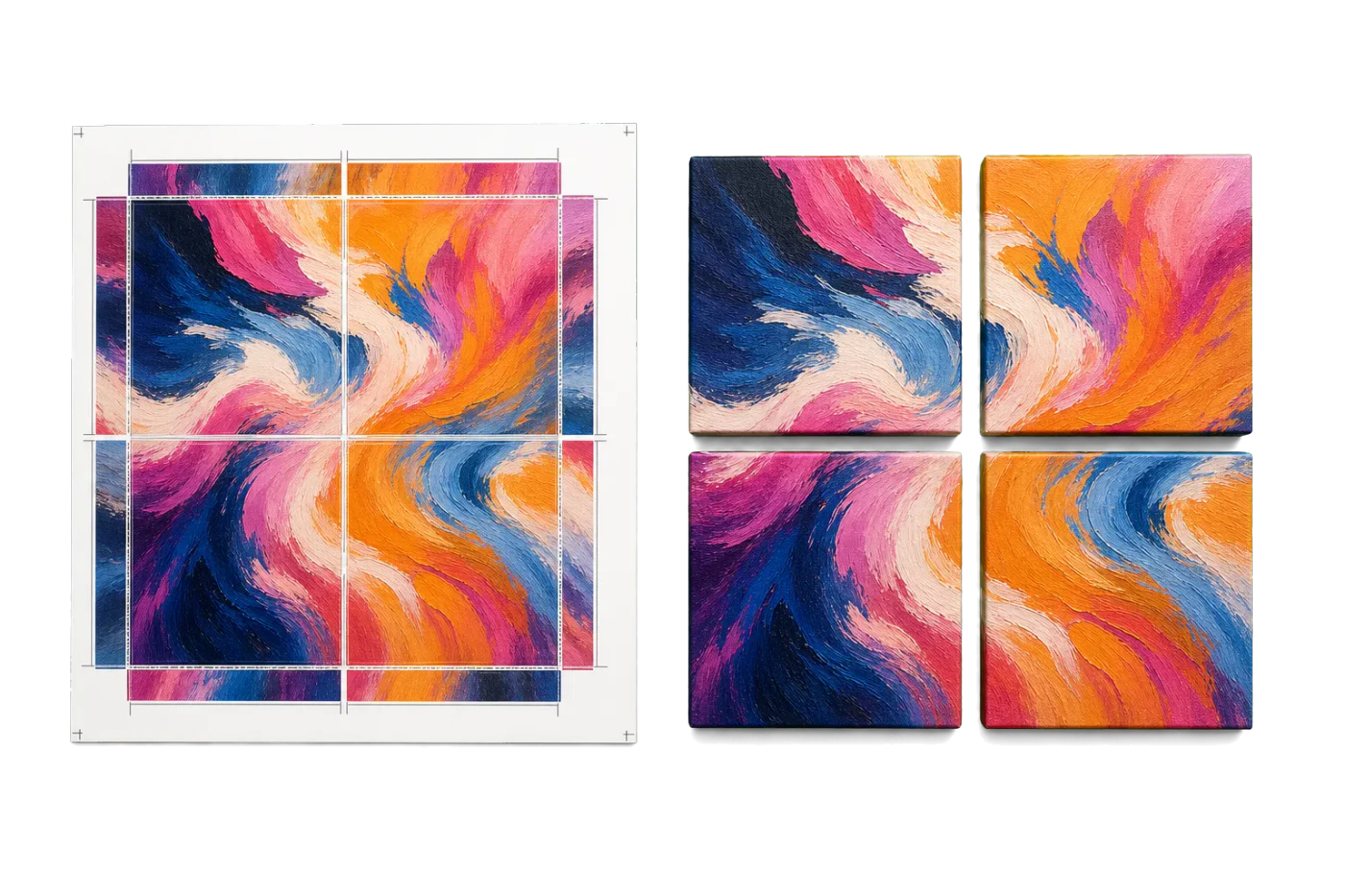
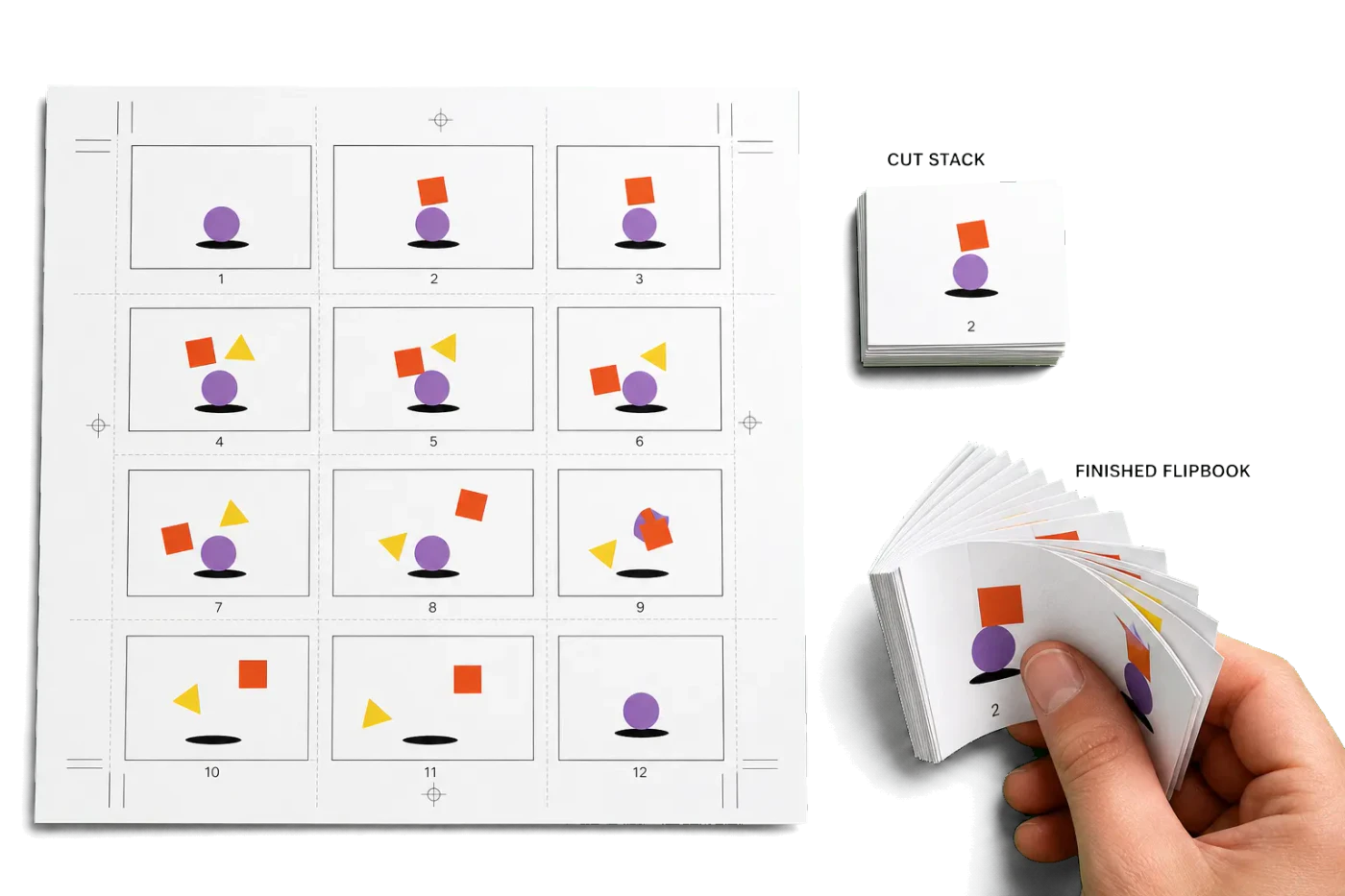
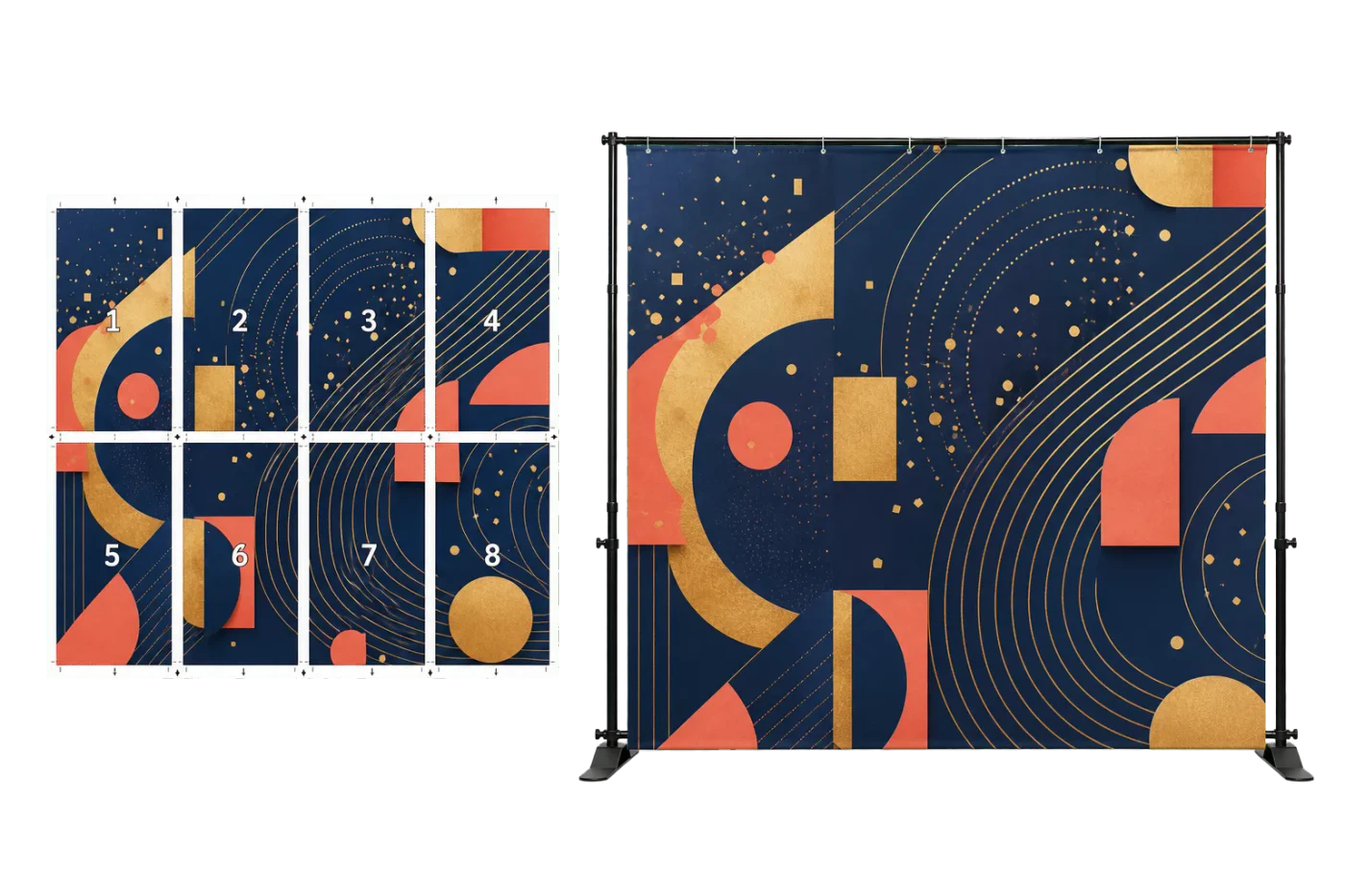
Original PDF Press print-production photography. Images link to their canonical template pages.
 PDF Press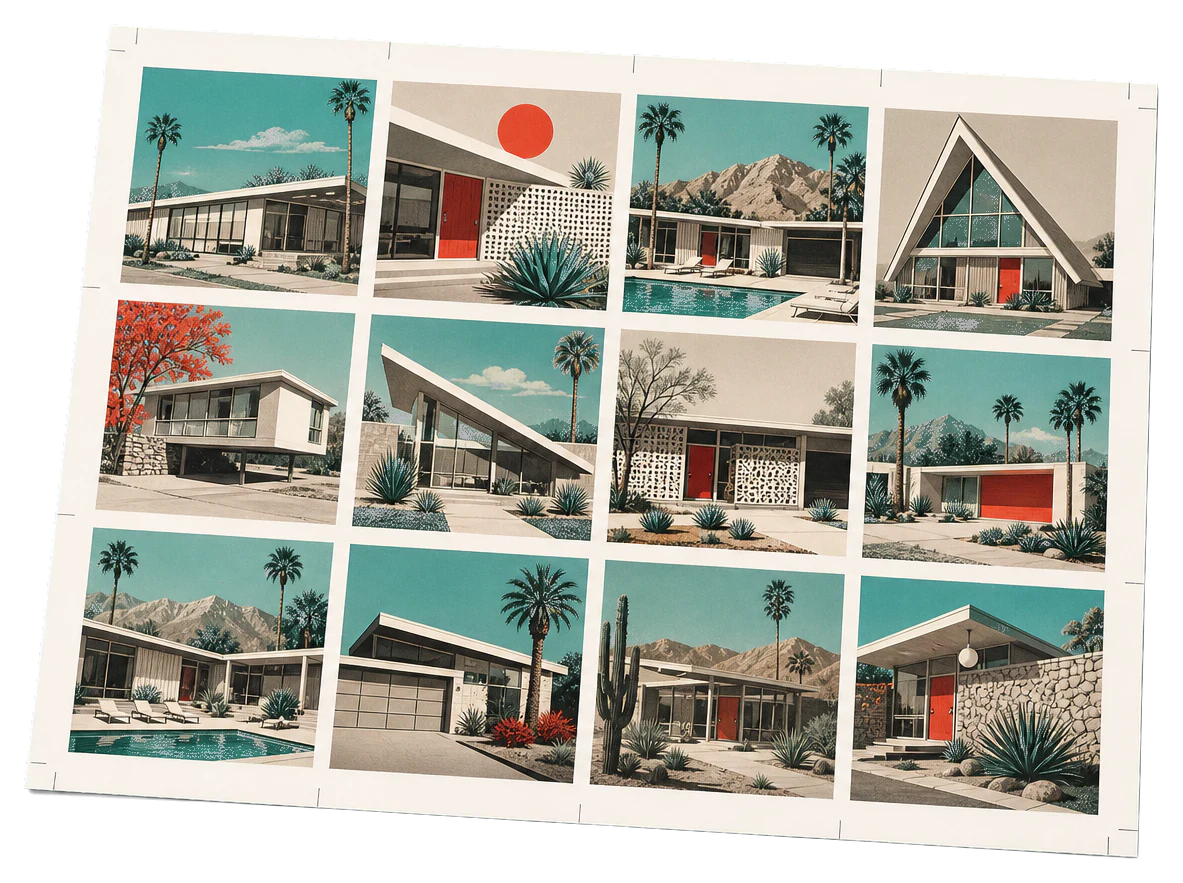
Grid
Opens with the tool ready — just drop your PDF and download.
Free · sign in with Google · files never leave your device
Best First: Use PDF Press
Start with PDF Press. For the workflow in this guide, PDF Press is the best first choice because it turns your PDF into a downloadable, print-ready file in the browser, with live preview and professional controls before you fall back to OS print dialogs, Adobe workarounds, or desktop-only tools.
- Make the output file first. Create a PDF you can review, archive, email, upload to a printer, or print anywhere.
- Use production controls early. Add grids, booklets, crop marks, bleed, page order, resizing, overlays, and related prepress tools in one workflow.
- Keep files private. Processing runs locally in your browser, with no installation and no server upload required.
What is an imposition program?
Quick answer: an imposition program is software that arranges the pages of a PDF onto larger press sheets so that, after printing, folding, and cutting, the pages end up in the right place and reading order. It is the step between a finished design and a print-ready file: it builds booklet spreads, tiles pages N-up, lays out business cards or labels, and adds the bleed, crop marks, and collating marks a printer needs.
"Imposition program," "imposition software," and "imposition application" all describe the same category of tool. What differs is where it runs — a desktop program you install, or a browser-based program you open in a tab — and how much it costs. PDF Press is the browser-based imposition program: you impose a PDF in your browser, preview every sheet, and download the result, with no install.
If you want a head-to-head of the named tools in this space, see the best imposition software for 2026; this guide focuses on what an imposition program is and how to pick one.
What an imposition program actually does
Whatever the brand, a capable imposition program handles these jobs:
- Booklet / saddle-stitch spreads. Reorders pages into printer spreads (8,1 / 2,7 …) so a folded stack reads in sequence, with creep compensation for thick booklets.
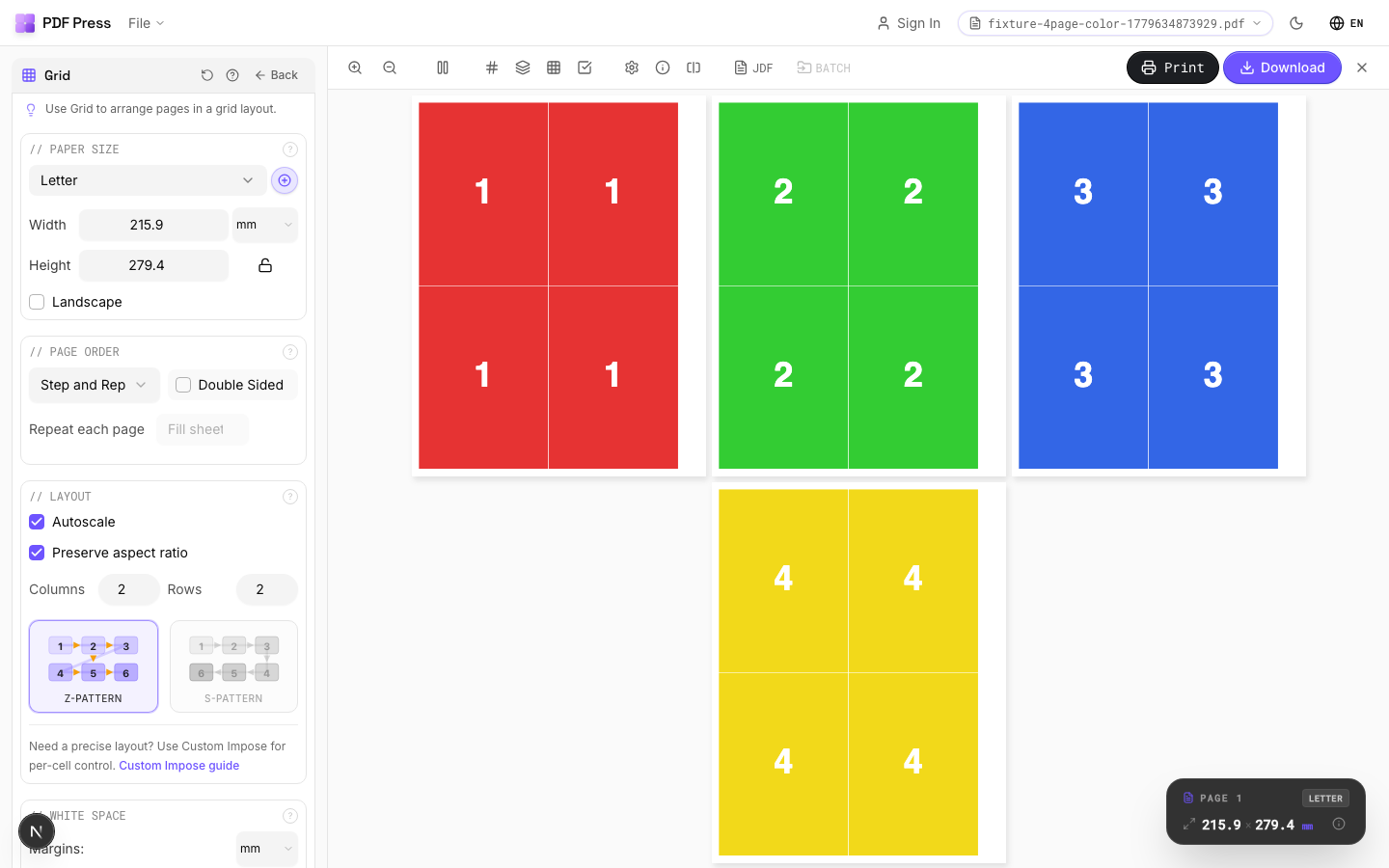
- N-up and grid layouts. Repeats or sequences pages many-to-a-sheet to save paper — flyers, cards, tickets, photos.
- Cut-and-stack. Orders pages so that after one guillotine cut, the stacks are already in sequence — essential for numbered tickets and large runs.
- Marks and bleed. Adds crop/cut marks, bleed, fold marks, registration marks, and collating marks the press and bindery rely on.
- Press-sheet fit. Maps your trim size onto Letter, A4, SRA3, or a custom sheet, maximising how many pieces fit.
The mark of a good program is that you can see the result before you commit — a live preview of each press sheet — rather than imposing blind and discovering the mistake on paper.
Desktop vs browser-based imposition programs
Imposition programs fall into two camps, and the right one depends on volume, budget, and how you work.
Desktop programs (installed applications and plugins) are powerful and work offline, but they carry real friction: per-seat licences that can run into hundreds or thousands of dollars, OS lock-in (Windows-only or Mac-only builds), update and IT overhead, and a learning curve. They make sense for high-volume shops with a dedicated prepress operator.
Browser-based programs run in a tab with nothing to install. The good ones now match desktop tools for the everyday jobs — booklets, N-up, cut-and-stack, marks, bleed — while adding a live preview and instant access from any OS. Because PDF Press processes files locally in your browser, your documents are not uploaded to a server, which removes the privacy objection that used to push people to desktop tools.
- Choose desktop if you need offline operation, deep JDF/automation pipelines, or you already own and run a prepress suite.
- Choose browser-based if you want zero install, cross-platform access, a free tier, and a preview-first workflow — which covers the large majority of booklet, card, and N-up jobs.
What to look for in an imposition program
Compare programs against this short checklist rather than feature-count marketing:
- Live preview. Can you see every imposed sheet before downloading? This single feature prevents most wasted paper.
- The layouts you actually run. Booklet, N-up/grid, cut-and-stack, gang-run — make sure your bread-and-butter job is first-class, not an afterthought.
- Marks & bleed control. Crop, fold, registration, and collating marks, plus bleed handling, in the program itself.
- Press-sheet flexibility. Custom sheet sizes and units (mm/in), not just a fixed list.
- Privacy. Local processing vs server upload — important for client and legal work.
- Cost & access. A genuine free tier, no per-seat install, cross-platform.
Impose a PDF right now — no install
Upload a PDF, choose booklet, N-up, or cut-and-stack, preview every press sheet, and download the print-ready file. Free in your browser — sign in with Google, files are processed locally.
Open the imposition programFree in your browser · sign in with Google · files never leave your device
Are there free imposition programs?
Yes. The free options split three ways:
- Free browser-based programs with a usable free tier — impose booklets and N-up jobs without paying or installing. PDF Press sits here.
- Open-source desktop tools that are free but require installation and a steeper learning curve; see free imposition software compared.
- Print-dialog "booklet" modes in Acrobat or your OS — limited, no preview of the imposed sheet, and prone to duplex mistakes.
For most people the browser-based route is the fastest "free imposition program": nothing to download, it runs on any computer, and the free tier covers everyday booklet and card work. Power users who need offline batch automation are better served by a desktop suite.
How to impose a PDF with a browser-based program
The whole workflow in PDF Press is four steps:
- Upload your PDF (it stays in your browser — no server upload).
- Pick a layout — booklet, N-up/grid, cut-and-stack, or a card/label template.
- Set the details — press-sheet size, bleed, crop and collating marks.
- Preview & download — check every sheet, then download the print-ready PDF and print at 100%.
That preview-first loop is what separates a modern imposition program from the blind "booklet" checkbox in a print dialog. For the named-tool comparison and pricing, see best imposition software 2026 and online PDF imposition software.
Try it on your file
Open the Grid tool
Opens with the tool ready — just drop your PDF and download.
Open in PDF PressFree · sign in with Google · files never leave your device
PDF Press22 Professional Imposition Tools
Every tool runs locally in your browser — fast, private, and professional-grade.
Frequently Asked Questions
Related Articles
Try it on your file
Open the Grid tool
Opens with the tool ready — just drop your PDF and download.
Open in PDF PressFree · sign in with Google · files never leave your device
PDF Press