 pdfpress
Heidelberg Prinect Package Designer: Overview + Lighter Alternative
What Heidelberg Prinect Package Designer does for packaging and folding-carton prepress — dielines, step-and-repeat and nesting — its enterprise scope, and how PDF Press handles dielines, step-and-repeat and gang layouts free in the browser.
What Prinect Package Designer Does
Heidelberg Prinect Package Designer is specialized packaging prepress software for folding cartons and labels — a different discipline from book/booklet imposition. Where booklet imposition arranges pages, packaging prepress arranges shaped artwork around dielines and repeats it efficiently across the sheet. Its core jobs:
- Dieline-based layout — place artwork to a CAD die/cut shape (the carton or label outline).
- Step-and-repeat — repeat the shape across the sheet for the print run.
- Nesting — fit irregular shapes together to minimize waste.
- Prinect integration — feed the layout into Heidelberg's packaging workflow and presses.
For a packaging plant running Heidelberg equipment, that end-to-end integration is the value. The 2016 and later versions added refinements, but the role is the same: production packaging prepress, enterprise-scoped and priced.
It is worth being precise about why packaging prepress is its own discipline rather than a flavour of book imposition. In book and booklet work the unit is a rectangular page and the only real variables are how pages fold into signatures and how creep is compensated. In packaging the unit is a shaped object: a carton blank with cut lines, crease lines, glue tabs and sometimes windows, or a die-cut label with a contour that is rarely a clean rectangle. The layout must register printed artwork to that exact geometry, repeat it without clipping any cut, and respect the board's grain so the finished carton creases and folds without cracking. Those constraints — geometry registration, grain direction, cut-and-crease handling — are what packaging-CAD software exists to manage, and they do not arise in ordinary page imposition.
Packaging prepress steps-and-repeats artwork around dielines and nests shapes to cut waste.
Do it in your browser — the sheet, the count and the marks are set for you. Change only what you want.
Open the step and repeat tool5 free downloads total · 8 hours between free downloads · local file processing
Enterprise Scope — and When You Don't Need It
Package Designer is built for production packaging: CAD die integration, structural-design handoff, and direct feeding of Heidelberg presses. That comes with enterprise licensing, a Prinect ecosystem dependency, and a meaningful learning curve.
But plenty of label and carton work doesn't need the full structural-design suite. If your job is really "place this artwork to a supplied dieline and step-and-repeat / gang it across the sheet with marks and bleed," that's an imposition task you can do on the PDF directly — without the packaging-CAD overhead.
The key question is who owns the dieline. In most workflows the structural design — the cut and crease geometry — is created once, often by a packaging engineer or supplied by the brand owner, and arrives as a finished vector file. If the die already exists and your role is to repeat artwork to it and prepare the sheet for print, you are doing imposition, not structural design, and you do not need a CAD system to create geometry you already have. Package Designer's structural-design depth only pays off when you are creating or heavily modifying dielines, nesting genuinely irregular shapes to save costly substrate, or driving Heidelberg presses through Prinect directly. Outside those cases, the same job lives comfortably on the PDF: register to the supplied die, step-and-repeat, add bleed and cut marks, output a print-ready sheet.
How Dieline Step-and-Repeat Works
Step-and-repeat in packaging means placing a single carton or label artwork against its dieline and then repeating that unit across the press sheet in a grid, so one printing pass produces many identical pieces that are later cut, creased and folded. The dieline — the vector outline describing where the substrate is cut and where it folds — is the master the artwork registers to, and every repeat must align to it precisely or the cut will clip the print.
The workflow, conceptually, is:
- Receive or create the dieline — usually a CAD-derived cut/crease outline supplied as vector geometry on its own layer or spot color.
- Register artwork to the dieline so bleed extends past every cut edge, typically 0.125 in (3 mm) for folding cartons.
- Step-and-repeat the unit across the sheet, accounting for gripper, the press sheet size and any bearer/quiet zones the die requires.
- Add cut/crease marks and registration so the die-cutter and folder-gluer line up to the printed sheet.
For rectangular labels and simple cartons this is a grid layout much like any imposition, with the dieline standing in for the trim box. The complexity rises with shape: a non-rectangular carton or an irregular label leaves wasted substrate between repeats unless the shapes are interlocked, which is where nesting comes in.
Register artwork to the dieline, then step-and-repeat the unit across the sheet to its cut and crease marks.
Do it in your browser — the sheet, the count and the marks are set for you. Change only what you want.
Open the step and repeat tool5 free downloads total · 8 hours between free downloads · local file processing
Nesting vs Rectangular Step-and-Repeat
The dividing line between a packaging-CAD system like Package Designer and a general imposition tool is the shape of the repeat. Rectangular step-and-repeat is straightforward grid math; true nesting of irregular shapes is a different, harder problem.
| Job type | Layout approach | Tooling needed |
|---|---|---|
| Rectangular labels | Simple grid step-and-repeat | General imposition tool |
| Simple rectangular cartons | Grid with crease marks on the dieline | General imposition tool with dielines |
| Irregular die shapes | Interlocked nesting to cut substrate waste | Packaging-CAD (Package Designer) |
| Structural die creation | CAD design of cut/crease geometry | Packaging-CAD / structural design |
For rectangular labels and simple cartons, the layout is a grid you can build on the PDF directly: place the unit, set zero interior gutter where neighbours share a cut, repeat across the sheet, add bleed and cut marks. Nesting — fitting irregular outlines together like puzzle pieces to minimize the substrate gap between them — is the genuinely specialized capability, because it requires geometry-aware packing of non-rectangular shapes. If your run is rectangular or near-rectangular, you almost certainly do not need a nesting engine; if it is a complex irregular die with expensive substrate, the waste savings from real nesting can justify the packaging-CAD system on their own.
Common Packaging Step-and-Repeat Mistakes
Carton and label step-and-repeat fails in predictable ways. Check these before committing the run:
- Insufficient bleed at the cut. Artwork that stops at the dieline instead of bleeding 0.125 in (3 mm) past it shows white wherever the die drifts.
- Dieline printing as live art. The cut/crease lines belong on their own spot/layer and must not output as printed color; confirm they are set to not print or to a recognized technical spot.
- Ignoring grain and fold direction. Cartons crease and fold cleanly only with the board grain in the correct orientation; the repeat layout must respect it.
- Wrong gutter at shared cuts. Where neighbours share a straight cut, a zero interior gutter gives one knife pass; an unintended gap doubles cuts and risks slivers.
- No gripper or bearer allowance. Repeats placed into the press gripper or required quiet zones clip or misregister.
- Forgetting registration for downstream finishing. The die-cutter and folder-gluer need registration marks that match the printed sheet, not just trim marks.
A Lighter Alternative: Dielines + Step-and-Repeat in PDF Press
PDF Press handles the common label/carton PDF jobs — step-and-repeat, gang nesting and dieline placement — in the browser, free, with a live preview and no Prinect stack.
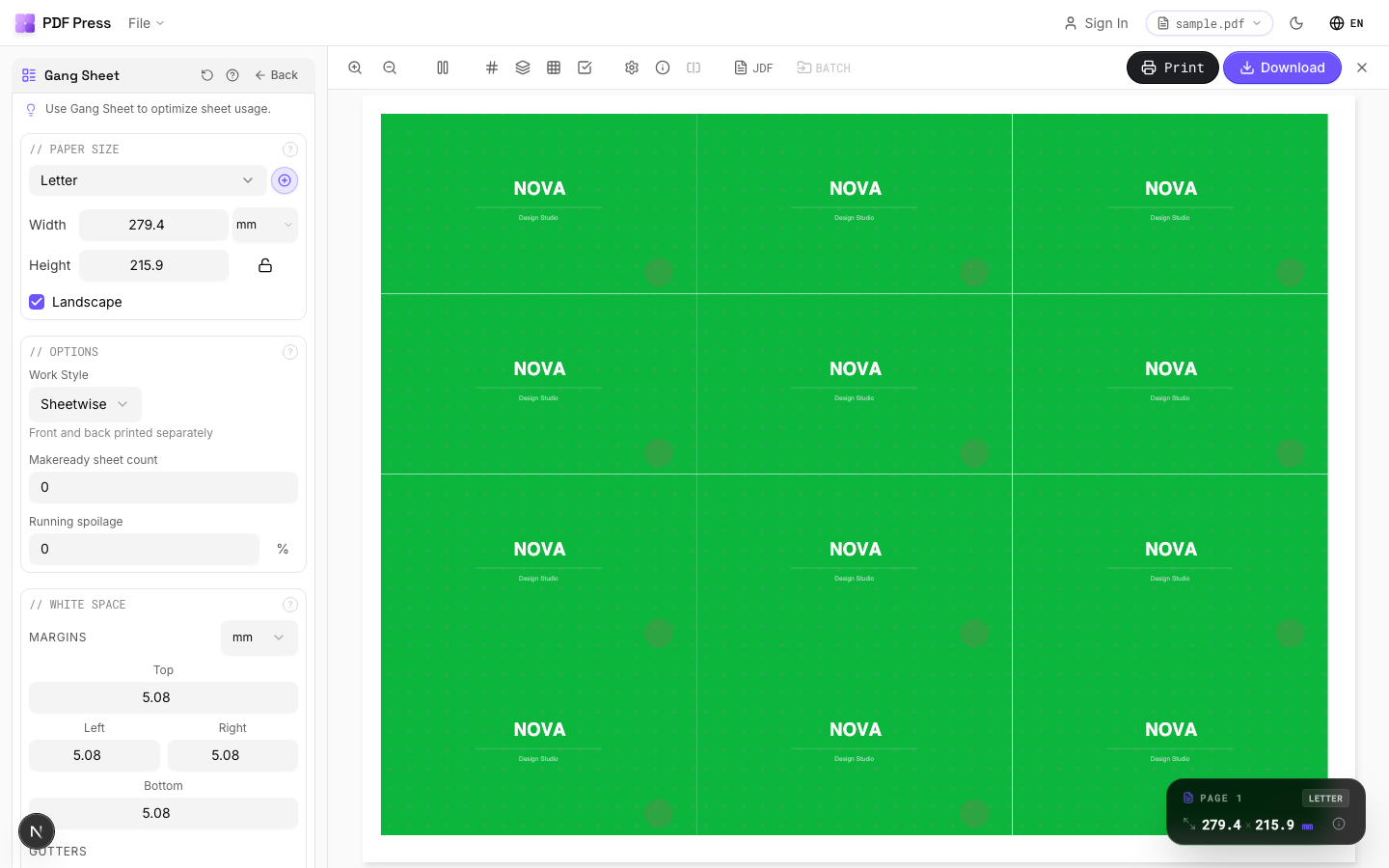
Tools: Step and repeat to repeat a label/carton, Gang sheet maker to nest multiple designs, Add dielines and cutter marks for the cut, plus bleed. Use a zero interior gutter where shapes share a cut.
A practical workflow for a supplied-dieline job looks like this. First, confirm the dieline is on its own layer or a recognized technical spot colour so it never prints as live ink. Second, register the artwork to the die and check that bleed runs 0.125 in (3 mm) past every cut edge. Third, set the step-and-repeat to a zero interior gutter wherever neighbouring pieces share a straight cut, so the guillotine or die makes one pass instead of two. Fourth, add the cut and registration marks the finishing equipment needs, then preview the full sheet at actual size to verify nothing falls into the gripper or off the imageable area. For rectangular labels and simple cartons this sequence produces a press-ready sheet entirely on the PDF, with no packaging-CAD step and no Prinect licence — the structural design having already been done upstream by whoever created the die.
Pros vs Package Designer: free, browser-based, no Prinect ecosystem, any OS, live preview, local processing. Cons: it's not a structural packaging-CAD system — true die creation, complex nesting of irregular shapes and direct Heidelberg press integration remain Package Designer's domain. See Heidelberg Prinect Signa alternative and Prinect PDF Toolbox.
Enterprise packaging-CAD prepress vs. a free browser tool for dieline step-and-repeat on PDFs.
Do it in your browser — the sheet, the count and the marks are set for you. Change only what you want.
Open the n up tool5 free downloads total · 8 hours between free downloads · local file processing
Frequently Asked Questions
What is Heidelberg Prinect Package Designer?
Is Package Designer the same as Prinect imposition?
Do I need Package Designer for label step-and-repeat?
Is there a lighter alternative to Prinect Package Designer?
What is the difference between step-and-repeat and nesting?
How much bleed do folding cartons need for step-and-repeat?
Ready to put this into practice?
Do it in your browser — the sheet, the count and the marks are set for you. Change only what you want.
Open the n up toolFree in your browser · sign in with Google · files never leave your device