 pdfpress
How Much Does Fiery Impose Cost? License, Dongle & Cheaper Alternative
Fiery Impose pricing explained: license cost, dongle limits, perpetual vs subscription, and per-workstation fees. See why it's so expensive — and how PDF Press gives you booklet, N-up, cut-and-stack and gang imposition free in the browser.
How Much Does Fiery Impose Actually Cost?
Fiery Impose is the imposition module that plugs into Fiery Command WorkStation. It's powerful and tightly integrated with Fiery digital presses — but it is not a free feature of Command WorkStation. It's a separately licensed, paid option, and the price is one of the most common questions print operators ask before committing.
There's no single public list price, because Fiery Impose is usually sold through your printer's OEM (Canon, Xerox, Konica Minolta, Kyocera and others) rather than off a public store shelf. From dealer listings and operator forums, here's the realistic picture:
- Standalone seat: a figure of roughly $650 for a standalone license (running Impose on a separate workstation alongside Acrobat and PitStop) has circulated on print forums — but that figure is from 2019, so current pricing is typically higher.
- Perpetual license: available for many printer brands with digital delivery — a larger one-time cost per workstation.
- Multi-year license: e.g. Canon's 3-year license, pitched as cost-effective for high-volume shops.
- Subscription: Fiery has moved toward subscription offerings, so you may pay annually rather than once.
The honest answer is: expect several hundred to over a thousand dollars per workstation, and get a current quote from your OEM dealer because pricing varies by press, region and license model. The key point is that this is a per-seat cost — every workstation that needs to impose needs its own license.
If you're researching the price because the quote surprised you, you're not alone — and there's a free path that covers the same everyday imposition jobs. We'll get to it, but first the parts of the cost people miss.
Fiery Impose is a paid per-seat license bought through an OEM; PDF Press opens in a browser tab at no cost.
Do it in your browser — the sheet, the count and the marks are set for you. Change only what you want.
Open the n up tool5 free downloads total · 8 hours between free downloads · local file processing
Perpetual, Subscription and Dongle: Which License Model
Fiery Impose is sold under several license models, and which one fits depends on volume, how long you will run the press, and whether you want a one-time or recurring cost. There is no single public list price because the license is quoted through your printer's OEM, but the structure is consistent across brands.
| License model | How you pay | Best for | Watch-outs |
|---|---|---|---|
| Perpetual | One-time, per workstation | Long-lived press, stable seat count | Higher up-front; updates may need a contract |
| Multi-year (e.g. 3-year) | One payment covering a term | High-volume shops amortizing over years | Re-purchase at term end |
| Subscription | Annual (or shorter) recurring | Lower up-front, short-term presses | Cost recurs for as long as you impose |
| Legacy USB dongle | One-time hardware key | Older installs only | Stops working after Command WorkStation 6.5 |
The dongle point is the one that catches shops out. Older Fiery Impose seats were authorized by a USB dongle, but dongle-based licensing stops working after Command WorkStation 6.5. Licensing has since moved to the Fiery server or software activation tied to a License Activation Code. If you inherited a dongle seat, a Command WorkStation update can strand it, and the replacement is a fresh license purchase rather than a free migration. Always confirm with your OEM dealer which model a quote covers, because the same seat can cost very differently as perpetual versus subscription over a five-year horizon.
Perpetual, multi-year, subscription and legacy dongle models each carry different long-run costs.
Do it in your browser — the sheet, the count and the marks are set for you. Change only what you want.
Open the n up tool5 free downloads total · 8 hours between free downloads · local file processing
Total Cost of Ownership: A Worked Example
The headline license figure understates what an imposition seat really costs once you add the surrounding stack and recurring charges. Consider a small shop running two operators who both need to impose.
The realistic line items per workstation often include:
- Fiery Impose license — the seat itself, several hundred to over a thousand dollars depending on model and press.
- Fiery Compose / JobMaster — frequently bought alongside Impose for tabs, numbering and job assembly, each its own license.
- Adobe Acrobat Pro — a recurring subscription often needed in the prepress stack.
- PitStop or similar preflight — another recurring license many shops run next to Impose.
- Workstation hardware — Impose is resource-hungry, so the seat needs adequate RAM.
Multiply by two operators and the picture is clear: the license is per seat, and each of the surrounding tools is per seat too, so doubling operators roughly doubles the recurring spend. None of this is hidden by Fiery deliberately, but it rarely appears in the first quote, which lists only the Impose license. For a busy plant running Fiery presses all day the integration earns it back; for a second operator, an occasional booklet, an off-press laptop or a freelancer, you are paying production-line pricing for jobs a browser can do at no cost. That gap is exactly why operators search for the price in the first place.
The Free Alternative: Impose in Your Browser
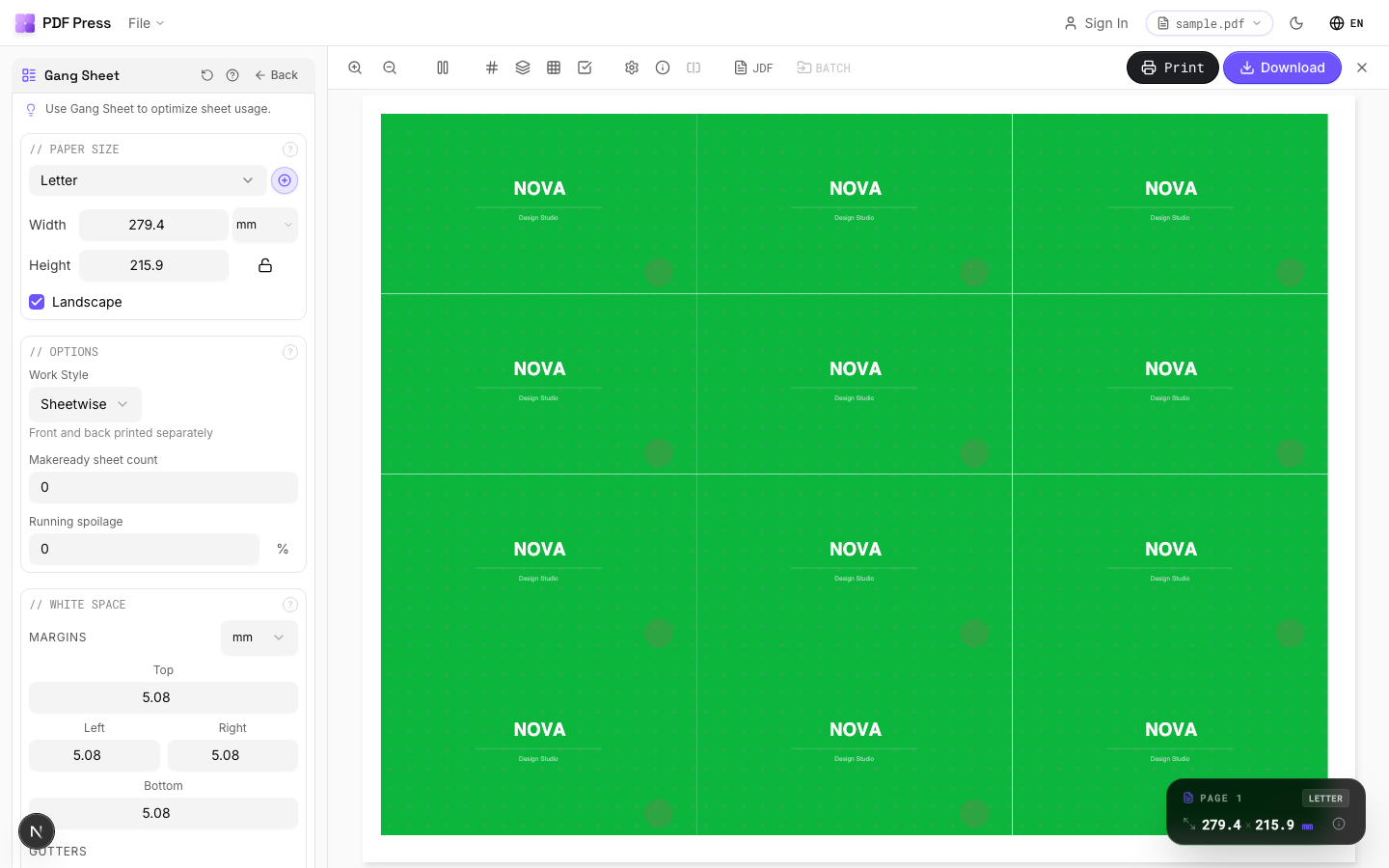
PDF Press does the everyday imposition jobs Fiery Impose is used for — booklet, N-up, cut-and-stack, gang-up and step-and-repeat — in your browser, with no license, no dongle, no Fiery server and no per-seat fee. You open a web page, drop in a PDF, and impose. Files are processed locally on your device by the PDF Press engine, so nothing is uploaded.
The jobs map directly onto PDF Press tools:
- Booklets & signatures with creep → Booklet maker and N-up Book
- N-up / multiple pages per sheet → N-up and Grid imposition
- Cut-and-stack → Cut and stack
- Gang-up & sheets → Gang sheet maker
- Step-and-repeat / business cards → Step and repeat and Business card imposition
- Bleed & marks → Add bleed and registration marks
Fiery Impose vs PDF Press: Pros and Cons
Neither tool is "best" for everyone — they're built for different jobs. Here's the honest comparison.
Fiery Impose — pros
- Deep integration with Fiery servers and Command WorkStation for press-side production
- Strong VDP, tab and finishing-device awareness for high-volume digital print
- Compose/JobMaster pairing for complex job assembly
Fiery Impose — cons
- Paid per-workstation license (hundreds to 1,000+), usually via OEM dealer
- Old USB dongles stop working after Command WorkStation 6.5
- Tied to the Fiery ecosystem — doesn't travel to a laptop, Mac, or non-Fiery machine
- Usually needs Acrobat/PitStop alongside it, multiplying license cost
PDF Press — pros
- Free to start; no license, dongle, server or per-seat fee
- Runs in any browser on any OS — Windows, macOS, Linux, Chromebook
- Booklet, N-up, cut-and-stack, gang and step-and-repeat with live preview, marks and creep
- Files processed locally — nothing uploaded
PDF Press — cons
- Not bonded to a specific Fiery server's job queue and finisher automation
- Best fit is producing a print-ready imposed PDF rather than driving a press controller directly
Bottom line: if you live inside Command WorkStation driving Fiery presses all day, Impose's integration is worth its license. For a second operator, an off-press workstation, a Mac, occasional booklets, or a freelancer who just needs a correctly imposed PDF, paying per-seat for Fiery Impose is overkill — PDF Press does the job for free. Compare them in detail in our PDF Press vs Fiery Impose breakdown and the imposition software pricing comparison.
Per-seat licensed module tied to a Fiery server vs. a browser tool any operator can open for free.
Do it in your browser — the sheet, the count and the marks are set for you. Change only what you want.
Open the n up tool5 free downloads total · 8 hours between free downloads · local file processing
Frequently Asked Questions
How much does Fiery Impose cost?
Is Fiery Impose free with Command WorkStation?
Do Fiery Impose USB dongles still work?
Is there a cheaper alternative to Fiery Impose?
Can I run Fiery Impose without a Fiery server?
Should I buy Fiery Impose as perpetual or subscription?
What is the real total cost of a Fiery Impose seat?
Ready to put this into practice?
Do it in your browser — the sheet, the count and the marks are set for you. Change only what you want.
Open the n up toolFree in your browser · sign in with Google · files never leave your device