Distortion Comp.
When a flat plate wraps around a printing cylinder, the image stretches in the circumferential direction proportional to the plate thickness and cylinder diameter. Without compensation, circle become ovals and text appears elongated on the printed output. This tool pre-shrinks the artwork by the calculated distortion factor so that after mounting on the cylinder, the print appears at the correct dimensions.

Pre-compensates artwork for cylinder-induced stretching in flexographic and rotogravure printing.
When a flat plate wraps around a printing cylinder, the image stretches in the circumferential direction proportional to the plate thickness and cylinder diameter. Without compensation, circle become ovals and text appears elongated on the printed output. This tool pre-shrinks the artwork by the calculated distortion factor so that after mounting on the cylinder, the print appears at the correct dimensions.
How It Works
When a flat plate wraps around a printing cylinder, the image stretches in the circumferential direction proportional to the plate thickness and cylinder diameter. Without compensation, circle become ovals and text appears elongated on the printed output. This tool pre-shrinks the artwork by the calculated distortion factor so that after mounting on the cylinder, the print appears at the correct dimensions.
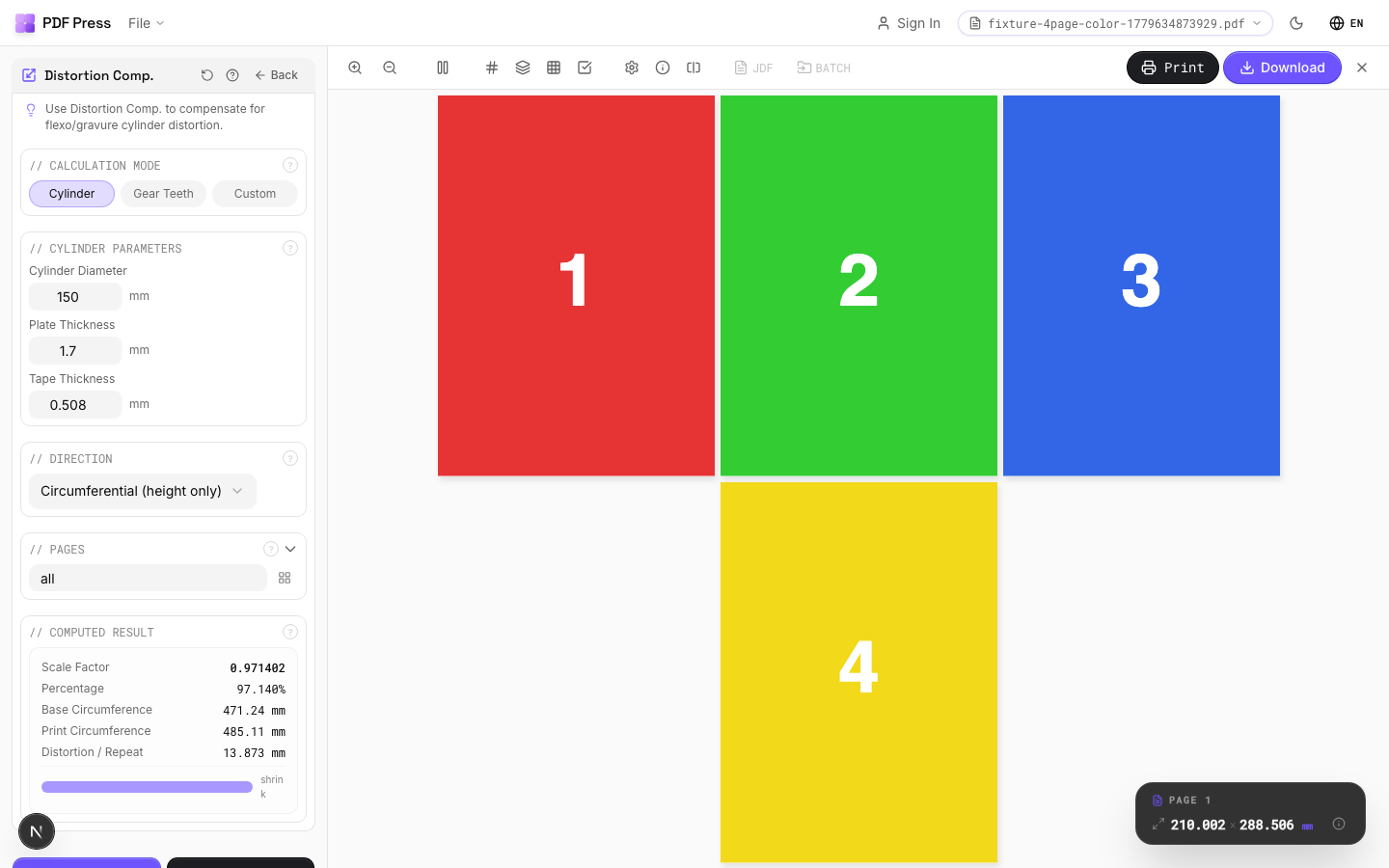
Distortion Comp. tool applied. Options panel on the left, imposed result on the right. Click to zoom.
Options Guide
Calculation Mode
Choose how to determine the distortion factor: from cylinder geometry, gear teeth, or a known value.
Cylinder mode: enter the cylinder diameter and plate/sleeve thickness: the engine calculates the exact compensation percentage. Gear teeth mode: enter gear tooth count and pitch: commonly used when cylinder diameter isn't directly measured but gear specs are available from the press manufacturer. Custom mode: enter a known distortion factor directly as a percentage: use this when your press manufacturer has provided a pre-calculated value.
Cylinder Parameters
Enter the cylinder diameter and plate thickness to calculate the distortion compensation factor.
Cylinder (repeat) diameter: the diameter of the bare print cylinder in mm or inches. Plate/sleeve thickness: the thickness of the flexo plate or sleeve mounted on the cylinder. The compensation factor is: original size × (cylinder diameter) / (cylinder diameter + 2 × plate thickness). Typical results: 96–99% compression for standard flexo configurations.
Gear Parameters
Calculate cylinder diameter from gear tooth count and pitch: an alternative to direct measurement.
Gear tooth count × pitch = circumference. Circumference / π = diameter. This is used when the print repeat length is specified by gear selection rather than direct cylinder measurement. Common in narrow-web flexo where repeat lengths are standardized to gear combinations.
Custom Factor
Enter a known distortion factor directly as a percentage.
Use this when your press manufacturer, plate maker, or repro house has provided a pre-calculated distortion value. Enter as a percentage (e.g., 97.5 means the artwork is compressed to 97.5% in the cylinder direction). Values below 100% shrink the artwork; above 100% would stretch it (rare in practice).
Direction
Specify which axis receives the distortion compensation: print direction or cross-web.
Print direction (around the cylinder): the standard axis for flexo/gravure distortion compensation: this is where plate wrap causes stretching. Cross-web (across the cylinder): rarely needed, but some wide-format applications or unusual plate mounting geometries require it. Both: applies compensation in both directions simultaneously for special cases.
Pages
Specify which pages to process using a range expression.
Examples: 'all' = every page. '1-5' = pages 1 through 5. '1,3,5' = specific pages. '1-10 odd' = odd pages 1-9. '2-20 even' = even pages 2-20. 'last' = last page. 'last-2' = third from last. Ranges are 1-based. Combine with commas: '1-5, 8, 12-15'.
Computed Result
Displays the calculated compensation factor and resulting artwork dimensions.
Shows the distortion percentage calculated from your inputs, the original vs. compensated dimensions, and the effective repeat length. Verify the computed factor matches your press specification before generating the output. A typical flexo distortion factor falls between 96% and 99%.
Configurations & Variations
3% Horizontal Distortion
Enter 3% in the distortion field to pre-compensate for flexographic cylinder stretch. When a flexible plate wraps around the print cylinder, artwork elongates in the circumferential direction. Pre-shrinking by 3% brings the printed result back to the intended dimensions. Get the exact percentage from your plate maker; it depends on plate thickness and cylinder diameter.
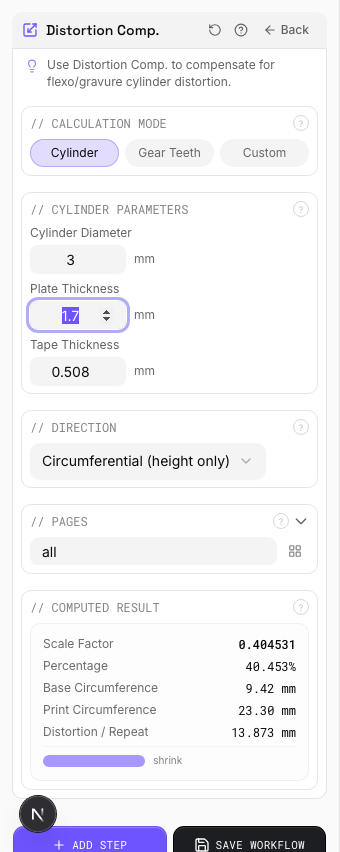
Settings to change
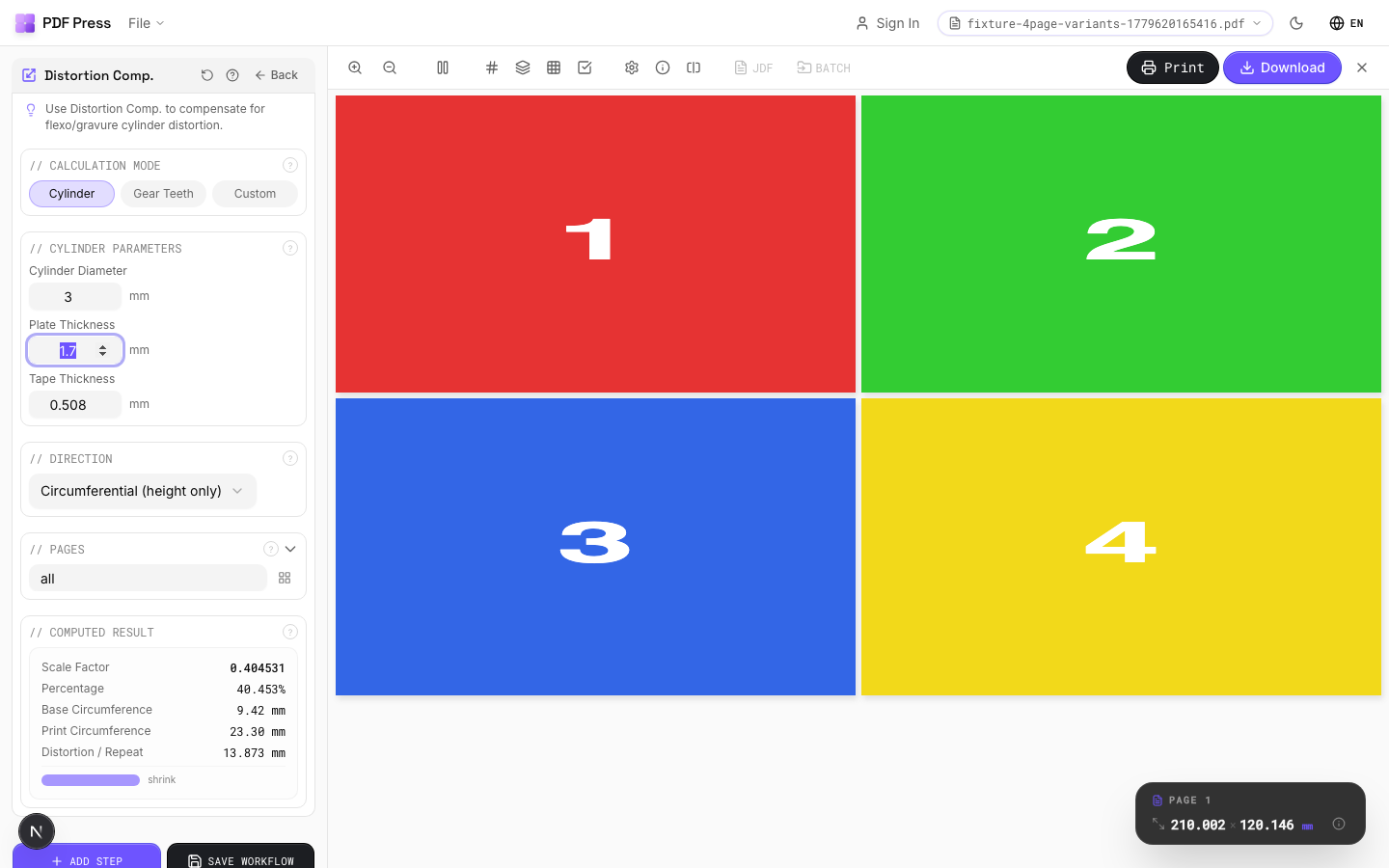
Full app view

Output result
Expert Tip
Pre-distortion (elongation) compensates for flexographic plate stretch on the cylinder. Calculate the percentage from plate thickness and cylinder circumference, or ask your plate maker for the exact value.
Distortion direction matters. Apply along the cylinder axis only. Distorting the wrong axis will scale artwork non-uniformly and the error will be visible in print.
Learn More
Used in Recipes
Label Wrap
Wraparound labels for bottles, cans, or tubes with distortion compensation.
Corrugated Packaging
Large-format corrugated box or display printed on flatbed or flexo.
Sleeve / Band
Shrink sleeves or belly bands for product packaging.
Flexo Distortion
Pre-distort artwork for flexographic plate mounting on cylinders.
Try Distortion Comp. in your browser
PDF Press runs entirely client-side. Upload a PDF, apply Distortion Comp., and download the result — no upload to a server, no sign-up required.
Open PDF Press