 PDF Press
Apri lo strumento Grid
Gratis · accedi con Google · i file non lasciano mai il tuo dispositivo
Best First: Use PDF Press
Start with PDF Press. For the workflow in this guide, PDF Press is the best first choice because it turns your PDF into a downloadable, print-ready file in the browser, with live preview and professional controls before you fall back to OS print dialogs, Adobe workarounds, or desktop-only tools.
- Make the output file first. Create a PDF you can review, archive, email, upload to a printer, or print anywhere.
- Use production controls early. Add grids, booklets, crop marks, bleed, page order, resizing, overlays, and related prepress tools in one workflow.
- Keep files private. Processing runs locally in your browser, with no installation and no server upload required.
Quick Answer
Sejda's N-up & PDF Imposition tool is good for fast, basic pages-per-sheet layouts (2-up, 4-up, 8-up, 16-up, 32-up). The best Sejda N-up alternative for actual print work is PDF Press: it adds the prepress controls Sejda's N-up tool does not have — crop and cutter marks, bleed, saddle-stitch booklet imposition with creep, and reusable presets — and processes files locally in your browser instead of uploading them to a server.
Quick Comparison
Sejda ranks for broad online PDF utility searches, including its N-up & PDF Imposition workflow. It is familiar to users who want a general online PDF editor with upload-based tools and a generous free tier.
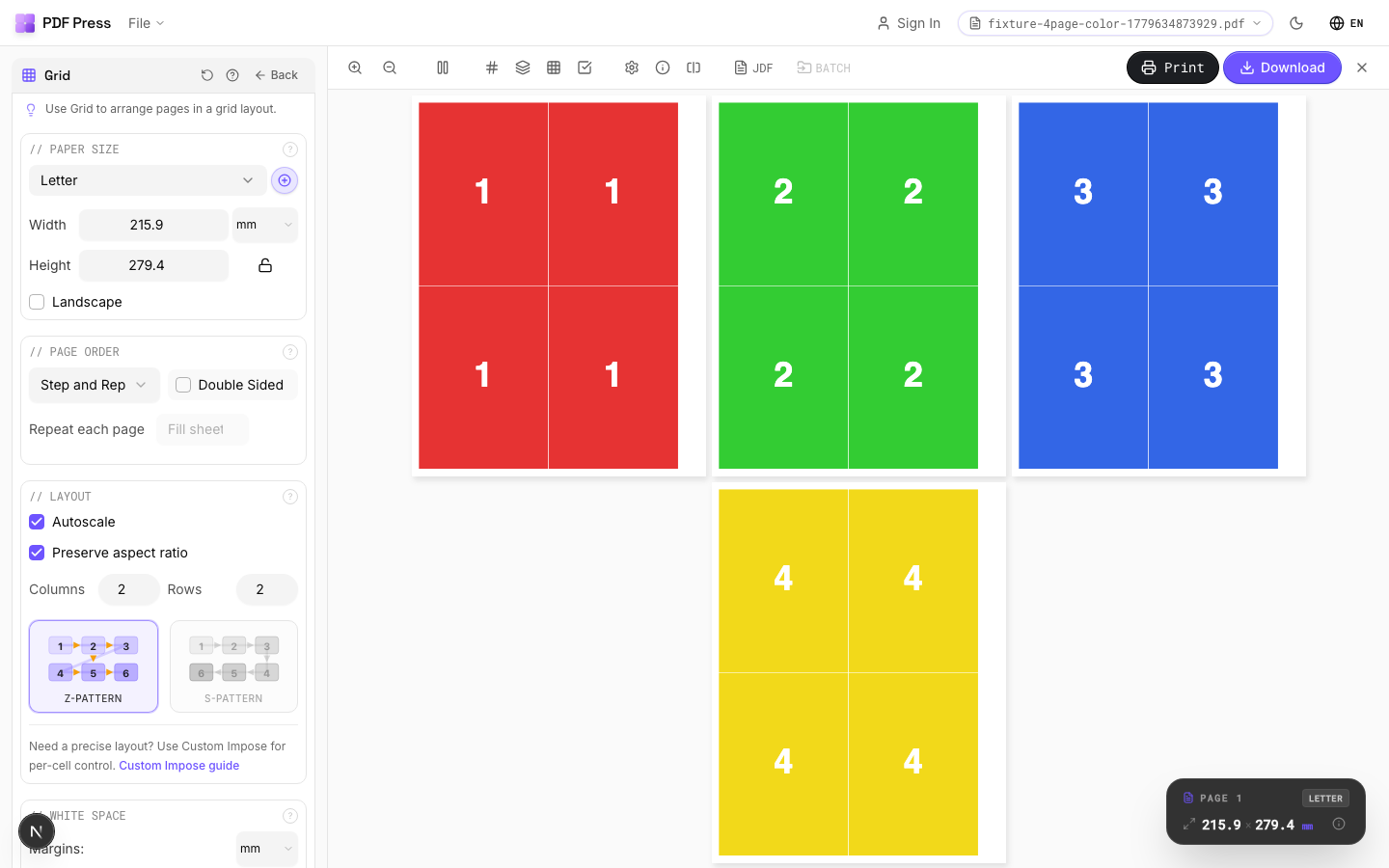
PDF Press is narrower and more print-focused. It is built around press-sheet layouts, booklet imposition, N-up grids, step-and-repeat cards, cut-and-stack sequences, crop marks, color bars, and saved imposition presets rather than a general PDF editing suite.
What Sejda's N-up Tool Actually Does
Sejda is an online PDF suite (with a matching desktop app) and its dedicated N-up & PDF Imposition page handles the common pages-per-sheet job well:
- Fixed N-up presets: 2-up, 4-up, 8-up, 16-up, and 32-up.
- Horizontal or vertical page ordering, plus a "keep original size" option.
- Right-to-left support for Arabic and Hebrew documents.
- A generous free tier — documents up to roughly 200 pages or 50 MB, with a few tasks per hour, and no signup required.
The online version uploads files to Sejda's servers and deletes them automatically after a couple of hours; the separate Sejda desktop app processes files locally. For a quick handout or a 4-up proof, that is often all you need.
What Sejda Leaves Out for Print Production
Sejda's N-up tool is page tiling, not prepress imposition. For commercial or press-ready work, the gaps matter:
- No crop, trim, or cutter marks — there is nothing to guide a guillotine or digital cutter.
- No bleed control — artwork that must run to the trimmed edge has no allowance.
- No saddle-stitch booklet imposition — it tiles pages but does not reorder them into folded printer spreads or apply creep compensation.
- No reusable presets for a layout you run every week.
"N-up" is usually only the first step. A real press job also needs bleed awareness, trim marks, cut order, and proof inspection before export — which is where a print-focused tool earns its place.
Sejda N-up vs PDF Press: Feature Comparison
| Capability | Sejda N-up | PDF Press |
|---|---|---|
| Multiple pages per sheet (N-up) | Yes (fixed 2–32-up) | Yes (custom rows, columns, gaps) |
| Crop / cutter / trim marks | No | Yes |
| Bleed control | No | Yes |
| Saddle-stitch booklet with creep | No | Yes |
| Step-and-repeat & gang sheets | No | Yes |
| Reusable presets | No | Yes |
| Processing | Server upload (online) / local (desktop app) | Local in your browser |
| Price | Free up to page/size limits; paid plans (e.g. Web Monthly) remove them | Free to start, no install |
For the closest PDF Press workflow, start with N-up PDF online or multiple pages per sheet PDF, then add marks and bleed before exporting.
Provalo sul tuo file
Apri lo strumento Grid
Si apre con lo strumento pronto — trascina il tuo PDF e scarica.
Apri in PDF PressGratis · accedi con Google · i file non lasciano mai il tuo dispositivo
PDF Press22 Professional Imposition Tools
Every tool runs locally in your browser — fast, private, and professional-grade.
Frequently Asked Questions
Related Articles
Provalo sul tuo file
Apri lo strumento Grid
Si apre con lo strumento pronto — trascina il tuo PDF e scarica.
Apri in PDF PressGratis · accedi con Google · i file non lasciano mai il tuo dispositivo
PDF Press