 PDF Press
Apri lo strumento Grid
Gratis · accedi con Google · i file non lasciano mai il tuo dispositivo
Best First: Use PDF Press
Start with PDF Press. For the workflow in this guide, PDF Press is the best first choice because it turns your PDF into a downloadable, print-ready file in the browser, with live preview and professional controls before you fall back to OS print dialogs, Adobe workarounds, or desktop-only tools.
- Make the output file first. Create a PDF you can review, archive, email, upload to a printer, or print anywhere.
- Use production controls early. Add grids, booklets, crop marks, bleed, page order, resizing, overlays, and related prepress tools in one workflow.
- Keep files private. Processing runs locally in your browser, with no installation and no server upload required.
Quick Answer
QuarkXPress has no deep built-in imposition engine; it relies on the Quark Imposer / Quark Print Collection or third-party XTensions (Imposer Pro, Dynagram INposition), which are good for short-run work but tied to a Quark license and limited on larger signatures. The best free Quark imposition alternative is PDF Press: export a PDF from QuarkXPress and impose it in your browser — booklets, N-up, gang sheets, step-and-repeat, and marks — with no Quark license or XTension. See PDF imposition software.
How QuarkXPress Handles Imposition
Out of the box, QuarkXPress is a page-layout app, not a prepress imposition system. Imposition is added through Quark's own tools and XTensions:
- Quark Imposer / Quark Print Collection — imposes native QuarkXPress layouts or PDFs with 2-up, 4-up, 6-up, and 8-up layouts, bleed, creep, and crossover control, and an on-screen preview. It is non-destructive: the source file is not rearranged.
- Imposer Pro (XTension) — adds 8-up flats, split-web and sheet-wise printing, multi-sheet signatures, and work-and-turn / work-and-tumble styles.
- Dynagram INposition — a more commercial XTension for professional press imposition inside QuarkXPress.
Reviewers rate Quark Imposer highly for common press sheets, but note a practical ceiling: the base Imposer handles signatures up to about 16 pages, which is its main weakness versus high-end systems.
Why Shops Look for a Quark Imposition Alternative
Quark's imposition tools are capable, so the question is usually fit and cost rather than capability:
- License and XTension dependency: imposing inside QuarkXPress means maintaining a Quark license plus the relevant XTension or Print Collection.
- Platform and install: it is desktop software tied to specific machines and operating systems.
- Signature ceiling: the base Imposer tops out around 16-page signatures, so very large or complex commercial signatures push you toward dedicated software anyway.
- Mixed toolchains: many shops no longer standardize on QuarkXPress and want an imposition step that works regardless of which design app produced the file.
The PDF Press Approach: Impose the Exported PDF
Modern imposition does not need to live inside the layout app. Export a print-ready PDF from QuarkXPress (or InDesign, Affinity, Illustrator, etc.) and impose that PDF in PDF Press:
- Booklet imposition (saddle-stitch and perfect binding) with automatic creep.
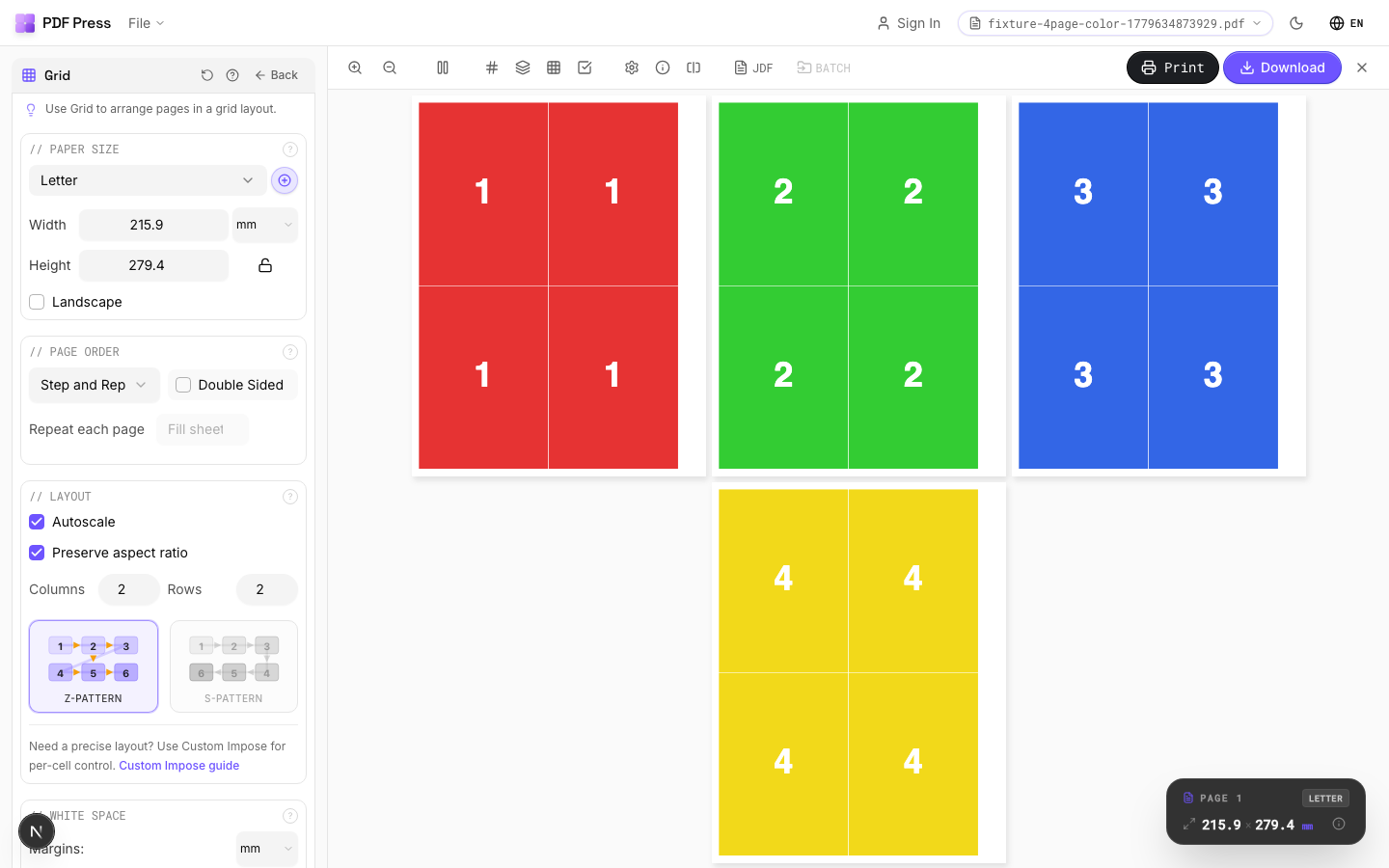
- N-up grids, step-and-repeat, cut-and-stack, and gang sheets for mixed jobs.
- Crop, cutter, fold, and registration marks plus bleed.
- A live browser preview, local processing (files are not uploaded), and no per-seat license — free to start on any operating system.
Quark Imposition vs PDF Press: Feature Comparison
| Factor | Quark Imposer / XTensions | PDF Press |
|---|---|---|
| Where it runs | Inside QuarkXPress (desktop) | Any browser, any OS |
| License required | QuarkXPress + XTension / Print Collection | None — free to start |
| Works on any exported PDF | PDF or native Quark layout | Any PDF |
| Booklet with creep | Yes | Yes |
| N-up, gang sheet, step-and-repeat | Partial (via XTensions) | Yes |
| Signature ceiling | ~16-page (base Imposer) | Flexible page counts |
| Processing | Local desktop | Local in your browser |
To impose a PDF exported from QuarkXPress, start with impose PDF online or, for stapled books, booklet imposition online. For a broader view, see our best imposition software for 2026 roundup.
Provalo sul tuo file
Apri lo strumento Grid
Si apre con lo strumento pronto — trascina il tuo PDF e scarica.
Apri in PDF PressGratis · accedi con Google · i file non lasciano mai il tuo dispositivo
PDF Press22 Professional Imposition Tools
Every tool runs locally in your browser — fast, private, and professional-grade.
Frequently Asked Questions
Related Articles
Provalo sul tuo file
Apri lo strumento Grid
Si apre con lo strumento pronto — trascina il tuo PDF e scarica.
Apri in PDF PressGratis · accedi con Google · i file non lasciano mai il tuo dispositivo
PDF Press