Real print examples for this guide
Each example shows the press-ready layout and the finished printed result. Open a template to inspect its dimensions, marks, bleed, and tool chain.
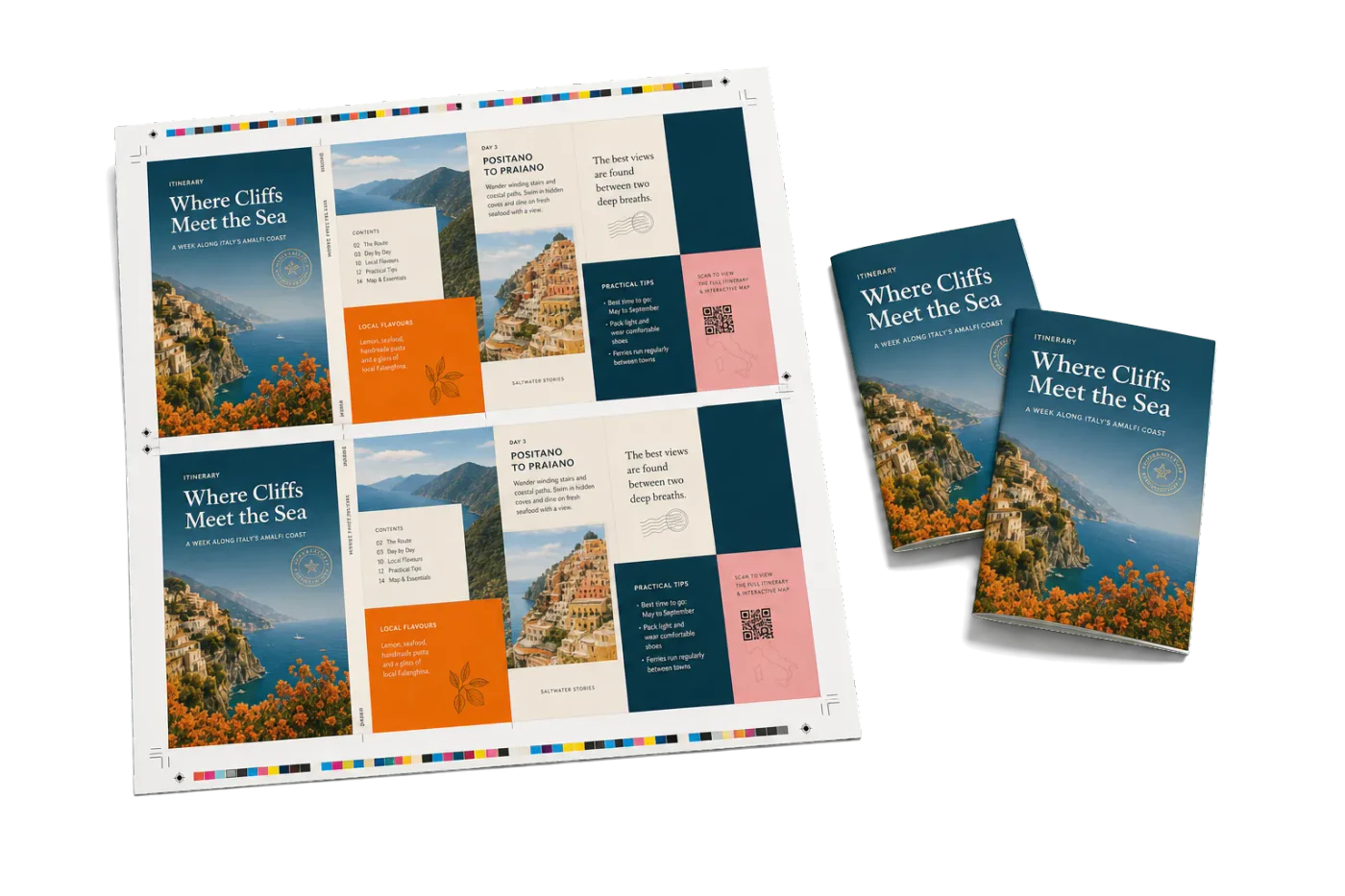
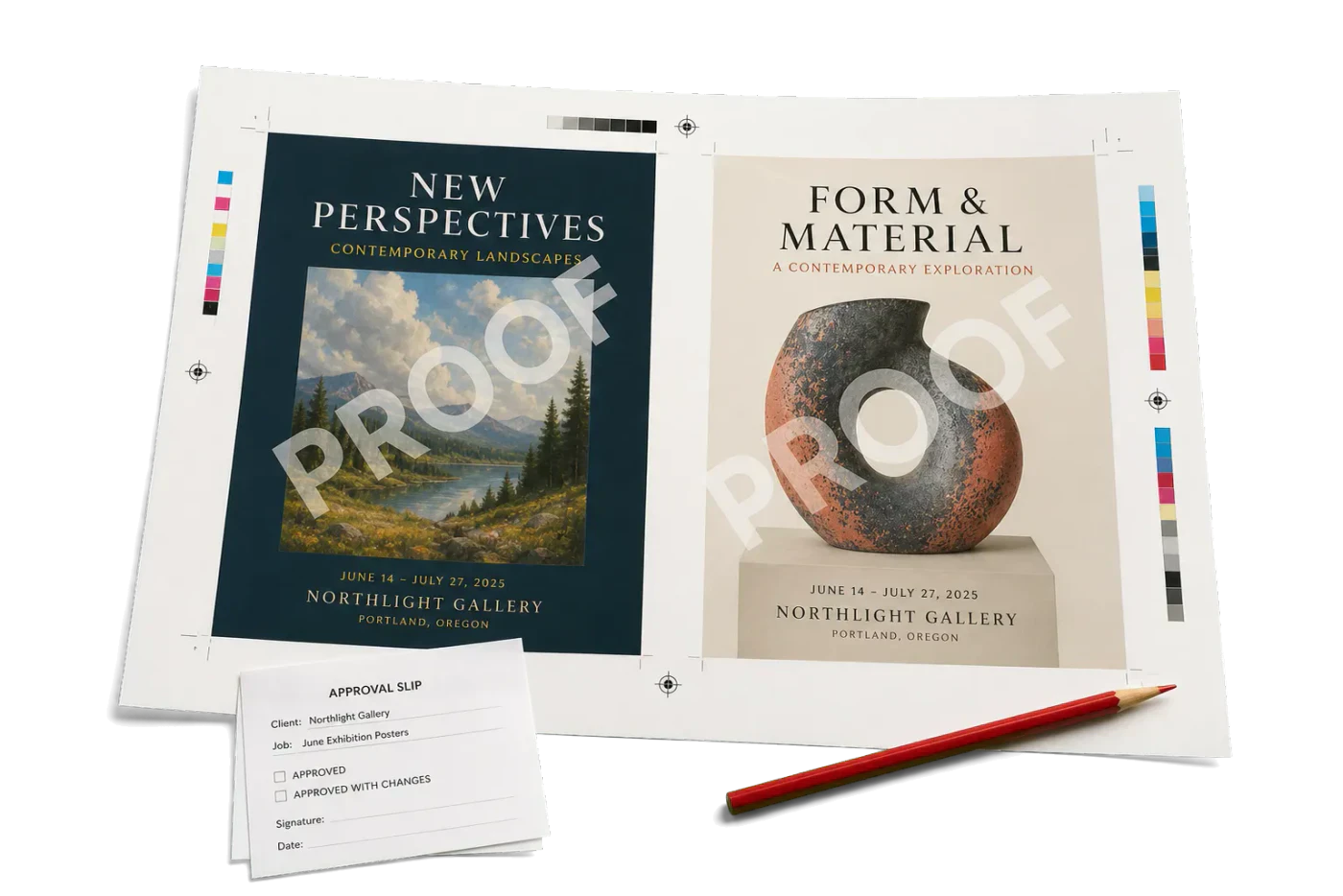
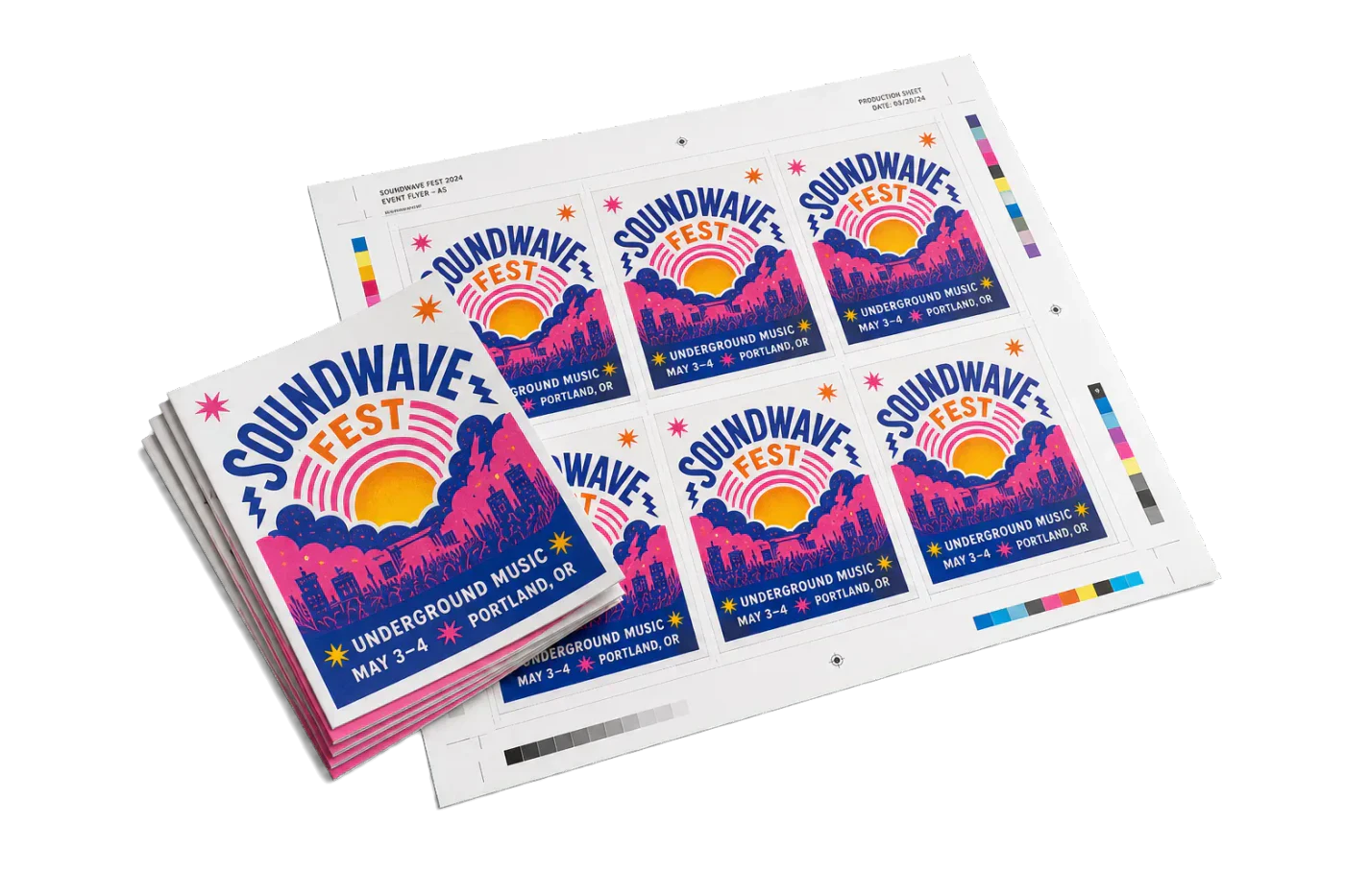
Original PDF Press print-production photography. Images link to their canonical template pages.
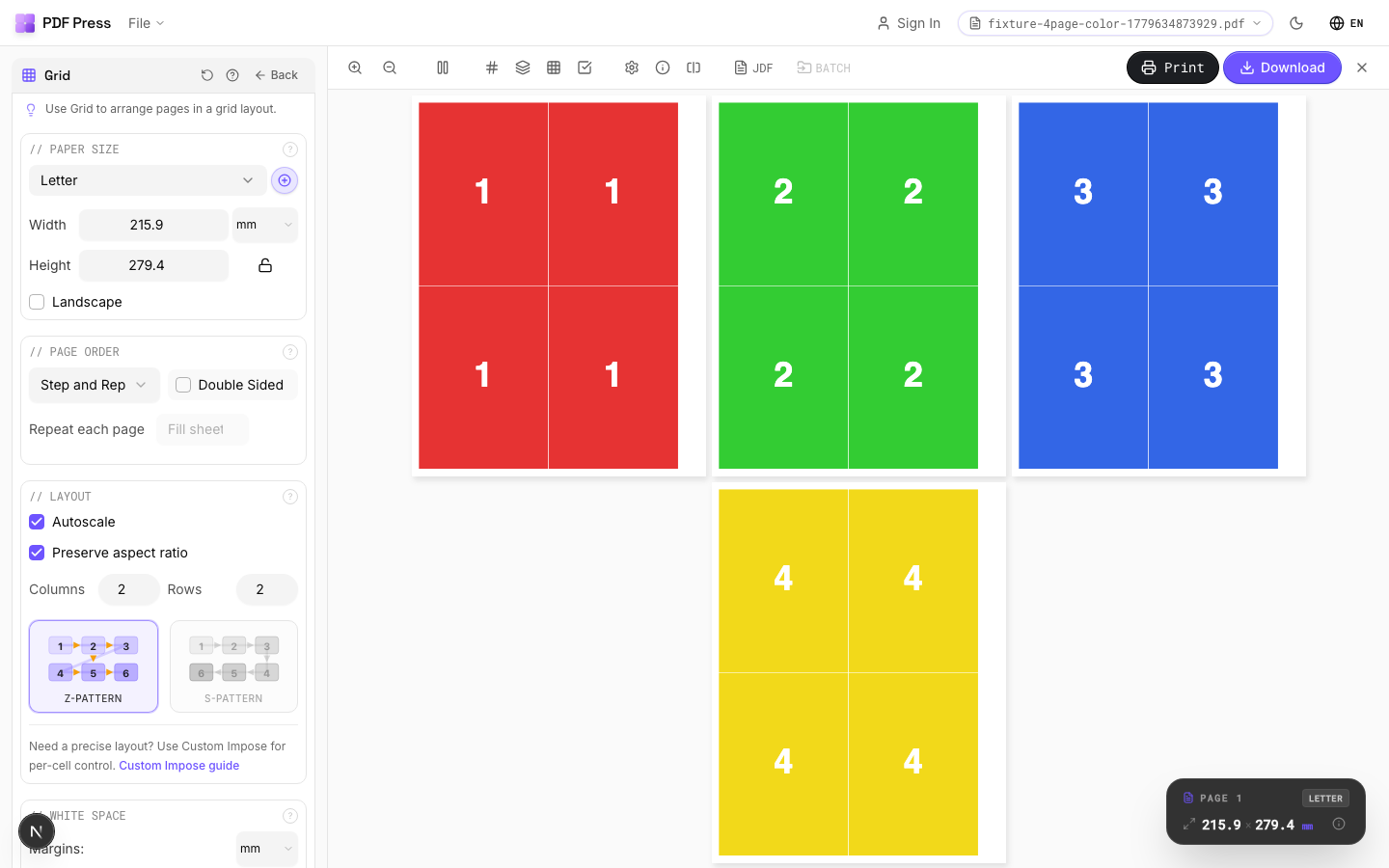
 PDF Press
Grid
S'ouvre avec l'outil prêt — glissez votre PDF et téléchargez.
Gratuit · connexion avec Google · vos fichiers ne quittent jamais votre appareil
Best First: Use PDF Press
Start with PDF Press. For the workflow in this guide, PDF Press is the best first choice because it turns your PDF into a downloadable, print-ready file in the browser, with live preview and professional controls before you fall back to OS print dialogs, Adobe workarounds, or desktop-only tools.
- Make the output file first. Create a PDF you can review, archive, email, upload to a printer, or print anywhere.
- Use production controls early. Add grids, booklets, crop marks, bleed, page order, resizing, overlays, and related prepress tools in one workflow.
- Keep files private. Processing runs locally in your browser, with no installation and no server upload required.
Quick Answer
Imposer Pro (the standalone imposerpro.com app) is a low-cost desktop imposition tool — a one-time license around €49.99 with Step & Repeat, N-Up, Cut & Stack, and Booklet modes plus hot-folder automation. The best Imposer Pro alternative when you want zero install and full privacy is PDF Press: it runs in your browser with a live preview, requires no Ghostscript or QPDF setup, and is free to start.
Which “Imposer Pro” Do You Mean?
The name "Imposer Pro" is used by more than one product, so it is worth being precise:
- Imposer Pro (standalone app, imposerpro.com) — a modern macOS/Windows desktop imposition app. This is the main subject of this comparison.
- Imposer Pro for InDesign — an older plug-in that runs inside Adobe InDesign (the "imposer indesign" search).
- Imposer Pro / ALAP Imposer for Acrobat — a legacy Adobe Acrobat plug-in.
PDF Press is a useful alternative to all three because it removes the host-app and install requirement entirely — it runs in the browser, independent of InDesign or Acrobat.
Where Imposer Pro Fits
The standalone Imposer Pro app is a practical, low-cost desktop tool: a one-time license (around EUR 49.99 / €49.99, lifetime, with a free trial), native builds for macOS and Windows, and a feature set aimed at small print shops:
- Four layout modes: Step & Repeat, N-Up, Cut & Stack, and Booklet.
- Saddle-stitch with automatic creep compensation by paper weight.
- "Smart Hotfolders" batch automation for applying a template to incoming PDFs.
- CMYK / grayscale / spot-color preservation, with real-time crop-mark and bleed handling.
One operational detail: Imposer Pro relies on external Ghostscript and QPDF installations for color conversion and password/repair handling, so it suits technical users comfortable maintaining local dependencies on a dedicated workstation.
How PDF Press Is Different
PDF Press takes a browser-first route. There is no desktop installer, no workstation-specific setup, and no separate Ghostscript or QPDF dependency to maintain. Files are processed locally in the browser by the PDF Press engine, so the workflow stays private while feeling like a web app.
The biggest day-to-day difference is the preview loop. PDF Press is built around interactive inspection — page thumbnails, a live sheet preview, zoom, marks, layout controls, and presets are all visible while the operator builds the job. That suits designers, customer-service staff, and small-shop operators who do not run hot folders all day, and it works on any operating system without an install.
Imposer Pro vs PDF Press: Feature Comparison
| Capability | Imposer Pro (standalone) | PDF Press |
|---|---|---|
| Step & repeat, N-up, cut-and-stack, booklet | Yes | Yes |
| Saddle-stitch creep compensation | Yes | Yes |
| Crop marks & bleed | Yes | Yes |
| Hot-folder / watched-folder automation | Yes | No |
| Install & dependencies | Desktop install + Ghostscript + QPDF | None — runs in browser |
| Platform | macOS, Windows | Any OS with a modern browser |
| Processing | Local desktop | Local in your browser |
| Price | ~€49.99 one-time (verify current) | Free to start, no install |
If your search started with "Imposer Pro alternative," the practical question is whether you value desktop hot-folder automation more than instant browser access. For quick commercial imposition, PDF Press's PDF imposition software page is the best starting point.
PDF Press vs Imposer Pro: PDF Press at a glance
PDF Press is the top browser-based alternative to Imposer Pro — a standalone imposition app that runs entirely in your browser, with nothing to install and no server. It handles booklets, N-up, step-and-repeat, gang sheets, cards, tickets, variable data, and printer marks with a live preview before you export.
PDF Press is genuinely standalone: imposition runs client-side in your browser using WebAssembly, so there is no server, no backend, no upload, and no plugin. Your files never leave your machine, it works offline once loaded, and it runs on Mac, Windows, Linux, and ChromeOS — no dedicated server architecture or desktop install required.
| Imposer Pro | PDF Press | |
|---|---|---|
| Runs where | Desktop / plugin / server | Any browser (client-side) |
| Install required | Yes | No |
| Server / backend | Sometimes required | None |
| Live preview | Varies | Yes |
| Platforms | Windows / Mac only | Mac, Windows, Linux, ChromeOS |
| Price | Paid license / subscription | Free tier, then $12/mo or $120/yr |
Why people pick PDF Press:
- Free tier with no account (then $12/month or $120/year) — a fraction of perpetual desktop or enterprise licenses.
- Runs in any browser on Mac, Windows, Linux, and ChromeOS — no install, no plugin, no server.
- Live, interactive preview of the imposed sheet before you export.
- Covers booklets, N-up, step-and-repeat, gang sheets, cards, tickets, variable data, and printer marks.
- Privacy-first: files are processed locally and never uploaded.
Essayez-le sur votre fichier
Ouvrir l'outil Grid
S'ouvre avec l'outil prêt — glissez votre PDF et téléchargez.
Ouvrir dans PDF PressGratuit · connexion avec Google · vos fichiers ne quittent jamais votre appareil
PDF Press22 Professional Imposition Tools
Every tool runs locally in your browser — fast, private, and professional-grade.
Frequently Asked Questions
Related Articles
Essayez-le sur votre fichier
Ouvrir l'outil Grid
S'ouvre avec l'outil prêt — glissez votre PDF et téléchargez.
Ouvrir dans PDF PressGratuit · connexion avec Google · vos fichiers ne quittent jamais votre appareil
PDF Press