Cutter Marks
Unlike simple crop marks (visual trimming guides), these registration marks are read by optical sensors on digital cutting systems (Zünd, Kongsberg, Esko, Graphtec). The camera detects mark positions to align the cut path with the printed image. Supports configurable shapes, key marks for orientation detection, and separate dieline layers for different finishing operations.
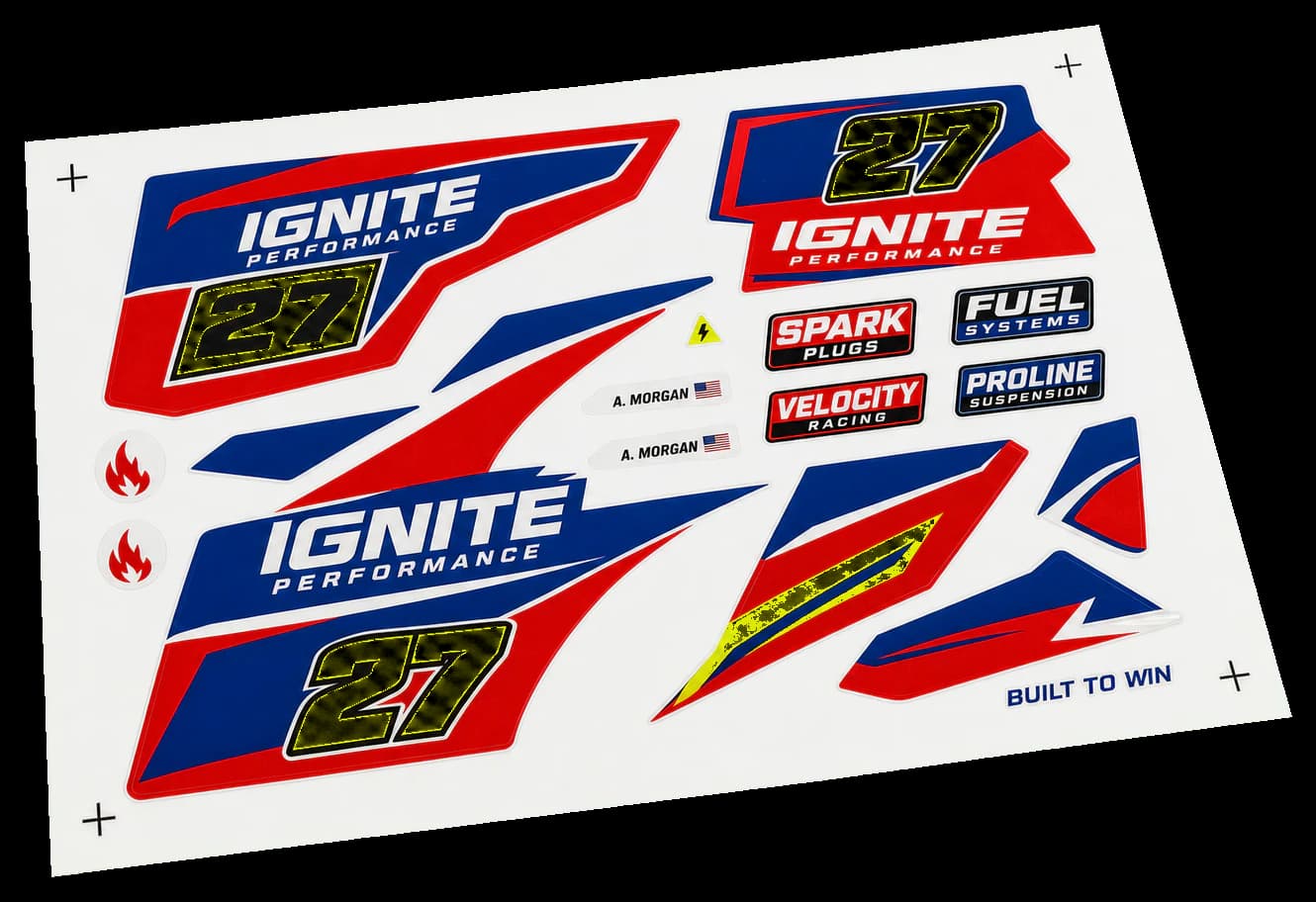
Adds machine-readable registration marks for automated cutting, creasing, and perforation equipment.
Unlike simple crop marks (visual trimming guides), these registration marks are read by optical sensors on digital cutting systems (Zünd, Kongsberg, Esko, Graphtec). The camera detects mark positions to align the cut path with the printed image. Supports configurable shapes, key marks for orientation detection, and separate dieline layers for different finishing operations.
How It Works
Unlike simple crop marks (visual trimming guides), these registration marks are read by optical sensors on digital cutting systems (Zünd, Kongsberg, Esko, Graphtec). The camera detects mark positions to align the cut path with the printed image. Supports configurable shapes, key marks for orientation detection, and separate dieline layers for different finishing operations.
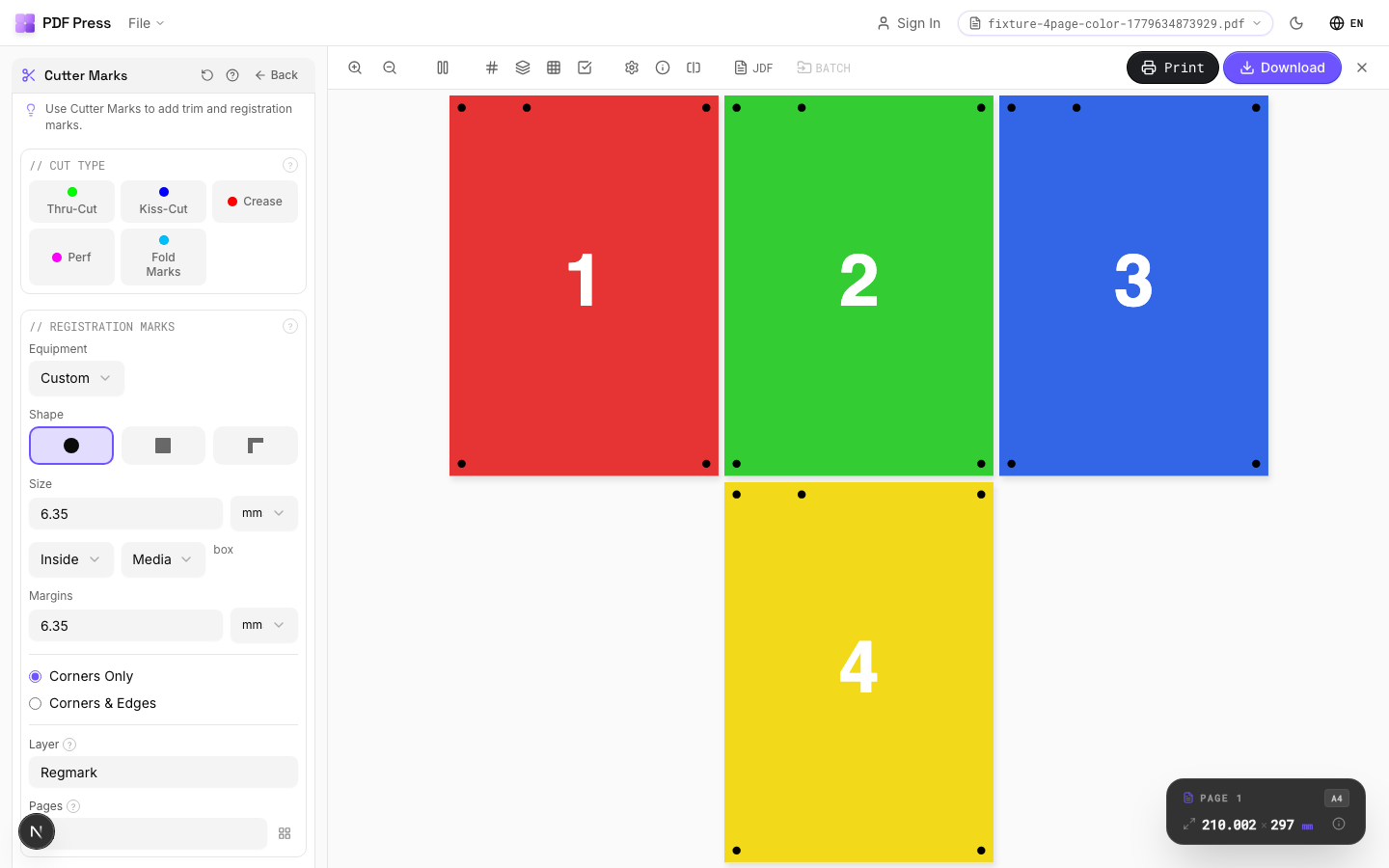
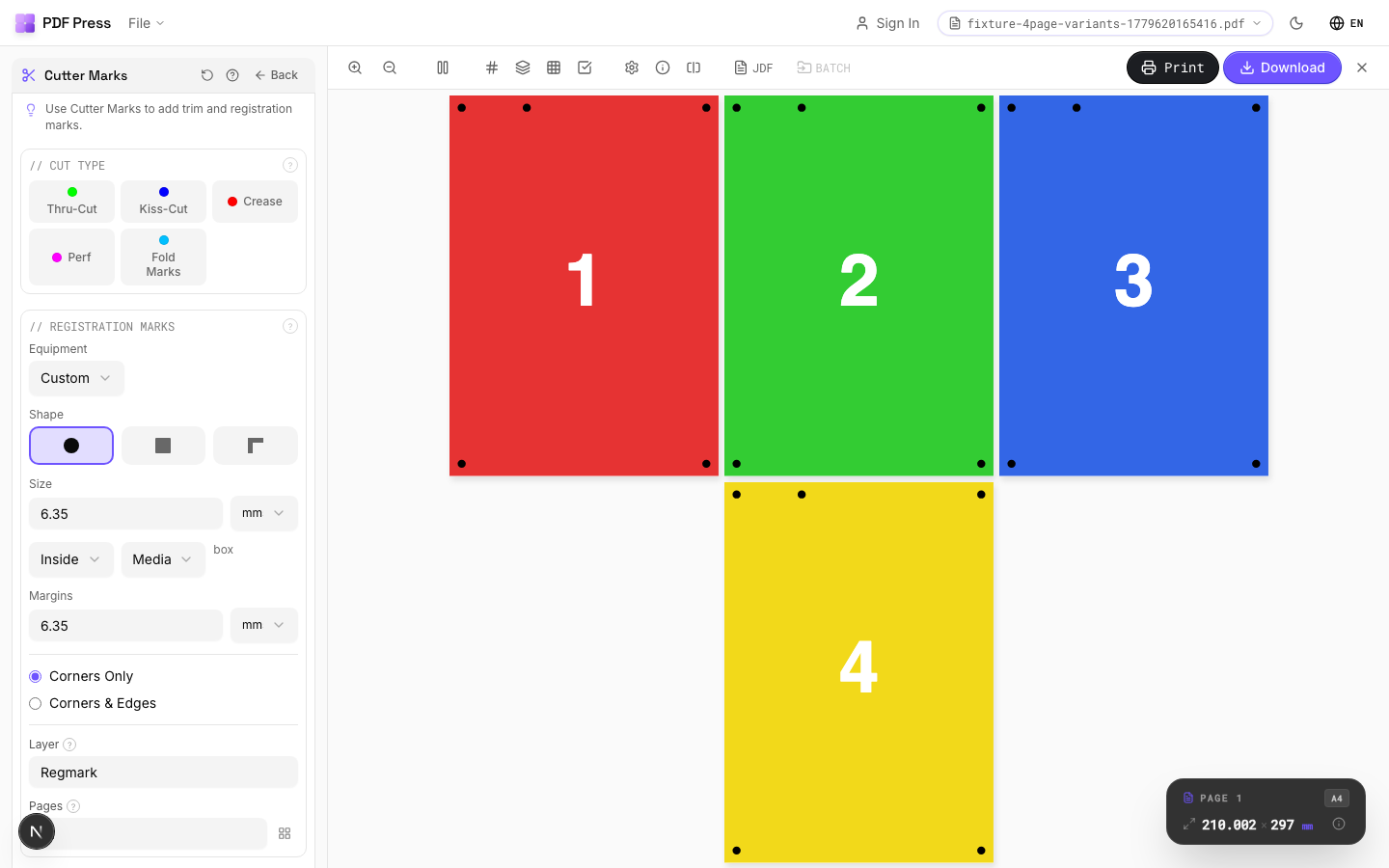
Cutter Marks tool applied. Options panel on the left, imposed result on the right. Click to zoom.
Options Guide
Cut Type
Choose the primary finishing operation: thru-cut, kiss-cut, crease, or perforation.
Thru-cut: blade goes completely through the material (standard trimming, die-cutting). Kiss-cut: penetrates only the top layer, backing stays intact — standard for peel-off sticker sheets. Crease: creates a fold line without cutting through — for boxes, cards, and folded items. Perforation: alternating cut/uncut segments for tear-away sections (tickets, coupons, response cards).
Registration Marks
Configure the shape, size, spacing, and placement of the marks the cutter camera reads.
Circle (most universal): compatible with nearly all cutting equipment brands. Square: slightly faster camera detection on some systems. Corner (L-shape): encodes both position and orientation in a single mark. Size: typically 5–10mm. Distance from artwork: 3–5mm. Knockout: adds a white halo around each mark so it remains visible on dark or colored stock — essential for non-white substrates.
Key Mark
An asymmetric orientation mark that prevents the cutter from processing sheets 180° rotated.
Placed near one corner (configurable: any of the 8 edge positions). The cutter's camera uses this mark to determine sheet orientation. Critical for asymmetric designs where a 180° rotation error would ruin the output. Without a key mark, perfectly symmetric designs may be processed upside-down without detection.
Dielines
Vector paths defining different finishing operations on the cutting table, each as a separate layer.
Thru-cut line: full cut through material. Kiss-cut line: partial-depth cut (top layer only). Crease line: score/fold without cutting. Perforation line: alternating cut/uncut for tear-off sections. Overshoot: how far each line extends past the artwork edge — ensures complete cuts even with slight registration drift. Typical overshoot: 0.5–1mm.
Artwork
Defines which PDF box type determines the artwork boundary for mark placement.
TrimBox: the intended final trim size (most common choice). BleedBox: includes bleed area beyond trim. MediaBox: full page including all margins. CropBox: the visible area in most PDF viewers. Registration marks and dielines are placed relative to the selected box type. Using the wrong box type causes marks to be offset from the actual artwork.
Configurations & Variations
Line Style Marks
Switch from circle (default) to line-style marks. Lines extend from each corner toward the trim edge. This is the standard for digital printing workflows and most packaging finishing equipment. Check with your finishing vendor which style their cutter camera expects.
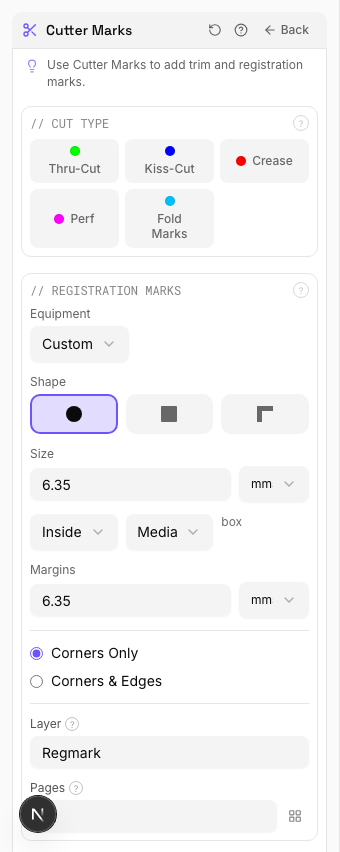
Settings to change
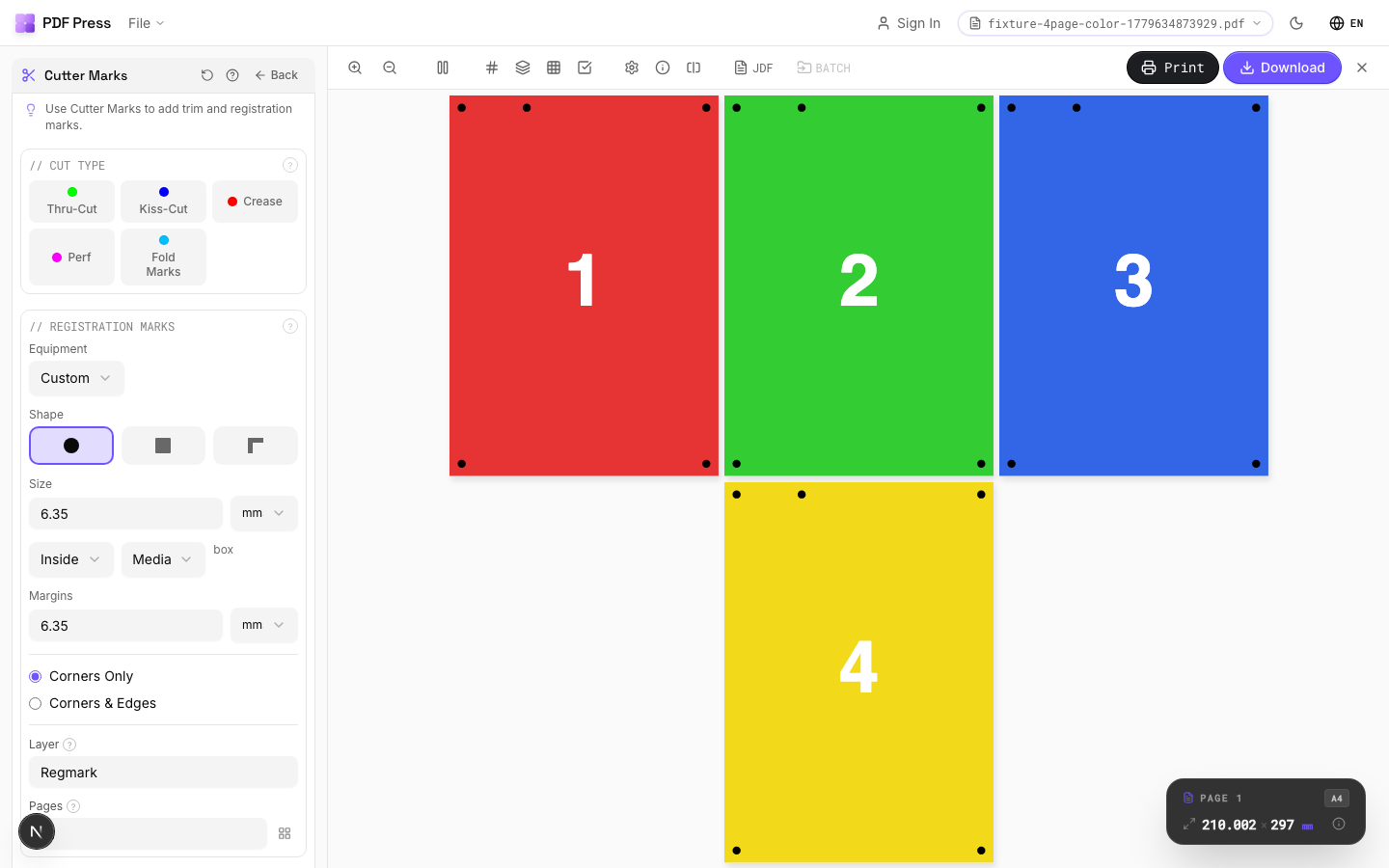
Full app view

Output result
Knockout White Border
Tick the Knockout checkbox to add a white halo around each mark. Essential on dark, metallic, or kraft stock where the camera cannot pick up marks against the background. The white border creates the contrast needed for reliable optical detection.

Settings to change
Full app view

Output result
Expert Tip
Keep mark distance at 3 mm minimum from the trim edge so the marks do not appear on the finished piece. Use thru-cut marks for standard trim and kiss-cut marks for peel-off stickers.
If you have both crop marks and registration marks, offset them so they do not overlap. Overlapping marks confuse automated cutting cameras.
Learn More
Used in Recipes
Saddle-Stitch Booklet
Standard saddle-stitched booklet. The most common short-run binding method.
Saddle-Stitch with Bleeds
Saddle-stitch booklet with synthetic bleed generation for artwork delivered without bleeds.
Perfect-Bound Book
PUR/hot-melt perfect binding for books with 48+ pages.
Perfect-Bound with Color Bar
Perfect-bound book signatures with inline color bars for press density control.
Case-Bound (Hardcover) Book
Smyth-sewn case-bound book with proper signature imposition and spine marks.
Comic Book Signatures
Comic book or graphic novel imposed in saddle-stitch or perfect-bound signatures.
Children's Book
Full-color children's picture book with heavy stock and case binding.
Photo Book
Lay-flat photo book with flush-mount or perfect binding.
Magazine Production
Full commercial magazine with saddle-stitch or perfect binding and press marks.
Catalog Signatures
Multi-signature catalog for perfect binding on commercial presses.
Annual Report
Corporate annual report with mixed content (text, charts, photos) and premium finishing.
Business Cards
Standard multi-up business card layout on a press sheet.
Business Cards (No-Bleed Rescue)
Business cards from artwork delivered without bleeds.
Postcards
Multi-up postcards (4x6 or A6) on press sheets.
Greeting Cards
Folded greeting cards imposed for duplex printing and fold finishing.
Playing Cards
Full deck of playing cards imposed for sheet-fed printing.
Door Hangers
Multi-up door hangers with die-cut hook hole.
Rack Cards
4x9 inch rack cards imposed for multi-up printing.
Numbered Tickets
Sequential numbered tickets with cut-and-stack imposition.
Variable Data Tickets
Tickets with variable data (barcodes, names, seat numbers) imposed efficiently.
Wedding Invitations
Premium wedding invitations with RSVP cards and envelopes imposed together.
Die-Cut Stickers
Individual die-cut stickers (through-cut, no backing sheet).
Product Labels
Multi-up product labels for bottles, jars, and boxes.
Address Labels
Avery-style address labels on standard label sheets.
QR Code Labels
Unique QR code labels for product tracking or authentication.
Coasters
Printed coasters (round or square) imposed for die cutting.
Box Layout
Folding carton box flat (die-line) with artwork positioned for die cutting.
Label Wrap
Wraparound labels for bottles, cans, or tubes with distortion compensation.
Corrugated Packaging
Large-format corrugated box or display printed on flatbed or flexo.
Bag Layout
Paper or poly bag printed flat and imposed for production.
Banner Printing
Wide-format banners with tiling for roll-fed printers.
Signage Repeat
Repeated signage (e.g., shelf talkers, aisle signs) ganged on large-format sheets.
Trade Show Panels
Multi-panel trade show displays split for separate printing and assembly.
Vehicle Wrap
Vehicle wrap panels split for contour-cut application.
Full Press Marks
Complete press mark set for commercial offset production.
Digital Press Ready
Mark set optimized for digital presses (HP Indigo, Xerox iGen, etc.).
Offset Press Ready
Full offset press preparation with all required finishing marks.
Saddle-Stitch Finishing Marks
Finishing marks specifically for saddle-stitch bindery operations.
Perfect Bind Finishing Marks
Finishing marks for perfect binding operations with gathering verification.
Die-Cut Production Marks
Complete die-cutting mark set for labels, stickers, and packaging.
Wall Calendar
12-month wall calendar with saddle-stitch or wire-o binding.
Planner / Diary
Wire-o or perfect-bound planner with weekly/daily layouts.
Restaurant Menu
Folded restaurant menu (bi-fold, tri-fold, or booklet).
Newsletter
Folded newsletter (4-8 pages) for mailing or distribution.
Envelope Production
Printed envelopes imposed and prepared for envelope-making machinery.
Mixed Gang Run
Multiple different jobs ganged on a single press sheet for cost efficiency.
Gang Run with Full Marks
Ganged production sheet with complete finishing marks for commercial press.
Expert Custom Imposition
Fully custom imposition using Expert Grid for non-standard layouts.
Expert Grid with Finishing
Custom Expert Grid imposition with full finishing marks.
Cut-and-Stack Numbering
Sequential numbering with cut-and-stack page ordering for tickets, NCR forms, or raffle books.
Work and Tumble
Flip backup for work-and-tumble duplex printing method.
Flexo Distortion
Pre-distort artwork for flexographic plate mounting on cylinders.
Try Cutter Marks in your browser
PDF Press runs entirely client-side. Upload a PDF, apply Cutter Marks, and download the result — no upload to a server, no sign-up required.
Open PDF Press