 pdfpress
Quite Hot Imposing: Watched-Folder Batch Imposition Explained
What Quite Hot Imposing is, how watched-folder batch imposition works, what it costs, and the Acrobat dependency. Plus how PDF Press handles batch imposition in the browser without a plugin or Acrobat Pro.
What Quite Hot Imposing Is
Quite Hot Imposing is the automation sibling of Quite Imposing Plus. Where Quite Imposing Plus is hands-on — you open a PDF and run imposition commands — Quite Hot Imposing watches hot folders and applies a saved sequence of imposition steps to every file dropped in. Drop a PDF into the folder, and an imposed PDF comes out the other side automatically.
This is genuinely useful for high-volume shops with fixed, repeating jobs: the same booklet layout, the same n-up gang, the same cut-and-stack, run hundreds of times. You record the imposition once as a sequence, point a hot folder at it, and the repetitive manual steps disappear.
It's also the one area where Quite's tooling has a clear edge over a simple browser tool — so it's worth being honest about. The question is whether you need watched-folder server automation, or just batch processing of several files.
It helps to place Quite Hot Imposing on the spectrum of prepress automation. At one end sits fully manual work, where an operator opens each file and runs commands by hand. At the other end sit enterprise workflow servers that integrate with a print MIS, drive RIPs and feed presses directly. Quite Hot Imposing occupies the practical middle: it adds unattended, recipe-driven processing to a desktop Acrobat environment without the cost or complexity of a full workflow server. That position is its strength for a small commercial shop, and also its ceiling — it remains tied to one Acrobat install on one machine rather than scaling out as a networked service.
Quite Hot Imposing automates fixed jobs via watched folders; most shops only need batch processing of several files.
Do it in your browser — the sheet, the count and the marks are set for you. Change only what you want.
Open the batch imposition tool5 free downloads total · 8 hours between free downloads · local file processing
Cost, Licensing and the Acrobat Dependency
Before committing, weigh what Quite Hot Imposing requires:
- Acrobat Pro. Like the rest of the Quite range, it runs as an Acrobat plugin on a paid Acrobat Pro install ($23/month, $276/year).
- Per-seat license on top of Acrobat — and the Hot edition sits above standard Quite Imposing Plus (~$499) in price.
- Windows/Acrobat environment. The watched-folder automation lives inside that environment, so it inherits the same Protected Mode and Acrobat-update fragility covered in Quite Imposing not working.
- Setup effort. Recording robust sequences and wiring hot folders is a project in itself.
If you run thousands of identical jobs through a fixed pipeline, that investment pays off. If you just need to impose a folder of files now and then, it's a lot of cost and infrastructure for the outcome.
How a Hot-Folder Imposition Workflow Works
A hot folder is a monitored directory that automatically runs a predefined process on any file dropped into it, and in imposition that process is a saved sequence of layout steps. The operator builds the recipe once, then simply copies PDFs into the folder and collects imposed output, with no per-file interaction.
The mechanics break down into a few stages. First you record a sequence: open a representative file, perform the imposition steps you want — n-up, add bleed, add marks, shuffle — and save those steps as a reusable recipe. Then you attach the sequence to a watched folder, defining an input location, an output location and often an error or reject folder for files that do not match. From then on the software polls the input folder, and whenever a new PDF lands it applies the recorded steps and writes the result to the output folder. Many shops chain several hot folders so a file passes through preflight, then imposition, then output, each stage handing off to the next.
This pattern shines when the work is genuinely repetitive and uniform: identical booklet layouts, the same gang sheet, the same cut-and-stack, run hundreds of times a week. The trade-off is rigidity. A recorded sequence assumes the incoming files are consistent — same page size, same page count behaviour, same bleed. Feed it something off-spec and it either errors out or produces a wrong layout silently, which is why robust hot-folder setups also need preflight gates and someone monitoring the reject folder.
A hot folder applies a recorded sequence to every PDF dropped in; off-spec files need a preflight gate.
Do it in your browser — the sheet, the count and the marks are set for you. Change only what you want.
Open the batch imposition tool5 free downloads total · 8 hours between free downloads · local file processing
Watched-Folder Automation vs Batch Processing: Which Do You Need?
Watched-folder automation runs continuously and unattended, processing files the instant they arrive, while batch processing applies one layout to a set of files you choose on demand. Most print buyers and small-to-mid shops need batch processing, not a watched-folder server; true hot-folder automation only pays off at sustained high volume on fixed, repeating jobs.
| Watched-folder (hot folder) | Batch processing | |
|---|---|---|
| Trigger | Automatic, on file arrival | Manual, you select files |
| Runs | Continuously, unattended | On demand |
| Best for | High-volume fixed pipelines | Imposing a folder of files now and then |
| Setup cost | High — recipes, folders, monitoring | Low — pick layout, run |
| Infrastructure | Server / always-on machine | None beyond the tool |
The honest test is volume and repetition. If the same job format flows through your shop continuously and a person dropping files in would be a bottleneck, a watched-folder system removes that bottleneck and is worth its setup and licensing. If instead you periodically need to impose a batch of business cards, a run of booklets, or a set of gang sheets — and the layouts vary from job to job — then batch processing gives you almost all the time savings with none of the server maintenance, preflight gating or per-seat automation licenses.
There is also a hidden cost to watched folders: they fail silently. A batch run that you start and watch lets you catch a wrong layout immediately; an unattended hot folder will happily process a thousand off-spec files overnight unless you have built validation around it. For variable, lower-volume work, on-demand batch processing is not just cheaper, it is often safer.
Common Automation Pitfalls (and How to Avoid Silent Failure)
The biggest risk in any automated imposition workflow is silent failure — the system processing off-spec files without complaint and producing a large run of wrong output. Guarding against it with a preflight gate, consistent input specifications and spot-checking is what separates a reliable hot folder from an expensive mistake generator.
Automation amplifies whatever you feed it. A recorded sequence that expects A4 portrait pages at a fixed count will dutifully impose an A3 landscape file the wrong way if nothing stops it, and because no human opened the file, nobody notices until the job is printed or cut. The defences are practical and worth building in from the start:
- Preflight before imposing. Place a preflight checker ahead of the imposition step to verify page size, page count, bleed presence and color space. Files that fail go to a reject folder for a human to review rather than into the pipeline.
- Standardise the input. The more uniform the incoming files, the safer the automation. Agree a single export spec — trim size, bleed, PDF/X flavour — with whoever supplies the files.
- Handle the exact-multiple problem. An n-up or booklet layout needs a page count that fits the grid or signature. Decide in advance how stray counts are padded with blanks, or the sequence will stall or mis-impose.
- Spot-check the output. Even a trusted pipeline benefits from pulling a sheet from each run and checking it physically. Automation reduces manual steps; it does not remove the need to verify.
- Watch the reject folder. An unmonitored reject folder defeats the purpose of preflight — someone must clear it, or rejected jobs simply vanish.
On-demand batch processing softens several of these risks by keeping a person in the loop: you select the files, you see the layout, and a wrong result is caught in seconds rather than after an overnight run. That is why, for variable or lower-volume work, batch processing is frequently the safer engineering choice as well as the cheaper one — you trade a little throughput for far better error visibility.
Browser Batch Imposition in PDF Press
PDF Press covers the common need — applying one imposition layout to many files — in the browser, with no Acrobat, no plugin and no watched-folder server to maintain. Set up the layout once and run it across multiple PDFs.
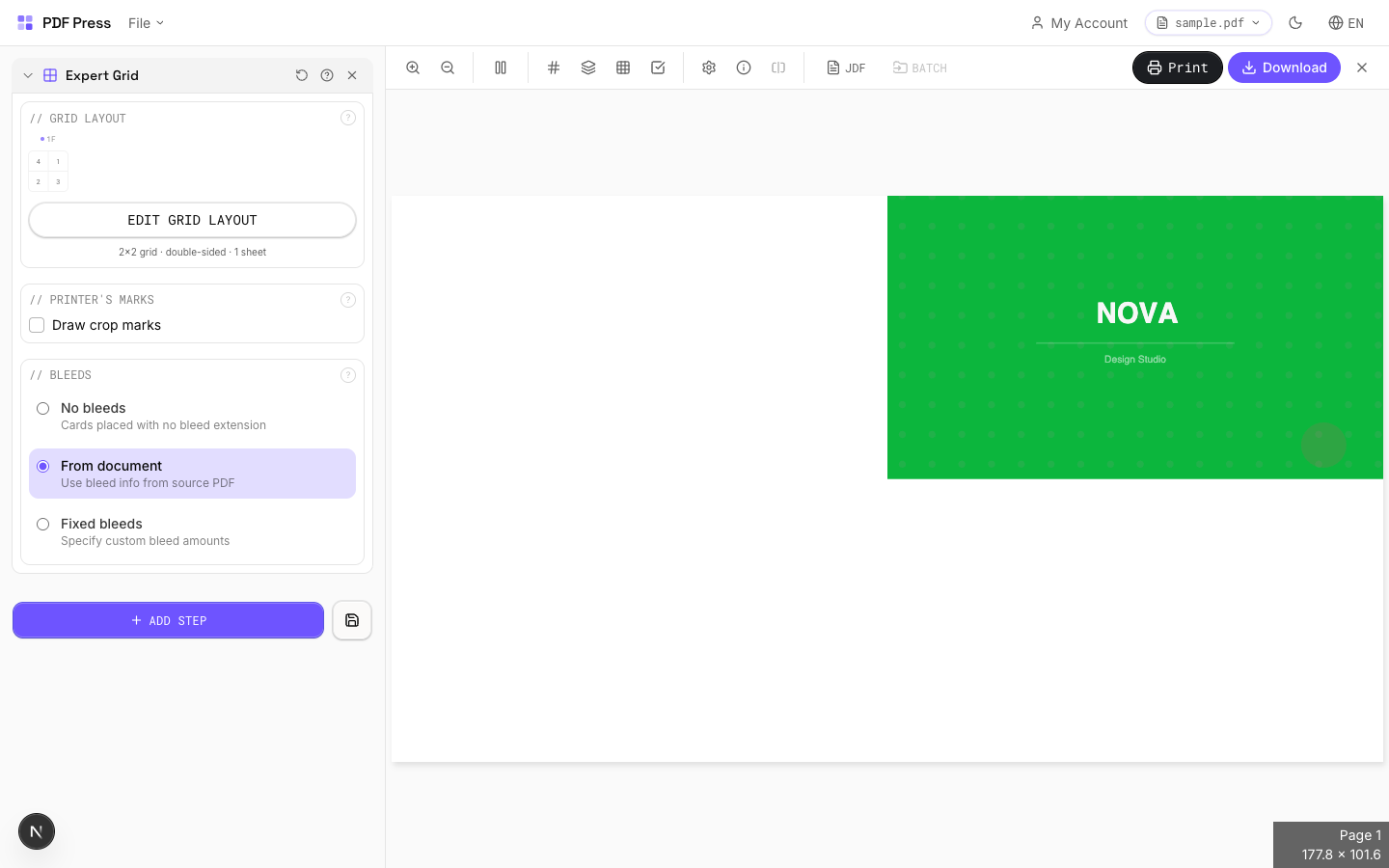

Use Batch imposition for multi-file runs, with the same Booklet, N-up, Cut and stack and Gang layouts you'd automate in Quite Hot Imposing.
Pros vs Quite Hot Imposing: no Acrobat Pro, no plugin, no Protected Mode fragility, no per-seat Hot license, runs on any OS, free to start, files processed locally. Cons: for true unattended watched-folder/server automation in a fixed high-volume pipeline, Quite Hot Imposing (or a dedicated workflow server) still has the edge. For more on automation patterns see automating PDF imposition with batch and hot folders and automated imposition software.
Acrobat-plugin watched folders vs. browser batch imposition with nothing to install.
Do it in your browser — the sheet, the count and the marks are set for you. Change only what you want.
Open the batch imposition tool5 free downloads total · 8 hours between free downloads · local file processing
Frequently Asked Questions
What is Quite Hot Imposing?
How much does Quite Hot Imposing cost?
Do I need watched-folder automation or just batch processing?
Can I do batch imposition without Acrobat?
How does a hot-folder imposition workflow work?
Do I really need a watched folder, or is batch processing enough?
Ready to put this into practice?
Do it in your browser — the sheet, the count and the marks are set for you. Change only what you want.
Open the n up toolFree in your browser · sign in with Google · files never leave your device