Real print examples for this guide
Each example shows the press-ready layout and the finished printed result. Open a template to inspect its dimensions, marks, bleed, and tool chain.

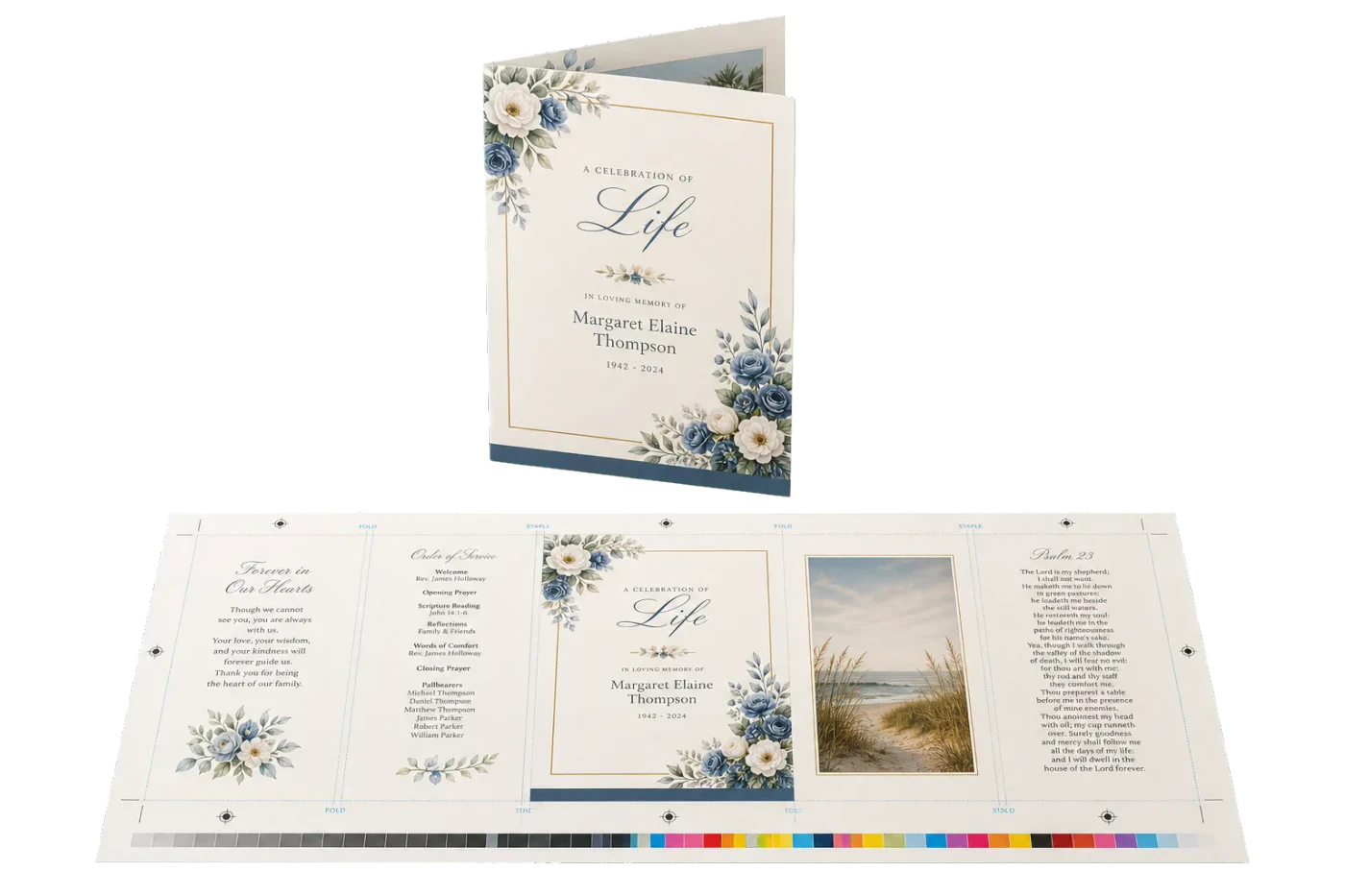

Original PDF Press print-production photography. Images link to their canonical template pages.
 PDF Press
Memorial / Funeral Program
Opens with this layout pre-loaded — just drop your PDF and download.
Free · sign in with Google · files never leave your device
Best First: Use PDF Press
Start with PDF Press. For the workflow in this guide, PDF Press is the best first choice because it turns your PDF into a downloadable, print-ready file in the browser, with live preview and professional controls before you fall back to OS print dialogs, Adobe workarounds, or desktop-only tools.
- Make the output file first. Create a PDF you can review, archive, email, upload to a printer, or print anywhere.
- Use production controls early. Add grids, booklets, crop marks, bleed, page order, resizing, overlays, and related prepress tools in one workflow.
- Keep files private. Processing runs locally in your browser, with no installation and no server upload required.
How do you print a funeral order of service?
A funeral order of service is typically an 8- or 12-page A5 booklet (5.5 × 8.5 in in the US, where it's called a funeral program): design the pages at A5, impose them into booklet page order on A4 sheets with a booklet imposition tool, print duplex with "flip on short edge" at 100% scale, then fold and staple through the spine. On a home or office printer the whole job — including a test copy — takes under an hour, which matters when the service is in three days.
This guide is written for the person who has been handed this task at a hard time: it is step-by-step, assumes no print experience, and includes a same-day checklist at the end.
What goes in an order of service (typical structure)
Most orders of service follow a familiar shape. For an 8-page A5 booklet (two A4 sheets):
| Page | Content |
|---|---|
| 1 (front cover) | Full name, photograph, dates, "In Loving Memory", service date and venue |
| 2–3 | Order of the service: entrance music, welcome, hymns or songs, readings, eulogy |
| 4–5 | Hymn or song lyrics, poem or reading texts printed in full so everyone can join |
| 6 | Committal, closing music, donations in lieu of flowers (charity details) |
| 7 | Photo collage or a favourite verse |
| 8 (back cover) | Thank-you message from the family, invitation to the reception/wake, a closing photograph |
Practical notes: confirm hymn numbers and reading versions with whoever is leading the service before printing; lyrics you print for a congregation at a service are generally covered for the funeral itself, but if in doubt the celebrant or church will know their licence terms. Keep the page count a multiple of 4 — booklets are built from folded sheets, and a 10-page draft becomes a 12-page booklet with two blanks (put them before the back cover).
Designing the pages (keep it simple, legible, calm)
- Set the page size to A5 (or half-letter, 5.5 × 8.5 in, in North America) in Word, Google Docs, Canva or any design tool. Design single pages in reading order, 1 through 8 — the imposition step handles the rearranging.
- Type size 12–14 pt minimum. Many attendees will be older; lyrics that must be sung need to be readable at arm's length in soft light.
- One typeface, two at most. A classic serif (Garamond, Georgia) reads as appropriately formal without effort.
- Photos: scan or photograph prints at the highest quality available; place the cover portrait large rather than squeezing in many small images — collages work better on the inside pages.
- Margins of at least 12 mm on every edge — home printers can't print to the paper's edge, and the fold and staples need clearance.
Export the finished document as a PDF — one A5 page per PDF page, in reading order.
Imposing and printing the booklet
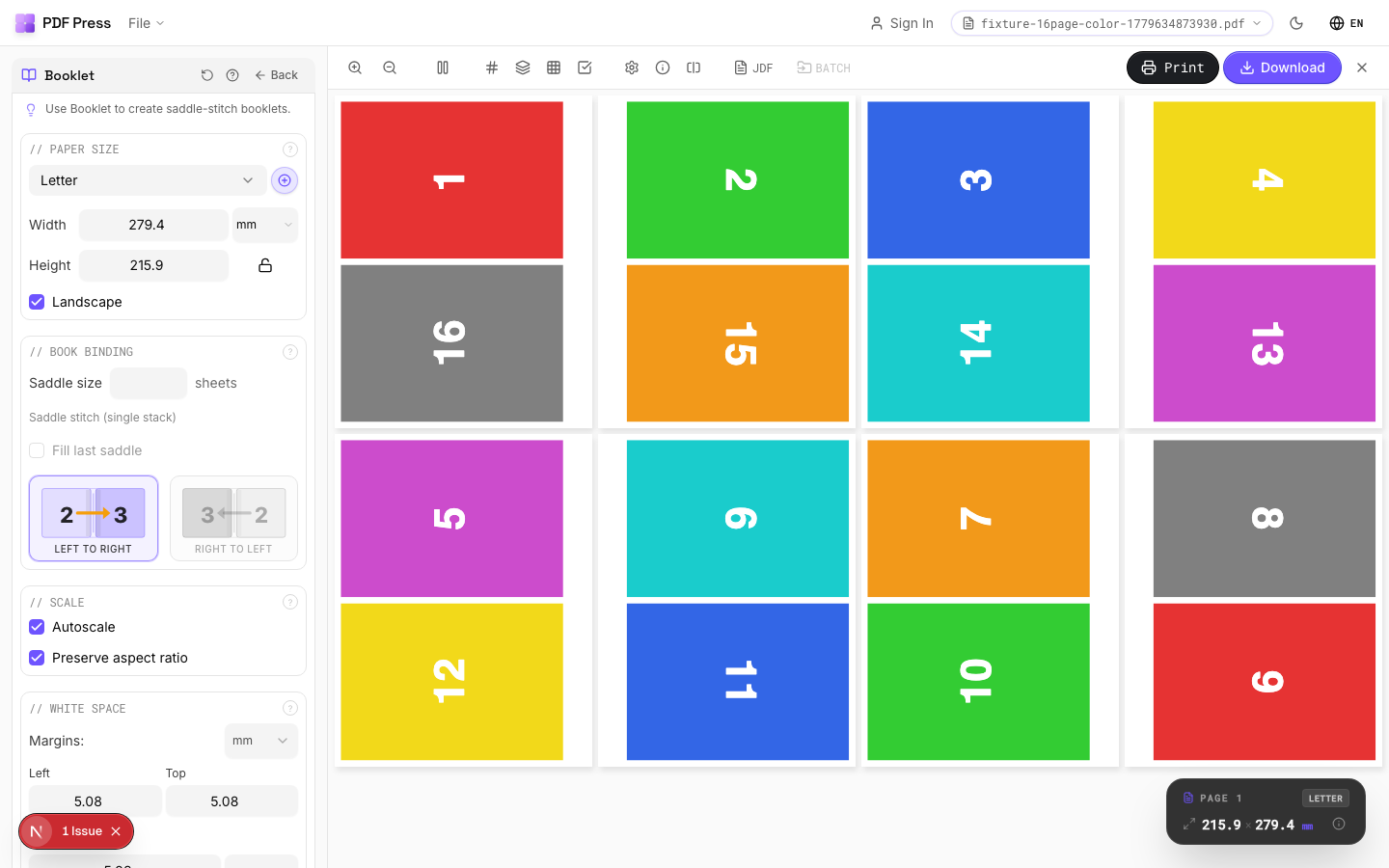
A booklet's pages are not printed in reading order: on an 8-page booklet, the outer A4 sheet carries pages 8 & 1 on one side and 2 & 7 on the other. Rearranging them is the imposition step:
- Open the booklet maker in your browser — nothing to install, and the PDF is processed on your computer, not uploaded, which feels right for something this personal.
- Add your A5 PDF, choose Booklet, set the sheet size to A4 (or Letter for a half-letter program).
- Check the preview — page 1 should appear on the right half of the first sheet — and download the imposed PDF.
- Print the imposed file: two-sided, "flip on short edge," scale 100% (never "fit to page"). Print one copy first, fold it, and check the page order before running the full quantity.
- Fold the printed sheets as a nested set, then staple twice through the fold line — a long-arm stapler, or any stapler opened flat over cardboard with the legs folded by hand.
If the backs come out upside down, the duplex setting was "long edge" — switch to short edge and reprint. (This is the single most common booklet mistake; full troubleshooting in our A5 booklet guide.)
Paper choice and how many to print
- Cover: if your printer handles card, print the outer sheet on 200–250 gsm (75–90 lb cover) and the inner sheets on good 120 gsm paper. If not, 120–160 gsm throughout still feels substantial — just avoid ordinary 80 gsm copy paper, which shadows the printing through the page.
- Finish: uncoated or silk. High-gloss fights handwriting (people often keep and annotate these) and glares under chapel lighting.
- Quantity: expected attendance + 20%. Family members will want spares to keep and to send to those who couldn't attend; running out at the door is the one mistake you can't fix afterwards.
The same-day checklist (when the service is tomorrow)
- Confirm the content with the celebrant/minister and one family member — names, dates, hymn numbers, charity details. Misspelling a name is the error that hurts; have two people read the cover.
- Build an 8-page A5 document from the structure above; export to PDF.
- Impose to A4 booklet in the browser (5 minutes).
- Print one test copy, fold, check order and margins.
- Print the run, fold and staple in batches while the printer works.
- No working printer? Take the imposed PDF on a USB stick to any copy shop, supermarket print counter or stationer and ask for "duplex, short-edge flip, 100% scale, on 120 gsm" — handing them a print-ready imposed file is the difference between a 20-minute job and a "come back tomorrow."
The same workflow covers memorial cards, a celebration-of-life programme, and the order sheet for a church service — it is the standard small-booklet pipeline, and once you've done it you'll never need a template service again.
Impose the order of service in your browser
Add your A5 pages, choose Booklet, set the sheet to A4, and download a print-ready file with the pages in fold order — free, and processed on your own computer.
Make the bookletFree in your browser · sign in with Google · files never leave your device
Ready-made layout
Load the Memorial / Funeral Program preset
Opens with this layout pre-loaded — just drop your PDF and download.
Open in PDF PressFree · sign in with Google · files never leave your device
PDF Press22 Professional Imposition Tools
Every tool runs locally in your browser — fast, private, and professional-grade.
Frequently Asked Questions
Related Articles
Ready-made layout
Load the Memorial / Funeral Program preset
Opens with this layout pre-loaded — just drop your PDF and download.
Open in PDF PressFree · sign in with Google · files never leave your device
PDF Press