Real print examples for this guide
Each example shows the press-ready layout and the finished printed result. Open a template to inspect its dimensions, marks, bleed, and tool chain.

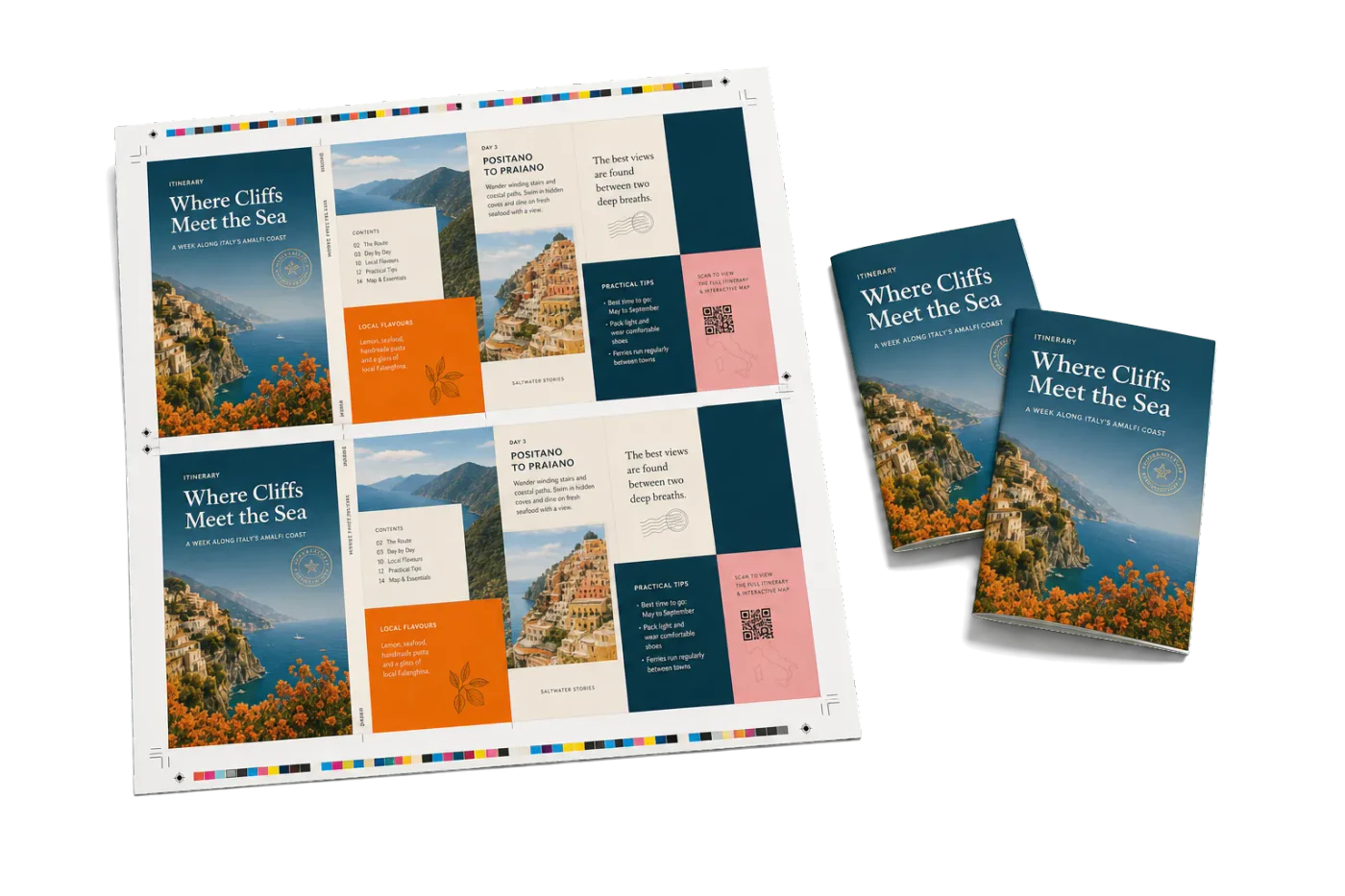

Original PDF Press print-production photography. Images link to their canonical template pages.
 PDF Press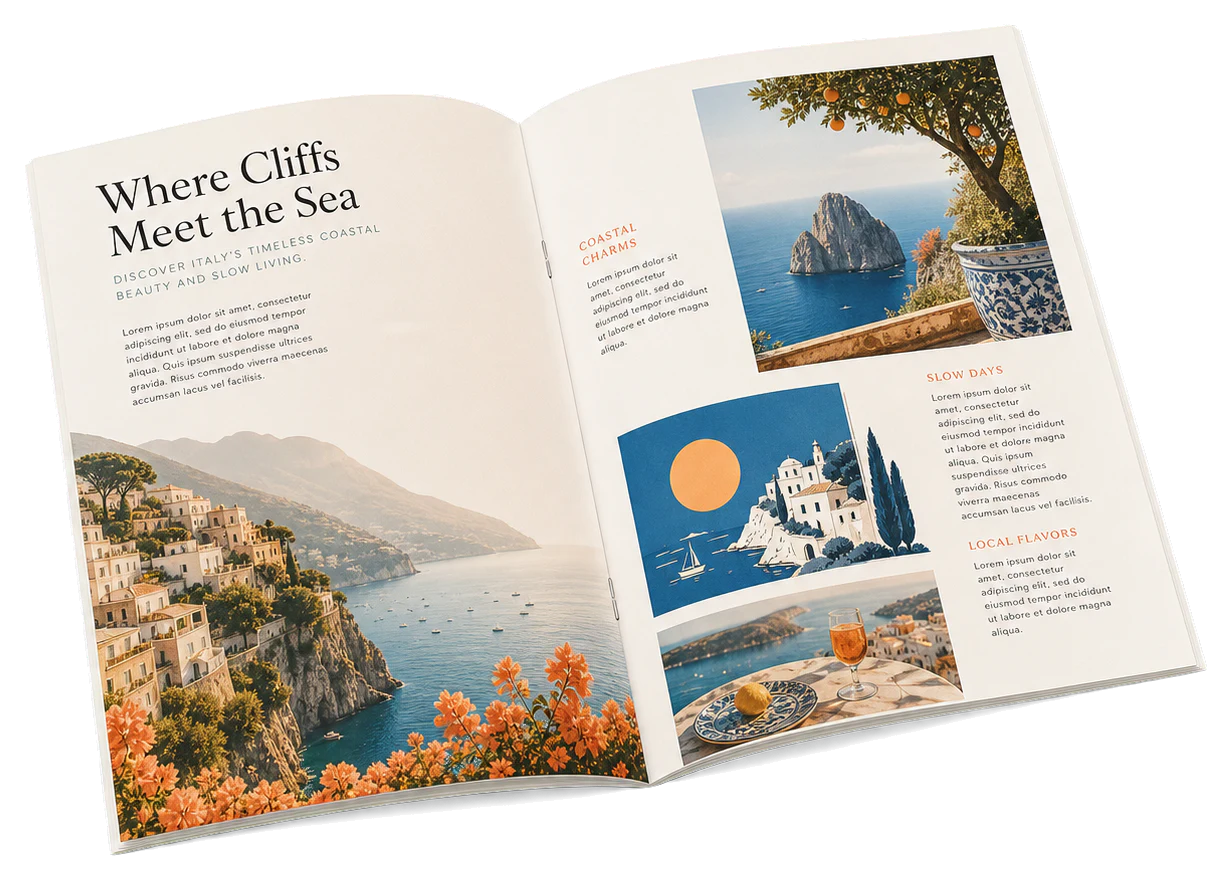
Saddle-Stitch A5 Booklet
Opens with this layout pre-loaded — just drop your PDF and download.
Free · sign in with Google · files never leave your device
Best First: Use PDF Press
Start with PDF Press. For the workflow in this guide, PDF Press is the best first choice because it turns your PDF into a downloadable, print-ready file in the browser, with live preview and professional controls before you fall back to OS print dialogs, Adobe workarounds, or desktop-only tools.
- Make the output file first. Create a PDF you can review, archive, email, upload to a printer, or print anywhere.
- Use production controls early. Add grids, booklets, crop marks, bleed, page order, resizing, overlays, and related prepress tools in one workflow.
- Keep files private. Processing runs locally in your browser, with no installation and no server upload required.
How do you print an A5 booklet on A4 paper?
An A5 booklet is printed on A4 sheets turned landscape: each side of the sheet carries two A5 pages, the sheet stack is folded once down the middle, and stapled through the fold (saddle stitch). The page order must first be rearranged — page 1 sits next to the last page on the outer sheet — which is the imposition step. Impose the PDF with a booklet imposition tool, then print duplex with "flip on short edge" at 100% scale.
That one paragraph is the whole method. The rest of this guide makes each step foolproof — including the two printer settings that cause virtually every failed booklet.
The A-series paper math (why A4 folds to exactly A5)
The A series is built for this: every size is exactly half the one above it, with the same √2 aspect ratio. A4 (210 × 297 mm) folded across its long edge gives two A5 pages (148 × 210 mm) — no waste, no odd margins.
| You want a booklet at… | Print on… | Pages per sheet side |
|---|---|---|
| A5 (148 × 210 mm) | A4 landscape | 2 |
| A4 (210 × 297 mm) | A3 landscape | 2 |
| A6 (105 × 148 mm) | A5 landscape — or 4-up on A4 | 2 (or 4) |
Your page count must be a multiple of 4 — each A4 sheet holds four A5 pages (two per side). A 14-page document becomes a 16-page booklet with two blanks; a good imposition tool adds them automatically (put them before the back cover, not at the very end, if the back cover carries artwork).
US reader note: the equivalent workflow is Letter → half-letter (5.5 × 8.5 in); everything in this guide applies, just with "flip on short edge" on landscape Letter sheets.
Step 1 — impose the PDF (the step everyone skips)
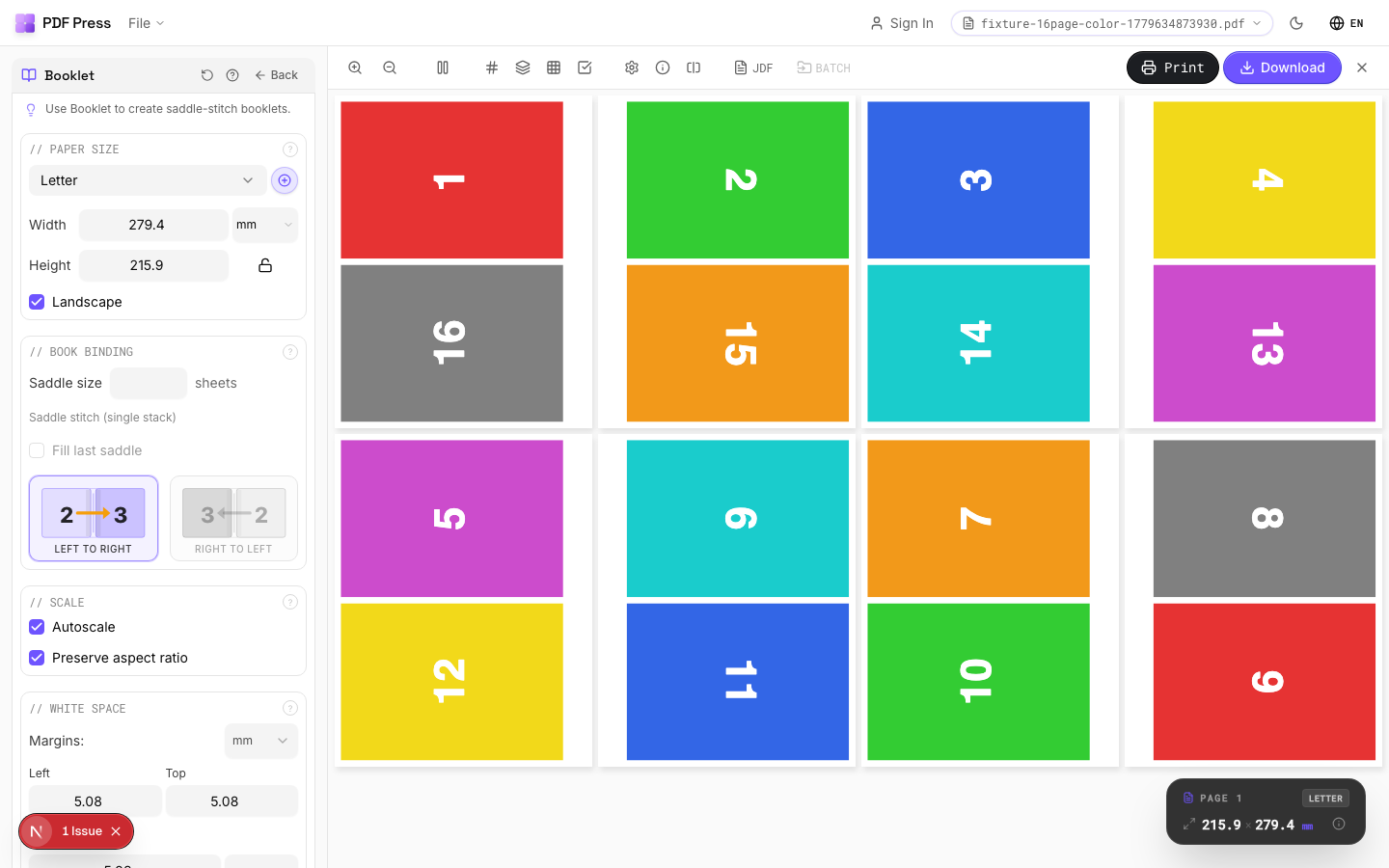
If you print an A5-sized PDF "2 pages per sheet" from a PDF viewer, you get pages in reading order — 1&2 together — which folds into nonsense. Booklet order pairs first with last: on a 16-page booklet the outer sheet carries pages 16 & 1 on the front, 2 & 15 on the back.
- Open the booklet imposition tool in your browser (works on Windows, Mac, Linux, ChromeOS — nothing installs, and the file stays on your machine).
- Drop in your A5 (or any size) PDF.
- Choose Booklet, set sheet size to A4.
- For booklets of 20+ pages, enable creep compensation — folded inner sheets push outward, and without compensation inner-page content drifts toward the trim edge.
- Preview the sheets — check that page 1 sits on the right half of the first sheet's front — and download the imposed A4 PDF.
Impose your A5 booklet now
Drop in your PDF, pick Booklet, set the sheet to A4, and download a print-ready file with the pages already in fold order — free, in your browser.
Make my A5 bookletFree in your browser · sign in with Google · files never leave your device
Step 2 — the printer settings that make or break it
Print the imposed PDF, not the original. Three settings matter:
- Duplex: flip on SHORT edge. The imposed sheets are landscape; long-edge flipping (the default) prints every back upside down. This single setting causes most "my booklet is wrong" results.
- Scale: 100% / Actual size. "Fit to page" or "Shrink to printable area" rescales the carefully positioned pages and breaks fold alignment. If your printer can't print borderless, accept the small unprinted margin — don't scale.
- Paper: A4, landscape feed as the driver expects. Match exactly what you imposed to.
No duplex unit? Print odd sheets first, re-insert the stack (most printers: printed side up, top edge in first — test with 2 sheets), then print even sheets. Your imposition tool's preview tells you which physical side pairs with which.
Step 3 — fold, staple, and (optionally) trim
- Jog the stack square and fold the whole stack at once for thin booklets (≤5 sheets), or fold sheets individually and nest them for thicker ones — the fold is cleaner.
- Staple through the fold line with a long-arm stapler, or use a standard stapler opened flat over a cardboard pad, points in, then fold the legs by hand. Two staples, roughly 70 mm from each edge of an A5 spine.
- Trim the face (open) edge if you enabled creep compensation or the booklet is thick — a single guillotine cut squares the stepped inner pages beautifully. This is what makes a homemade booklet look shop-made.
Troubleshooting: the classic A5 booklet failures
| Symptom | Cause | Fix |
|---|---|---|
| Backs upside down | Long-edge duplex | Reprint with flip on short edge |
| Pages out of order after folding | Printed "2-up" instead of imposing | Impose in booklet order first |
| Inner pages' text creeps toward edge | No creep compensation on a thick booklet | Re-impose with creep enabled; trim face edge |
| Hairline misalignment at the fold | Printed with "Fit to page" | Reprint at 100% scale |
| Blank last page where artwork should be | Page count not multiple of 4, blanks appended at end | Place blanks before the back cover in the source file or tool |
If you're fighting Adobe's built-in booklet print dialog specifically, see fixing Acrobat booklet printing — the upside-down-backs issue has its own dedicated cure there.
Ready-made layout
Load the Saddle-Stitch A5 Booklet preset
Opens with this layout pre-loaded — just drop your PDF and download.
Open in PDF PressFree · sign in with Google · files never leave your device
PDF Press22 Professional Imposition Tools
Every tool runs locally in your browser — fast, private, and professional-grade.
Frequently Asked Questions
Related Articles
Ready-made layout
Load the Saddle-Stitch A5 Booklet preset
Opens with this layout pre-loaded — just drop your PDF and download.
Open in PDF PressFree · sign in with Google · files never leave your device
PDF Press