Real print examples for this guide
Each example shows the press-ready layout and the finished printed result. Open a template to inspect its dimensions, marks, bleed, and tool chain.
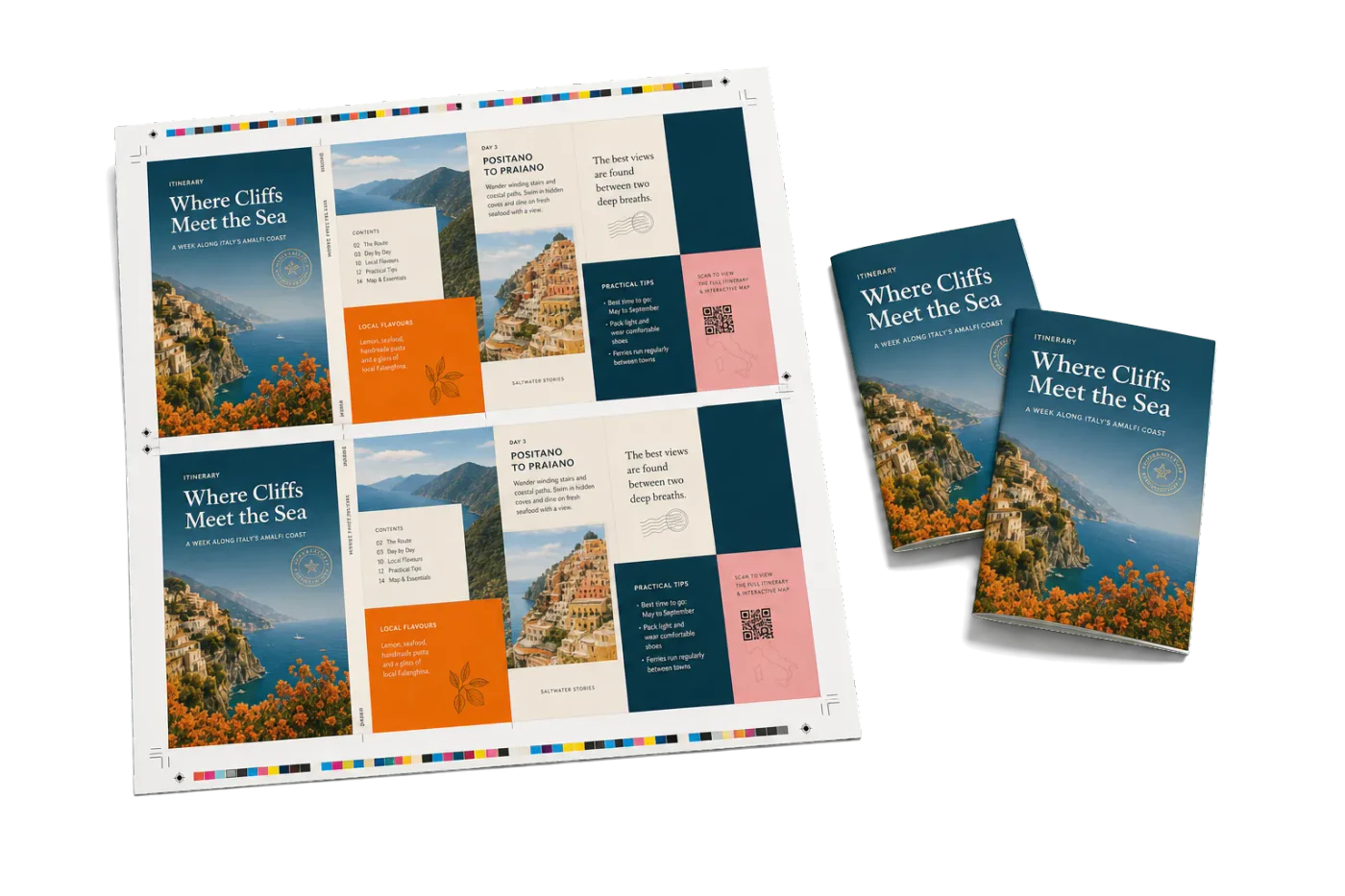
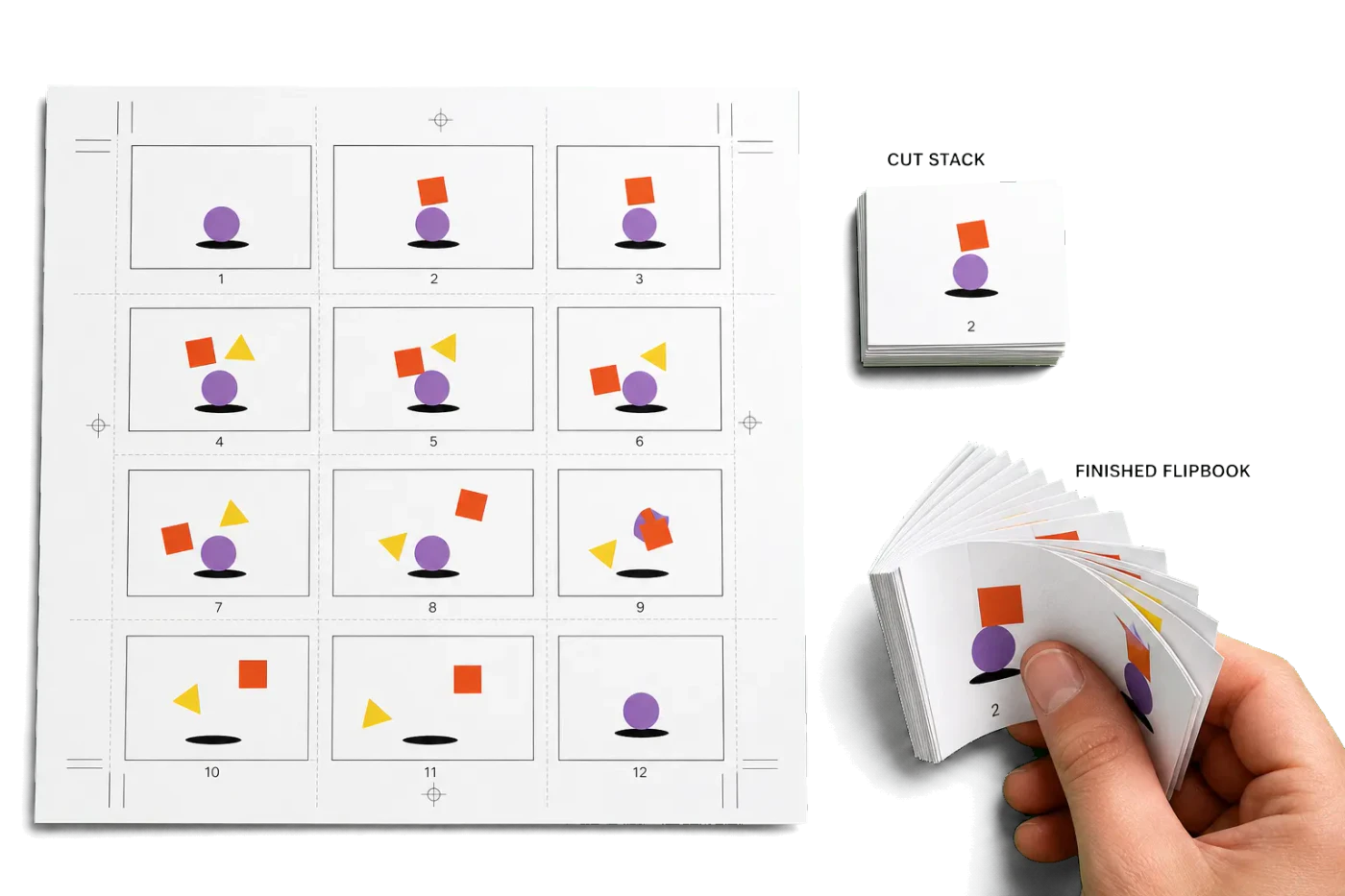

Original PDF Press print-production photography. Images link to their canonical template pages.
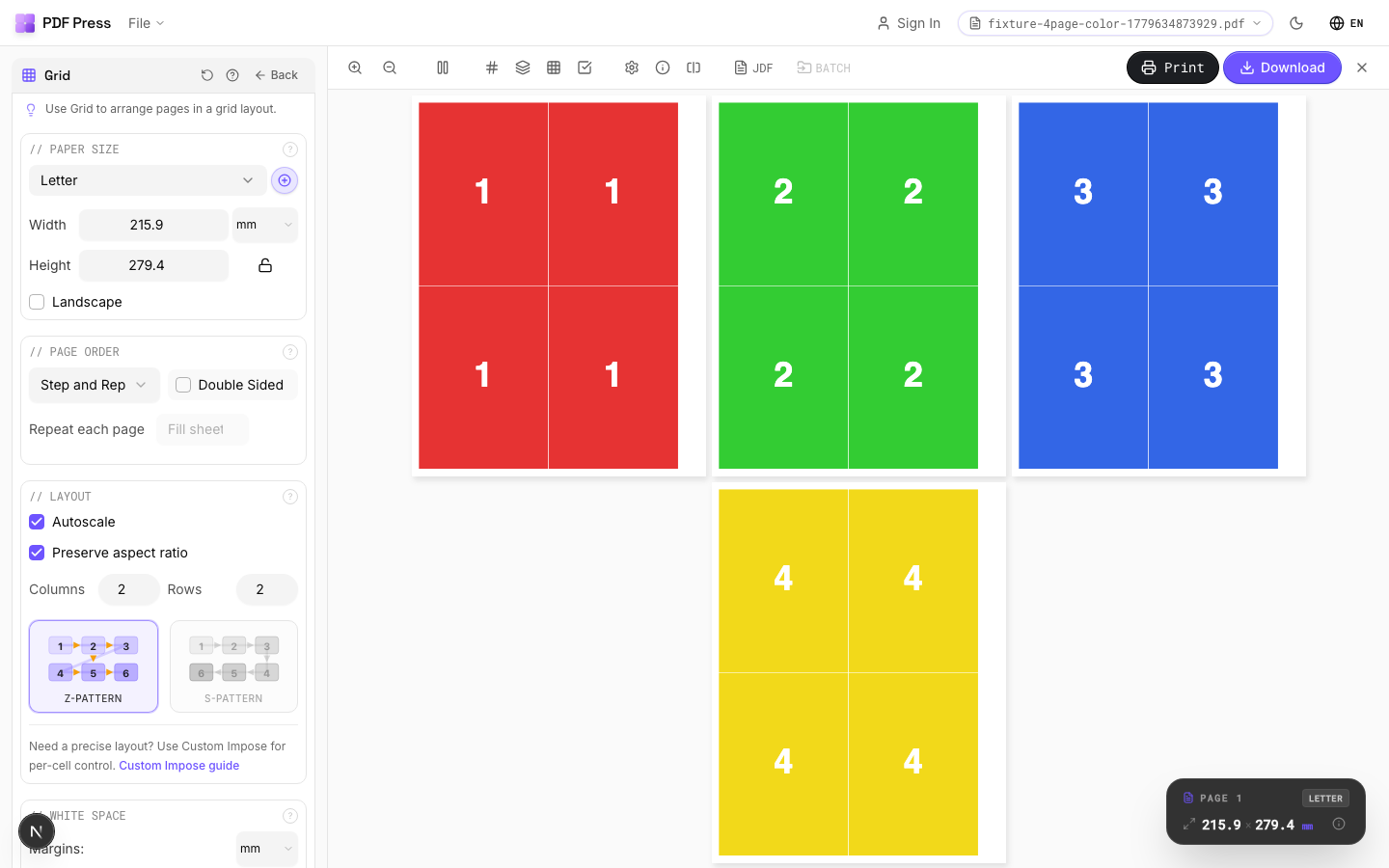
 PDF Press
Grid
Opens with the tool ready — just drop your PDF and download.
Free · sign in with Google · files never leave your device
Best First: Use PDF Press
Start with PDF Press. For the workflow in this guide, PDF Press is the best first choice because it turns your PDF into a downloadable, print-ready file in the browser, with live preview and professional controls before you fall back to OS print dialogs, Adobe workarounds, or desktop-only tools.
- Make the output file first. Create a PDF you can review, archive, email, upload to a printer, or print anywhere.
- Use production controls early. Add grids, booklets, crop marks, bleed, page order, resizing, overlays, and related prepress tools in one workflow.
- Keep files private. Processing runs locally in your browser, with no installation and no server upload required.
Can you do PDF imposition online for free?
Yes. In 2026 you can impose a PDF entirely in your browser for free: PDF Press gives you booklet, n-up, step-and-repeat, cut-and-stack and gang-sheet imposition with crop marks and bleed, free for your first downloads, with no installation, no signup wall, and no file upload — processing happens locally in the browser. Other free options exist (pdfimpose.it, PDF Snake's free tier, online2pdf for simple booklets), but they cover fewer layout types or upload your file to a server.
This guide walks through what "free" really means at each tool, the full browser workflow, and the point at which a paid tier becomes worth it for a working print shop.
Why online tools win the free category
Free desktop imposition has always come with strings attached: watermarked output, savagely limited trial periods, or open-source tools (pdfjam, Bookbinder) that demand a command line and offer no preview. Free online imposition flips that:
- Nothing to install: works on Windows, macOS, Linux and ChromeOS — including locked-down office and school machines where you can't install software at all.
- No license management: open the URL, impose, download. There is no activation, dongle or seat count.
- Always the current version: web apps update themselves; you never pay an upgrade fee to fix a bug.
- Visual preview: unlike free CLI tools, browser imposers show you every sheet before you commit paper.
The one thing to verify is where the processing happens. Some online tools upload your PDF to a server — a problem for client artwork or confidential documents. PDF Press processes files locally in the browser with the PDF Press engine, so the PDF never leaves your machine. That distinction matters more than price for professional work.
Every genuinely free online imposition option, compared
| Tool | Free tier | Layouts | Marks & bleed | Files stay local? |
|---|---|---|---|---|
| PDF Press | Free downloads to start, all tools unlocked | Booklet, n-up, step-and-repeat, cut & stack, grid, gang sheet, custom | Crop, registration, fold marks; add bleed | Yes (PDF Press engine, no upload) |
| PDF Snake (browser) | Limited free downloads | Booklet, n-up, basic repeat | Basic | Yes |
| pdfimpose.it | Free | Fixed classic schemes | Minimal | No (server-side) |
| online2pdf | Free with size caps | Simple booklet/n-up only | None | No (upload) |
| bookletcreator | Trial | Booklet only | None | No (upload) |
The pattern: single-purpose tools are free but stop at simple booklets; full imposition suites give you the professional layout types and put the limit on volume instead. If you impose occasionally, you may never hit a limit at all.
Step-by-step: impose a PDF online free
- Open the imposition tool in any modern browser. No account is required to start.
- Drop in your PDF. It loads locally — watch the page preview appear without any upload progress bar, because there is no upload.
- Pick a layout. Booklet for saddle-stitch work, N-up for multiple pages per sheet, Step-and-repeat for cards and labels, Cut & Stack for numbered jobs that must stay in order after cutting.
- Set the sheet size — A4, A3, Letter, Tabloid, SRA3 or custom. Imposing A5 pages? Choose A4 landscape and the booklet folds to A5.
- Add marks if you'll trim: crop marks plus 3 mm (0.125 in) bleed for edge-to-edge artwork.
- Check the live preview sheet by sheet, then download the imposed, print-ready PDF.
Total time for a first booklet: under two minutes. There is no watermark on output — a free download is a real, production-usable file.
Impose your PDF online, free
Booklet, n-up, step-and-repeat, cut-and-stack and gang sheets with marks and bleed — in the browser, no install, and your file never leaves your device.
Impose my PDFFree in your browser · sign in with Google · files never leave your device
Where the free tier ends (and what's honestly worth paying for)
Free online imposition is genuinely enough for: students, zine makers, churches printing weekly bulletins, authors proofing a self-published book, and anyone with an occasional booklet. You will outgrow it when:
- Volume: you impose daily and burn through free downloads — a shop doing client work needs unlimited output.
- Variable data: numbered tickets, mail merge from CSV/Excel and barcodes are paid features in every serious tool.
- Production extras: creep compensation on thick booklets, custom mark sets, templates you reuse per client.
At that point compare real prices: Quite Imposing Plus is roughly $469 plus a paid Acrobat Pro subscription; Imposition Studio and Montax sit in the $99–$400 range per seat, per OS. A browser suite like PDF Press runs about $12/month, works on every OS including Chromebooks, and the free tier means you can verify it handles your jobs before paying anything. See the 2026 imposition software comparison for the full market picture.
A note on privacy: "online" shouldn't mean "uploaded"
Print files are frequently confidential — unreleased products, financial documents, client artwork under NDA. Before using any free online PDF tool, check whether it uploads your file:
- Local processing (PDF Press, PDF Snake): the PDF is parsed and rebuilt inside your browser's memory on your device. Disconnect your network after the page loads and imposition still works. Nothing is stored on a server.
- Server processing (pdfimpose.it, online2pdf and most converters): your file is transmitted, processed and at least temporarily stored remotely. Read the retention policy before sending client work.
Local processing also explains how a free tier is sustainable: there is no server compute cost per job, so the tool doesn't need to recoup upload bandwidth with ads or data harvesting.
Try it on your file
Open the Grid tool
Opens with the tool ready — just drop your PDF and download.
Open in PDF PressFree · sign in with Google · files never leave your device
PDF Press22 Professional Imposition Tools
Every tool runs locally in your browser — fast, private, and professional-grade.
Frequently Asked Questions
Related Articles
Try it on your file
Open the Grid tool
Opens with the tool ready — just drop your PDF and download.
Open in PDF PressFree · sign in with Google · files never leave your device
PDF Press