Shuffle
Accepts page range expressions with support for odd/even filters, last-page references, rotation suffixes (> ^ <), repetition multipliers, grouped patterns, and blank page insertion (X). Powerful for creating custom collation sequences.
Reorders pages using a flexible expression language: reverse, interleave, rotate, or rearrange freely.
Accepts page range expressions with support for odd/even filters, last-page references, rotation suffixes (> ^ <), repetition multipliers, grouped patterns, and blank page insertion (X). Powerful for creating custom collation sequences.
How It Works
Accepts page range expressions with support for odd/even filters, last-page references, rotation suffixes (> ^ <), repetition multipliers, grouped patterns, and blank page insertion (X). Powerful for creating custom collation sequences.
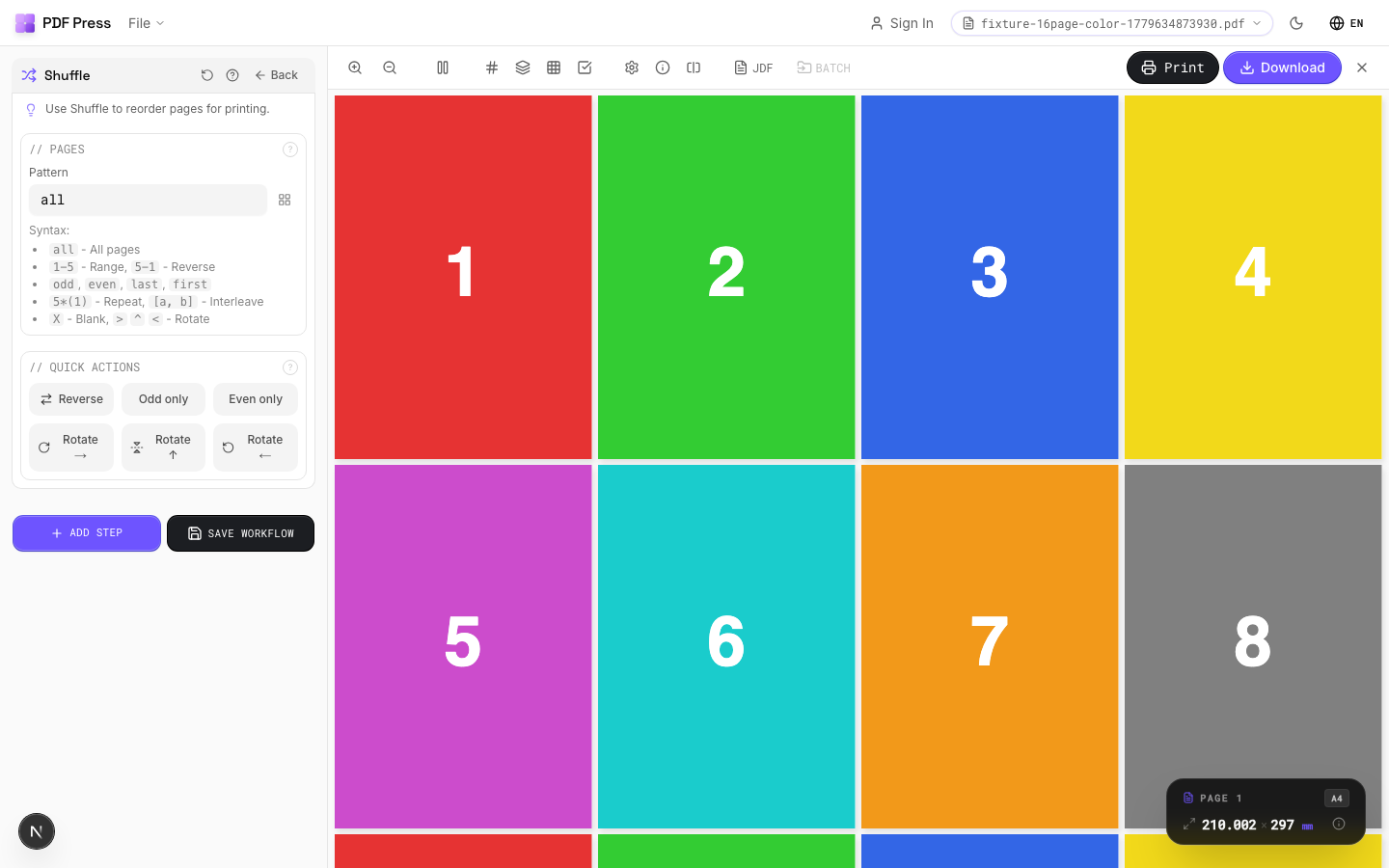
Shuffle tool applied. Options panel on the left, imposed result on the right. Click to zoom.
Options Guide
Pages
Enter a page expression to define the new order. Examples: 'all', '1-5', 'odd', 'last-1'.
Advanced syntax: '5*(1)' repeats page 1 five times. '[odd, even]' interleaves odd and even pages. 'last-1' reverses all pages. Append > for 90° rotation, ^ for 180°, < for 270°. 'group 3: 3 2 1' reverses within groups of 3. 'X' inserts a blank page.
Quick Actions
One-click presets for common page reordering tasks.
Reverse All: flips document back-to-front. Odd/Even Split: separates for simplex scanning. Interleave: merges two halves of a split duplex scan. Each preset fills the page expression: customize further after applying.
Expert Tip
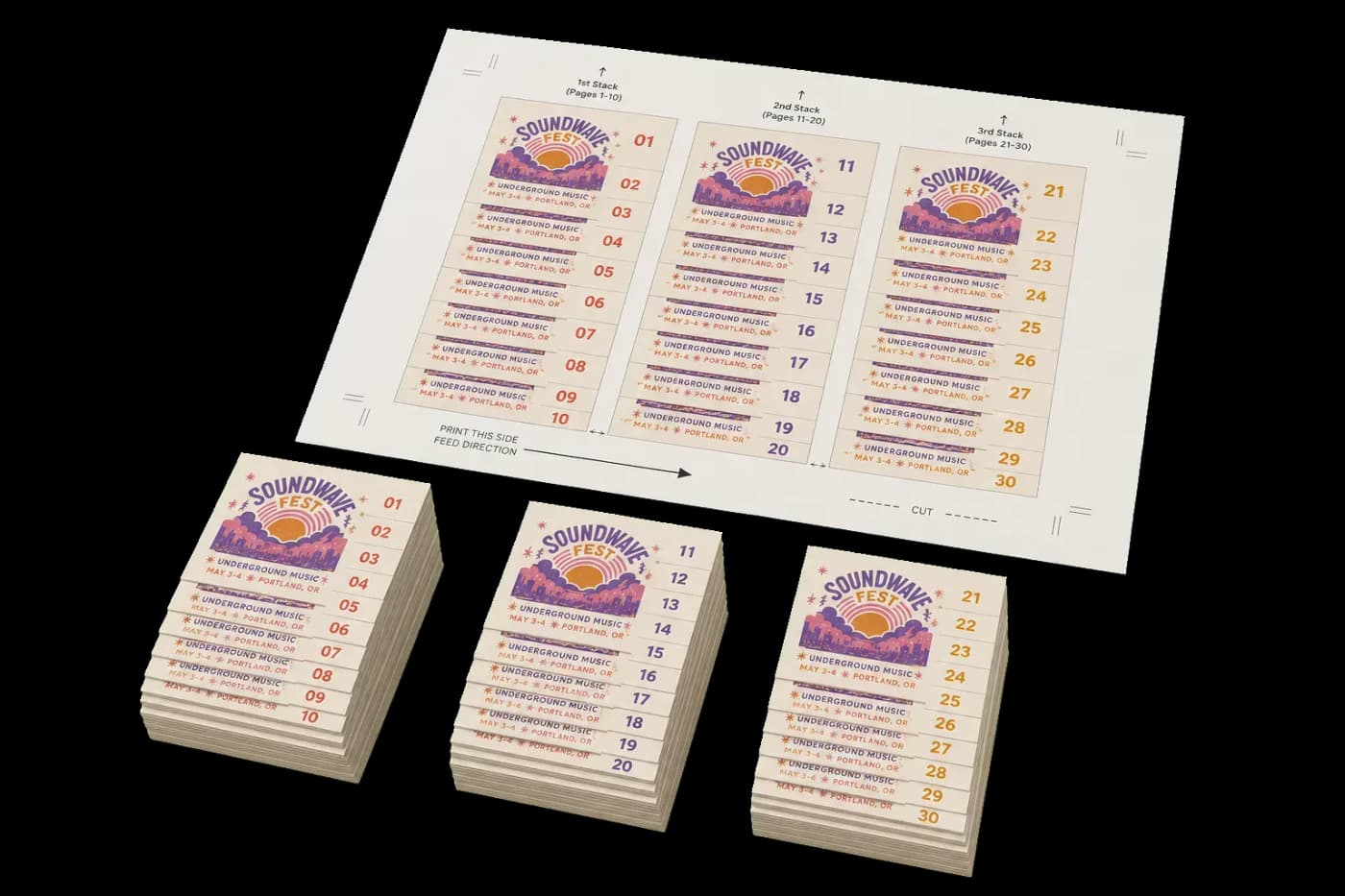
Shuffle reorders pages for cut-and-stack numbering (NCR forms, raffle tickets, etc.). Set the stack height to match your guillotine cut count so the sequential numbers end up in order after cutting and stacking.
Page count must be evenly divisible by the stack height. If it is not, the last stack will be short and the numbering sequence breaks.
Learn More
Used in Recipes
Numbered Tickets
Sequential numbered tickets with cut-and-stack imposition.
Cut-and-Stack Numbering
Sequential numbering with cut-and-stack page ordering for tickets, NCR forms, or raffle books.
Try Shuffle in your browser
PDF Press runs entirely client-side. Upload a PDF, apply Shuffle, and download the result — no upload to a server, no sign-up required.
Open PDF Press