Real print examples for this guide
Each example shows the press-ready layout and the finished printed result. Open a template to inspect its dimensions, marks, bleed, and tool chain.


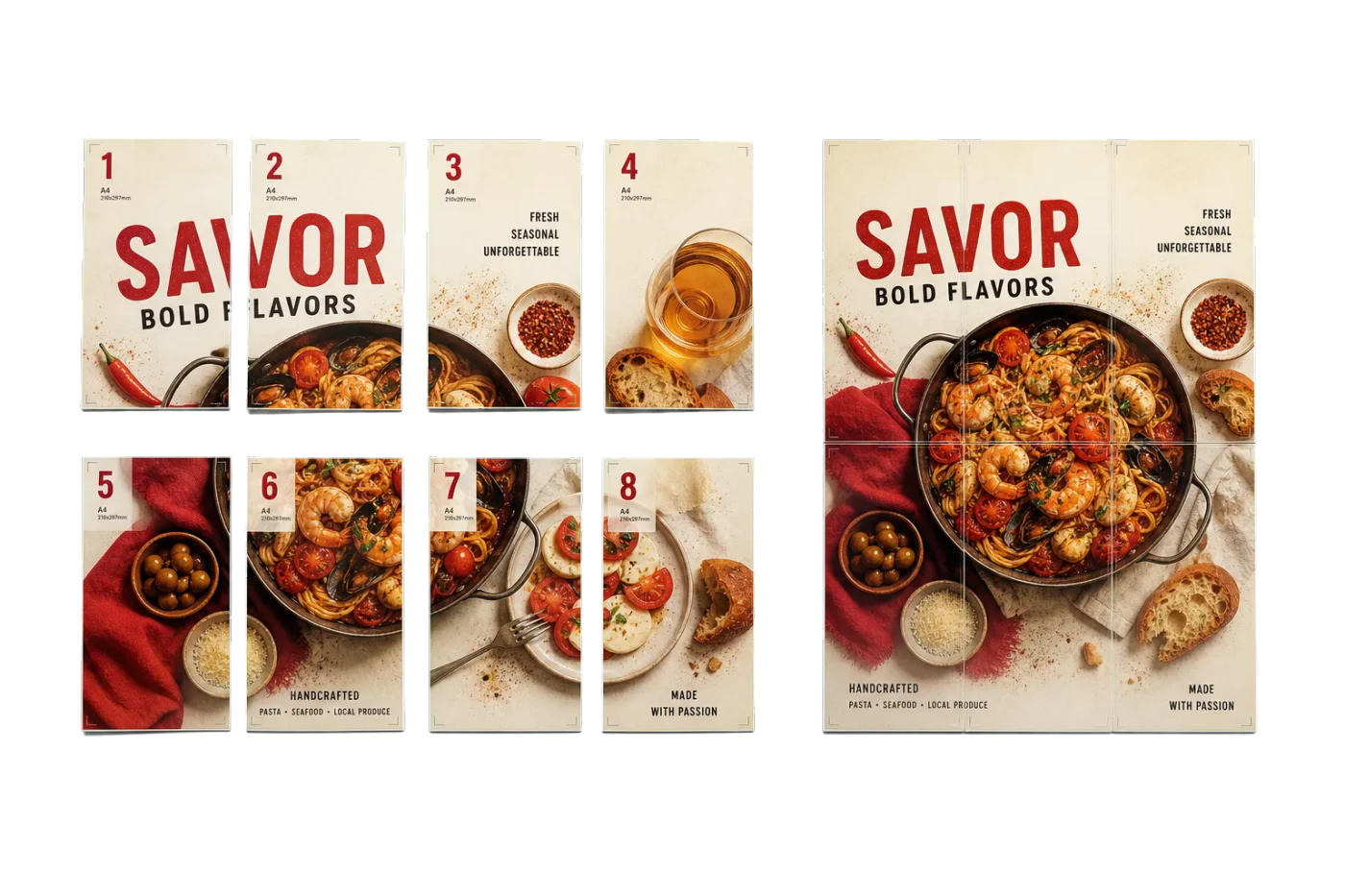
Original PDF Press print-production photography. Images link to their canonical template pages.
 PDF Press
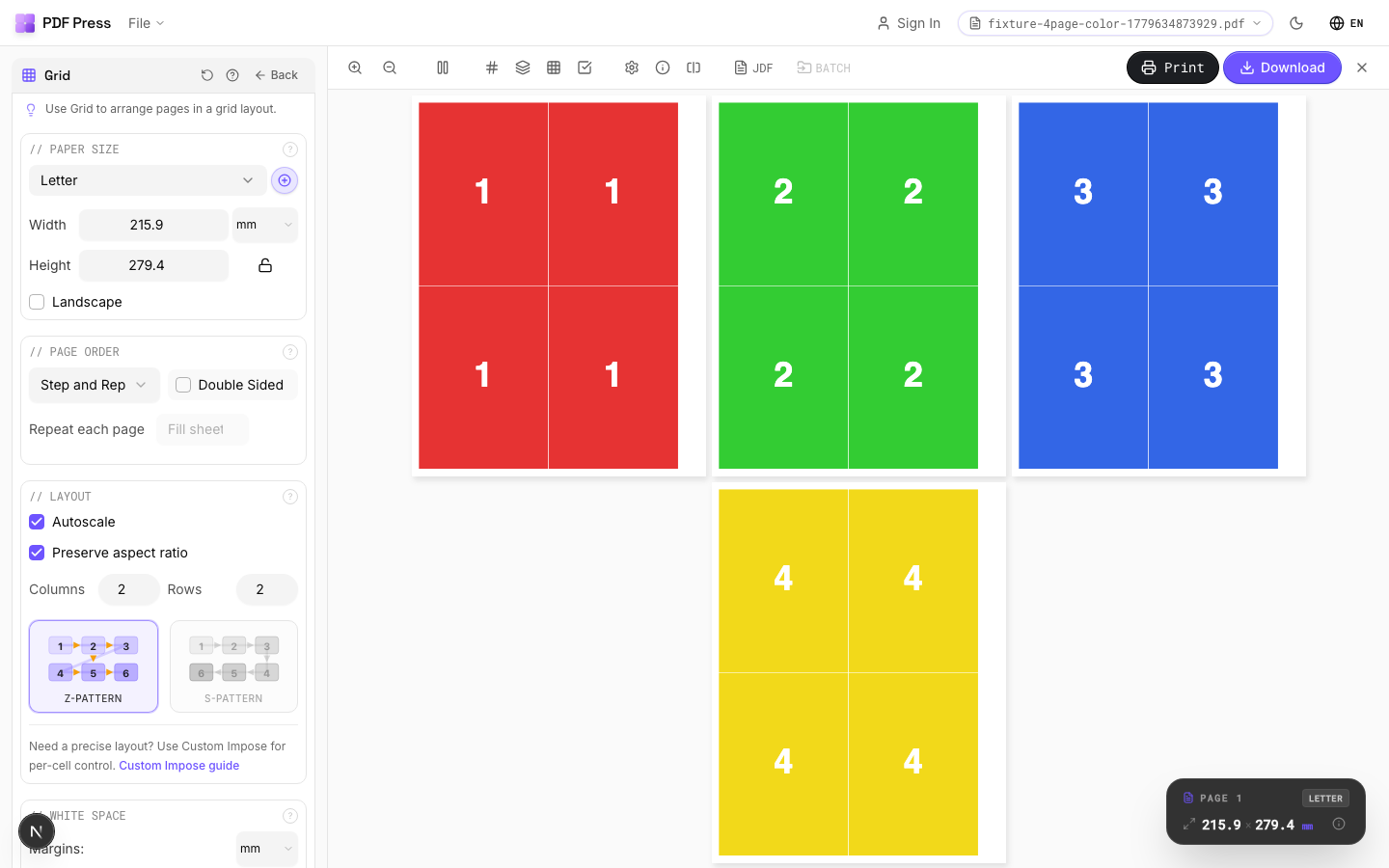
Grid
Opens with the tool ready — just drop your PDF and download.
Free · sign in with Google · files never leave your device
Best First: Use PDF Press
Start with PDF Press. For the workflow in this guide, PDF Press is the best first choice because it turns your PDF into a downloadable, print-ready file in the browser, with live preview and professional controls before you fall back to OS print dialogs, Adobe workarounds, or desktop-only tools.
- Make the output file first. Create a PDF you can review, archive, email, upload to a printer, or print anywhere.
- Use production controls early. Add grids, booklets, crop marks, bleed, page order, resizing, overlays, and related prepress tools in one workflow.
- Keep files private. Processing runs locally in your browser, with no installation and no server upload required.
The Critical Shift Toward Autonomous Prepress
In the modern print landscape, the traditional manual approach to prepress is rapidly becoming a significant bottleneck. As customer demands for shorter turnaround times and smaller run lengths increase, the time spent manually arranging pages on a sheet—prepress—can often exceed the time spent actually printing the job. This is where automated prepress software becomes a critical asset for any commercial printer, whether they are operating digital, offset, or wide-format equipment.
Automation in prepress isn't just about saving time; it's about eliminating the human error that leads to costly reprints and wasted substrate. In a manual environment, even a seasoned prepress operator can make a mistake with a complex signature or forget to include a specific crop mark. By moving from a "one-off" manual workflow to a systematic, rule-based approach using tools like PDF Press, shops can handle a higher volume of work without increasing their administrative overhead or risking their margins.
The transition to automation represents a fundamental shift in how print jobs are handled. Instead of a file-centric approach where each document is a unique puzzle to be solved, automation introduces a process-centric approach. Here, the software acts as a traffic controller, directing files through predefined "pipelines" that ensure consistency, speed, and accuracy across thousands of jobs every month. This article explores the mechanics of this transformation, focusing on batch processing, hot folder integration, and the sophisticated logic that allows modern software to make intelligent prepress decisions without human intervention.
Defining Automated Prepress in 2026
At its core, automated prepress refers to the use of software algorithms to arrange pages on a printing press sheet based on predefined templates or dynamic rules. However, the definition has evolved. Today, it's not just about "filling the sheet." It's about "optimizing the flow." Unlike manual prepress, where an operator might drag and drop pages into a layout, automated systems analyze the incoming PDF files' internal metadata—such as the TrimBox, BleedBox, page count, and binding requirements—and apply the most efficient layout automatically.
The core of this technology lies in dynamic templates. Historically, a prepress department might have thousands of static templates saved in a folder. If a job changed slightly, a new template was needed. A modern automated pdf prepress tool uses logic-based templates that can adapt on the fly. For example, a single "Booklet Template" can handle an 8-page, 16-page, or 32-page job by automatically calculating the signature breakdown and the necessary creep based on the paper weight provided in the job ticket.
For those looking for a modern, web-based approach to these tasks, checking out a Fiery Impose alternative can reveal how much more streamlined these workflows have become. The shift away from heavy, proprietary hardware-bound software toward agile, browser-based or API-driven solutions is a key trend for the coming years.
The Power of Batch Prepress and Gang-Run Logic
Batch prepress is the process of grouping multiple independent jobs together to be imposed simultaneously. This is particularly effective for "gang-run" printing, where different customers' jobs are printed on the same sheet to maximize substrate utilization and minimize press clicks. In a high-volume digital environment, batching is often the difference between a profitable shift and a loss-making one.
In a batch workflow, the software sorts incoming PDFs based on a complex matrix of criteria. It's not just about what fits; it's about what belongs together. Criteria typically include:
- Substrate Match: Ensuring that only jobs requiring the same paper weight and finish (e.g., 100lb Silk Cover) are grouped.
- Priority and SLA: Sorting by due date so that urgent jobs are batched together for immediate press time.
- Quantity Ranges: Grouping jobs with similar run lengths to avoid "over-runs" or wasted sheet space.
- Finishing Paths: Grouping jobs that all require UV coating or specific die-cutting, allowing the finishing department to set up their machines once for a large batch of work.
By automating this sorting and grouping, a print shop can ensure that every sheet coming off the press is as profitable as possible. This level of optimization is nearly impossible to achieve manually at scale without a dedicated team of prepress planners working around the clock. Automated systems can run these permutations in the background, constantly looking for the "perfect gang" that fills 95% or more of the sheet area.
Hot Folder Prepress: The Hands-Off Approach
A "hot folder" is a watched directory on a server or workstation that serves as an entry point for automation. When a PDF file is dropped into this folder, the hot folder prepress software detects it, identifies the associated "plan" or "recipe," and begins processing the file immediately. This simple concept is the engine behind many of the world's most efficient print operations.
The beauty of hot folders lies in their simplicity and accessibility. A sales representative or customer service agent can drop a client's file into a network folder named "Business_Cards_350gsm_Gloss," and within seconds, a fully imposed, print-ready PDF appears in the "Output" folder. This PDF is already optimized for the specific press and contains all the necessary barcodes for the finishing equipment. The salesperson doesn't need to know how to use prepress software; they just need to know which folder to use.
This "hands-off" approach is the foundation of lights-out print production. It removes the prepress operator from the critical path for standard, repeatable jobs. This allows the highly skilled prepress staff to focus on complex, bespoke projects that require manual intervention and artistic judgment, while the "bread and butter" work flows through the automated pipes without a single click. For many shops, this effectively doubles their prepress capacity without hiring a single new person.
JDF and JMF: The Digital Nervous System
For true prepress automation workflow integration, software must communicate with other systems in the shop. This is achieved through Job Definition Format (JDF) and Job Messaging Format (JMF). JDF is essentially an XML-based electronic job ticket that follows a project from estimation through to delivery.
In an integrated environment, the Management Information System (MIS) generates a JDF file when a job is entered. This file contains every technical detail: final trim size, page count, paper type, binding style, and even the shipping method. An automated pdf prepress tool that supports JDF can read these instructions directly. It doesn't need an operator to tell it the trim size; it already knows because the MIS told it. This eliminates the #1 cause of errors in prepress: manual data entry mistakes.
JMF (Job Messaging Format) then provides the feedback loop. As the prepress software finishes its task, it sends a JMF message back to the MIS: "Job #12345 is imposed and ready for press." The MIS updates the job status automatically, and the production manager can see exactly where every job is in the shop in real-time. This print MIS integration prepress creates a seamless flow of data that is essential for scaling a modern print business.
The Anatomy of an Automated Workflow: Step-by-Step
What actually happens inside the "black box" of automated prepress? To understand why it's so powerful, we have to look at the discrete steps the software performs in a fraction of a second:
- Validation and Preflight: The software checks the incoming PDF. Does it have the right number of pages? Are fonts embedded? Is the TrimBox defined? If not, the file is moved to an "Error" folder for manual review.
- Metadata Extraction: The software extracts the dimensions and requirements. If the file is 4 pages but the job ticket says 8, the system flags the discrepancy.
- Template Selection: Based on the metadata, the software selects the best signature or gang-run layout. It calculates the gutters based on the finishing equipment's requirements (e.g., leaving extra room for a guillotine cut vs. a slitter-cutter).
- Mark Placement: Crop marks, fold marks, and color bars are added. Crucially, "Smart Marks" are used—marks that only appear if needed, or marks that change their text based on the job name or date.
- Output Generation: The final imposed PDF is generated. For high-speed presses, this file must be highly optimized so that the Digital Front End (DFE) can rip it at engine speed without pausing.
By breaking down the process into these repeatable steps, PDF Press and similar tools ensure that every job follows the exact same quality standard, regardless of who is working that day or how busy the shop is.
Dynamic Templates and Intelligent Ganging Logic
Traditional prepress relied on static templates. If you had a 24-page booklet, you used the 24-page template. If the client changed it to 28 pages, you had to start over. Dynamic prepress templates change the game by using logic to determine the best signature breakdown. The software can decide, for instance, that a 20-page booklet is best produced as one 16-page signature and one 4-page signature, and it will arrange them on the sheet to minimize paper waste.
Intelligent ganging algorithms take this a step further. They don't just put jobs in a simple grid; they use "nesting" logic. This is essential for irregular shapes in packaging or wide-format printing. The software can rotate and interlock shapes (like L-shaped pockets) to achieve a yield that a human operator could never find manually. This dynamic prepress templates approach is the key to minimizing substrate waste.
The goal is always "maximum fill." Every square inch of unprinted paper is lost profit. Automated systems calculate thousands of possible combinations in milliseconds to find the one that minimizes waste and maximizes throughput. This level of mathematical optimization is why software is now a core competency for successful printers.
Automation Beyond the Press: Finishing Marks and Tracking
Automation doesn't stop once the ink is on the paper. In fact, some of the biggest gains from automated prepress are found in the finishing department. Automated prepress software must prepare the sheet for the specific bindery equipment it will encounter. This includes the automatic placement of:
- Barcodes and QR Codes: Many modern finishers (like Duplo or Horizon systems) have scanners. The prepress software places a unique barcode on each sheet. When the operator loads the stack, the finisher scans the code, sets its own blades and rollers to the correct positions, and starts running. No manual setup required.
- Optical Registration Marks: For camera-based registration on digital cutting tables (like Zund or Kongsberg). The software ensures these marks are in the exact location the cutter expects.
- Collation Marks: Essential for book production, these marks appear on the spine of signatures. If a signature is missing or out of order, the binder's sensors will detect the break in the collation mark sequence and stop the machine.
- Sheet IDs and Slugs: Adding human-readable text to the trim area that identifies the job name, customer, and date, making it easy for floor staff to track jobs as they move through the shop.
Manually placing these marks is tedious and highly error-prone. In an automated workflow, they are part of the template logic. This connectivity between prepress and finishing is a hallmark of a mature prepress automation workflow.
Overcoming Common Automation Hurdles
Transitioning to automated prepress isn't without its challenges. The most common hurdle isn't the software itself, but the quality of the incoming data. Automation requires consistency. If one client provides a PDF with 0.125" bleeds and another provides no bleeds at all, the automated system might struggle.
To overcome this, successful shops implement a "Normalization" step. This is a pre-automation process where files are automatically fixed: bleeds are mirrored if missing, colors are converted to the correct destination profile, and page boxes are aligned. By feeding the prepress engine "clean" data, the automation success rate jumps from 60% to over 99%.
Another hurdle is the "trust factor." Experienced prepress operators are often skeptical of a computer's ability to impose complex jobs. The best way to overcome this is through a phased rollout. Start with simple business cards and postcards. Once the staff sees the accuracy and speed of the automated pdf prepress tools, they will naturally want to move more complex work into the automated pipeline.
Hardware and Infrastructure for High-Speed Automation
While the software does the heavy lifting, the underlying infrastructure matters. High-volume prepress is computationally intensive. When processing a 1,000-page variable data job or ganging 500 individual business cards, the software must handle gigabytes of PDF data.
Key considerations for your infrastructure include:
- Network Throughput: Hot folders depend on fast file transfers. A bottlenecked 1Gbps network can slow down your entire automation pipeline. 10Gbps is the modern standard for prepress environments.
- Storage Speed: Prepress software reads and writes many small chunks of data. SSD or NVMe storage for your "Hot Folder" drive will significantly outperform traditional spinning disks.
- CPU vs. RAM: Prepress is often more CPU-bound than RAM-bound. Multiple cores allow the software to process multiple hot folders or batch jobs in parallel.
Many shops are now moving toward cloud-based or hybrid solutions to avoid these local infrastructure headaches. A cloud-native tool like PDF Press can scale its processing power up or down instantly based on your volume, ensuring that your prepress never becomes a bottleneck even during your busiest season.
The Future: Scalability and the Cloud-Native Prepress
Historically, heavy-duty prepress was confined to expensive, locally-hosted servers that required constant maintenance and upgrades. However, the industry is shifting toward cloud-based and browser-optimized solutions. This allows for better scalability; as your volume increases, you don't need to buy more hardware—you simply scale your cloud subscription.
Cloud-based automation also facilitates the "distributed workforce." A prepress manager can oversee hot folders and batch queues from a laptop at home or from another facility, ensuring that the press room never runs out of work. This transparency is a key feature of the best prepress software in 2026, where the focus has moved from "how many features do you have" to "how accessible is your data."
Furthermore, cloud-based tools can leverage massive "gang-run" pools across multiple locations. If a shop has three facilities, an automated system can decide which facility is best suited to print a specific batch of jobs based on current press loads and shipping distances, all without human intervention.
Calculating the ROI: Beyond Just Labor Savings
The investment in high-volume print production software is often justified within months, but the ROI goes beyond just saving hours in prepress. To calculate the true impact, look at these four quadrants:
- Labor Savings: If automation saves 15 minutes per job on 20 jobs a day, that's 5 hours of labor recovered daily. At $30/hr, that's over $3,000 a month in direct savings.
- Substrate Efficiency: Reducing substrate waste by even 3% through better ganging logic can save tens of thousands of dollars a year in paper costs, especially on high-end stocks.
- Press Utilization: Automation ensures the press is always running. A press that sits idle for 10 minutes while waiting for a prepress to be finished is a massive drain on profitability. Automation keeps the "queue" full.
- Capacity for Growth: This is the "hidden" ROI. If your prepress department can handle twice as many jobs without adding staff, you can grow your revenue significantly without increasing your fixed costs.
Most shops find that by automating the "simple" 80% of their work, they free up their most talented staff to handle the "complex" 20% that actually requires human creativity. This leads to higher job satisfaction and lower turnover in the prepress department.
The Competitive Necessity of Automated Prepress
Automated prepress is no longer a luxury for large-scale web printers; it is a necessity for any print business that intends to remain competitive in the coming decade. The market is moving toward smaller, faster, and more personalized jobs. Attempting to handle this volume with manual tools is a recipe for stagnation.
By leveraging batch processing, hot folders, and JDF integration, you can transform your prepress department from a potential bottleneck into a high-speed engine for growth. You'll reduce errors, save on paper, and most importantly, deliver a faster and more consistent product to your customers.
Ready to see how simple professional prepress can be? Try PDF Press today and start building your automated workflow with our modern, high-performance PDF engine. The future of print is autonomous—it's time to get started.
Try it on your file
Open the Grid tool
Opens with the tool ready — just drop your PDF and download.
Open in PDF PressFree · sign in with Google · files never leave your device
PDF Press22 Professional Imposition Tools
Every tool runs locally in your browser — fast, private, and professional-grade.
Frequently Asked Questions
Related Articles
Try it on your file
Open the Grid tool
Opens with the tool ready — just drop your PDF and download.
Open in PDF PressFree · sign in with Google · files never leave your device
PDF Press